
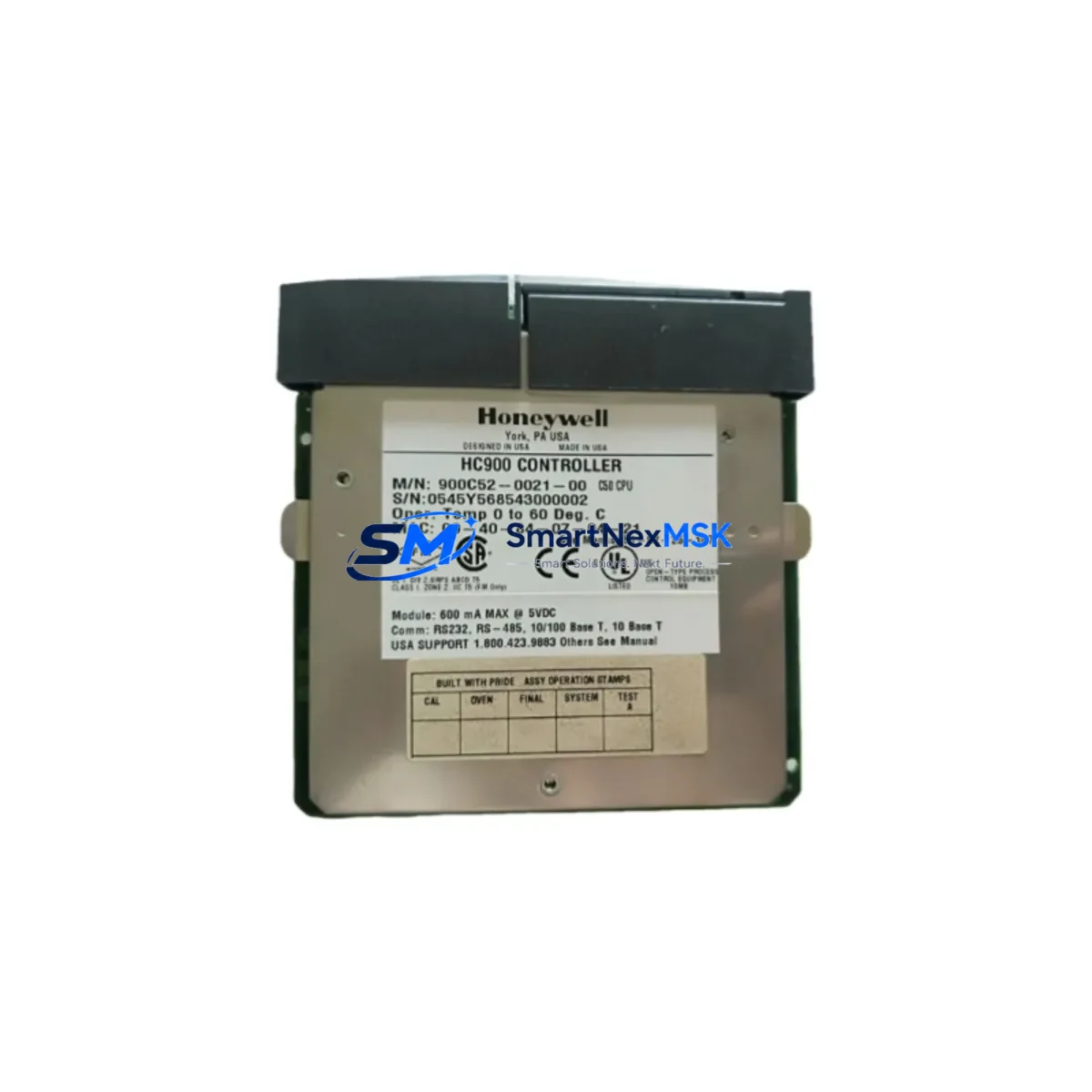
Honeywell 900CP1-0300 Retrofit-Ready CPU for HC900 Control Systems: Seamless Compatibility and Legacy System Upgrade
The Honeywell 900CP1-0300 is a high-performance Control Processor Module engineered for the HC900 Hybrid Controller Series. As legacy DCS and hybrid control platforms approach end-of-life, the 900CP1-0300 serves as a proven retrofit solution for facilities seeking to extend operational continuity without committing to a full system overhaul. Whether you are replacing a failed unit, upgrading an aging control cabinet, or migrating from an earlier HC900 CPU revision, this module delivers the processing power, communication reliability, and I/O compatibility required for uninterrupted industrial automation.
SMARTNEXMSK maintains verified stock of the 900CP1-0300 with pre-shipment functional testing, ensuring every unit leaves our facility in confirmed working condition. All units are covered by a 12-month warranty from the date of shipment.
Upgrade Compatibility Table
| Parameter | Details |
|---|---|
| Compatible Series | Honeywell HC900 Hybrid Controller |
| Replaces / Upgrades | 900CP1-0100, 900CP1-0200 (earlier CPU revisions) |
| Backplane Interface | HC900 standard rack backplane — direct plug-in, no adapter required |
| Communication Ports | Ethernet (10/100 Mbps), RS-485 Modbus RTU/TCP |
| Installation Requirement | Power-down rack before insertion; confirm rack slot assignment |
| Program Compatibility | HC Designer application; existing logic transferable via backup/restore |
| HMI Compatibility | Compatible with existing HC900 HMI screens; tag re-mapping may be required |
| Retrofit Recommendation | Verify firmware version; update HC Designer to latest release before commissioning |
| Commissioning Focus | Module address, I/O scan rate, communication link verification |
| Warranty | 12 months from shipment date |
Retrofit Planning for Existing Automation Systems
Successful retrofit of the 900CP1-0300 into an existing HC900 control system requires systematic pre-installation planning. Begin by auditing the current rack configuration: confirm the 900RK08 or 900RK16 rack model, verify available slot positions, and document the existing wiring terminations on all I/O modules. The 900CP1-0300 occupies the dedicated CPU slot and does not displace I/O capacity, but the surrounding modules — including 900A16R digital output modules, 900B16S analog input modules, and 900G32S combination I/O modules — must be inventoried to confirm scan-rate compatibility with the new processor revision.
Power supply capacity is a critical checkpoint. The HC900 system relies on the 900P01 or 900P02 power supply modules to distribute regulated DC power across the backplane. Before installing the 900CP1-0300, measure the total current draw of all installed I/O modules and confirm the power supply headroom is sufficient. Insufficient power budget is a common cause of intermittent CPU faults after retrofit.
Communication architecture must also be reviewed. If the existing system uses Modbus RTU over RS-485 to field devices or SCADA, verify that the 900CP1-0300 firmware supports the configured baud rate and parity settings. For facilities migrating from serial-only communication to Ethernet-based supervision, the 900CP1-0300’s dual Ethernet ports support simultaneous connection to a control network and a supervisory network, enabling a phased protocol migration without disrupting field device wiring.
HMI integration is another area requiring attention. Existing HC900 operator stations built on Honeywell’s HC Designer or third-party SCADA platforms referencing HC900 tag databases will need tag verification after CPU replacement. In most cases, tag names and addresses are preserved if the replacement CPU is loaded with the original program backup, but screen-level testing is recommended before returning the system to automatic control.
For facilities using 900CS Communication Modules or 900RIO Remote I/O expanders, confirm that the communication module firmware is compatible with the 900CP1-0300 revision. Remote I/O links should be tested individually before enabling full system scan to isolate any address conflicts introduced during the retrofit.
Downtime Control During System Migration
Minimizing production downtime during a CPU retrofit requires a structured changeover procedure. Before any hardware is removed, create a full program backup from the existing CPU using HC Designer’s upload function. Store the backup on an isolated engineering workstation — not on the control network — to prevent accidental overwrite.
Schedule the physical swap during a planned maintenance window. Power down the HC900 rack using the 900P01 power supply isolation switch, remove the existing CPU module, and insert the replacement 900CP1-0300 into the same slot. Restore power and allow the module to complete its self-diagnostic cycle before attempting a program download.
Download the verified program backup via Ethernet using HC Designer. Confirm that all I/O modules report healthy status in the module status display before switching the controller from Program mode to Run mode. Verify analog input scaling on critical process variables — particularly temperature and pressure loops — before releasing the system to automatic control. This step-by-step approach consistently achieves CPU changeovers within a two-hour maintenance window for standard HC900 configurations.
For systems with active Modbus TCP connections to SCADA or historian platforms, notify the control room operator before initiating the swap. Most SCADA systems will log a communication loss event during the changeover; confirm with the operations team that alarm suppression is in place for the duration of the maintenance window to avoid nuisance alarms.
Retrofit Support FAQ
Q: Is the 900CP1-0300 a direct drop-in replacement for the 900CP1-0100 and 900CP1-0200?
A: Yes. The 900CP1-0300 is backward-compatible with earlier HC900 CPU revisions and installs into the same rack slot without mechanical or wiring modification. Program logic created on earlier revisions is transferable via HC Designer backup and restore. Firmware version alignment is recommended before commissioning.
Q: What wiring changes are required during installation?
A: No field wiring changes are required. The 900CP1-0300 connects to the HC900 backplane via the rack slot connector. All I/O terminations remain on the existing I/O modules and terminal blocks. Only the CPU module itself is replaced.
Q: How is compatibility with existing HMI screens verified?
A: After program restore, perform a full tag scan in HC Designer and compare the tag list against the HMI configuration. For HC900-native HMI screens, tag mapping is typically preserved. For third-party SCADA integrations using OPC or Modbus, verify register addresses against the SCADA tag database before returning to automatic operation.
Q: What does the 12-month warranty cover?
A: The 12-month warranty covers manufacturing defects and functional failures under normal operating conditions. Each unit undergoes pre-shipment functional testing. In the event of a warranty claim, SMARTNEXMSK provides a replacement unit with priority shipping to minimize system downtime. Contact [email protected] for warranty support.
© 2026 SMARTNEXMSK. All rights reserved.
Original Source: https://smartnexmsk.com
Contact: [email protected] | +86 18259474341



