
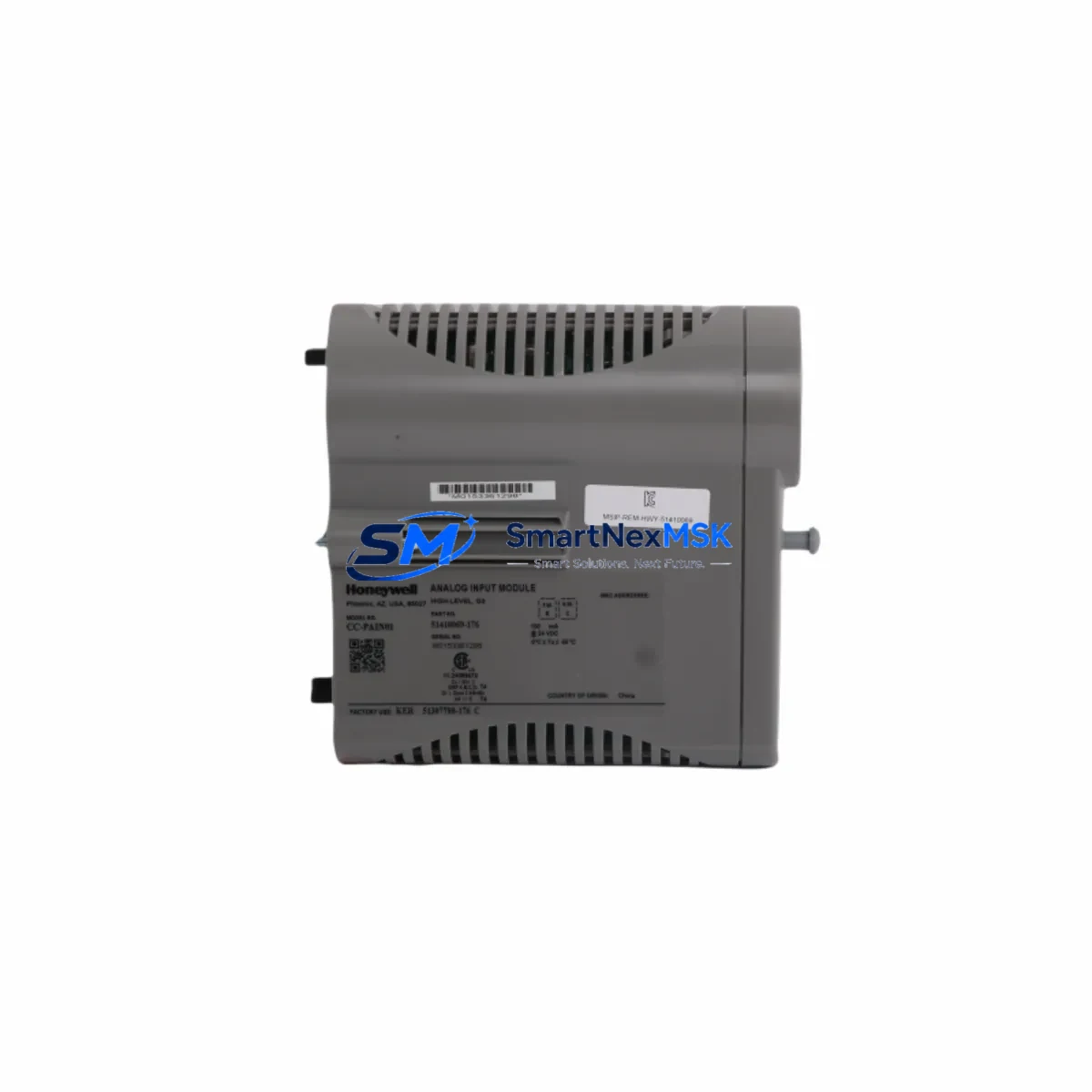
Honeywell CC-PAIN01 51410069-176 Spare Analog Input C300 DCS: Spare Replacement & Industrial Downtime Risk Control
The Honeywell CC-PAIN01 (Part No. 51410069-176) is a high-density analog input module designed for the Experion PKS C300 Controller platform — one of the most widely deployed DCS architectures in refining, petrochemical, power generation, and continuous process industries. When this module fails or degrades, it directly impacts process visibility, loop control integrity, and plant safety. Maintaining a verified spare in your critical parts inventory is not optional — it is a fundamental element of any serious maintenance strategy.
At SMARTNEXMSK, every CC-PAIN01 unit is sourced as an original Honeywell component, subjected to functional bench testing prior to dispatch, and shipped with a 12-month warranty. Our inventory is maintained to support both planned turnaround replacements and emergency same-day dispatch requirements.
Spare Maintenance Table
| Parameter | Specification |
|---|---|
| Part Number | CC-PAIN01 / 51410069-176 |
| Manufacturer | Honeywell Process Solutions |
| Series / Platform | Experion PKS — C300 Controller Series |
| Module Type | Analog Input Module (AI) |
| Channel Count | 8 Channels (4–20 mA / 1–5 V configurable) |
| Signal Range | 4–20 mA (HART-enabled), 1–5 VDC |
| Resolution | 16-bit A/D conversion |
| Isolation | Channel-to-channel and channel-to-bus isolation |
| Communication Bus | FTE (Fault Tolerant Ethernet) via C300 backplane |
| Power Supply | Supplied via IOTA / backplane (no external power required) |
| Mounting | IOTA carrier — CC-TAIX01 or compatible |
| Operating Temperature | 0°C to 60°C |
| Humidity | 5% to 95% RH, non-condensing |
| Certifications | CE, UL, FM (Class I Div 2 rated) |
| Compatibility | Experion PKS R310 and above; C300 Controller |
| Condition | Original, tested before shipment |
| Warranty | 12 Months from date of shipment |
| Lead Time | In stock — ships within 1–3 business days |
Maintenance Planning for Continuous Operation
When a CC-PAIN01 analog input module is flagged for replacement during a scheduled inspection or emergency fault isolation, the maintenance scope should extend beyond the module itself. A disciplined site engineer will simultaneously verify the condition of the associated CC-TAIX01 IOTA carrier, which provides the physical termination and backplane interface for the AI module. Corrosion, bent pins, or loose field wiring on the IOTA are common root causes of intermittent AI faults that are incorrectly attributed to the module.
The C300 Controller module (CC-PCF901 or CC-PCF902) should be checked for firmware version compatibility and diagnostic alarms. If the C300 is running an older Experion PKS release, a firmware mismatch after module swap can cause configuration download failures. Coordinate with your DCS engineer to confirm the Experion release level before hot-swapping the CC-PAIN01.
Field wiring integrity is equally critical. Inspect the terminal blocks and field junction boxes connected to the AI channels. Verify that 4–20 mA transmitters — such as pressure, temperature, flow, or level instruments — are delivering correct loop current. A failed transmitter can simulate a module fault. Use a calibrated loop calibrator to verify each channel independently before condemning the CC-PAIN01.
For HART-enabled loops, confirm that the HART multiplexer or HART pass-through configuration in Experion is correctly mapped. After replacing the CC-PAIN01, re-download the HART device descriptors and verify that all HART device variables are correctly polled. Failure to do so can result in loss of secondary variables and diagnostic data from smart field instruments.
In cabinets housing multiple C300 I/O modules, also inspect the CC-PWRR01 or CC-PWRR02 redundant power supply modules. Voltage sag or ripple on the 24 VDC bus can cause intermittent AI module faults across multiple channels. A power supply nearing end-of-life is a systemic risk that a single module replacement will not resolve.
For sites running redundant C300 controllers, verify that the FTE network switch connecting the primary and secondary C300 nodes is operating correctly. A degraded FTE link can cause the redundant controller to fail to synchronize I/O module states after a module replacement, leading to unexpected failover events.
If the plant uses signal isolators or signal conditioners between field instruments and the CC-PAIN01 input channels, inspect these devices for drift or failure. Galvanic isolation barriers and Zener barriers in intrinsically safe circuits are often overlooked during module-level troubleshooting but are a frequent source of signal degradation.
Finally, update your spare parts register after the replacement. A well-maintained spare parts list for a C300 cabinet should include at minimum: one CC-PAIN01, one CC-TAIX01 IOTA, one C300 controller module, one power supply module, and a set of terminal block connectors. This baseline inventory ensures that any single-point failure in the cabinet can be resolved within one maintenance shift without waiting for emergency procurement.
Site Replacement Workflow
Step 1 — Pre-Replacement Verification: Confirm the fault is isolated to the CC-PAIN01 by reviewing Experion system alarms, module status LEDs, and channel diagnostic data in the Experion Station. Document all channel configurations, HART device assignments, and engineering unit ranges before proceeding.
Step 2 — Safe Isolation: Place all affected control loops in manual mode at the DCS operator station. Notify the operations team of the planned I/O interruption. For safety-instrumented loops, coordinate with the SIS engineer before isolating any AI channel that feeds a safety function.
Step 3 — Module Removal: The CC-PAIN01 is designed for hot-swap replacement on the CC-TAIX01 IOTA carrier. Unlatch the module retaining clip, slide the module out of the carrier, and inspect the IOTA connector pins for damage or contamination before inserting the replacement unit.
Step 4 — Replacement & Download: Insert the new CC-PAIN01 into the IOTA carrier. The Experion C300 will automatically detect the new module and initiate a configuration download. Verify that the module status LED transitions from amber to green and that all channel diagnostics clear within 60 seconds.
Step 5 — Loop Verification: Return each control loop to automatic mode one at a time. Verify process variable readings against independent field instruments or portable calibrators. Confirm HART communication is re-established for all smart devices on the replaced module.
Step 6 — Documentation: Record the replacement in the plant maintenance management system (CMMS). Log the removed module’s serial number, fault symptoms, and replacement date. Return the removed module to the repair depot or dispose of it per site procedures.
Spare Parts Support FAQ
Q1: Is the CC-PAIN01 51410069-176 compatible with all Experion PKS releases?
The CC-PAIN01 is compatible with Experion PKS R310 and all subsequent releases. For sites running releases prior to R310, consult your Honeywell system integrator to confirm firmware compatibility before installation. SMARTNEXMSK can provide the module’s firmware version upon request prior to shipment.
Q2: What testing is performed before shipment?
Every CC-PAIN01 unit dispatched by SMARTNEXMSK undergoes functional bench testing to verify channel integrity, signal accuracy, and backplane communication. A test report is available upon request. All units are shipped in anti-static packaging with physical inspection documentation.
Q3: How should I manage CC-PAIN01 inventory for a large Experion PKS installation?
For installations with more than 10 C300 cabinets, we recommend maintaining a minimum of two CC-PAIN01 spares on-site. For critical continuous process plants, a ratio of one spare per five installed modules is a common industry benchmark. SMARTNEXMSK offers long-term supply agreements and reserved stock programs to support planned maintenance cycles and turnaround schedules.
Q4: What is covered under the 12-month warranty?
The 12-month warranty covers manufacturing defects and functional failures under normal operating conditions. It does not cover damage resulting from incorrect installation, overvoltage events, or physical mishandling. In the event of a warranty claim, SMARTNEXMSK will arrange return logistics and provide a replacement unit or full refund within 10 business days of receiving the returned module.
© 2026 SMARTNEXMSK. All rights reserved.
Original Source: https://smartnexmsk.com
Contact: [email protected] | +86 18259474341



