
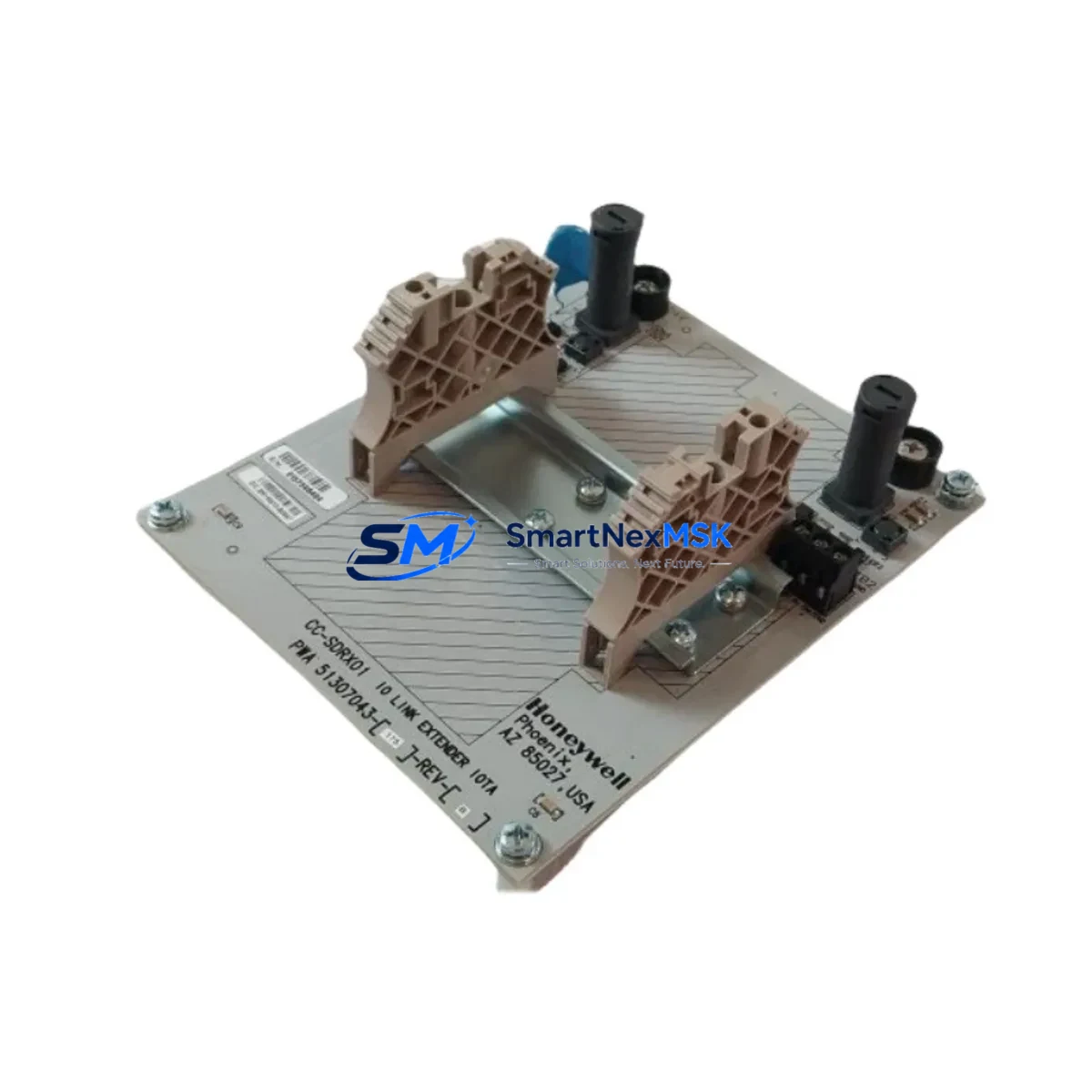
Honeywell CC-SDRX01 51307043-175 Maintenance-Ready Spare C300: Spare Replacement & Industrial Downtime Risk Control
The Honeywell CC-SDRX01 (part number 51307043-175) is an original C I/O Link Conversion Module (CIOM) designed for the Experion PKS C300 Controller platform. In process industries where continuous operation is non-negotiable — refining, petrochemical, power generation, and advanced manufacturing — this module serves as the critical communication bridge between the C300 controller and Series C I/O (SCIO) field termination assemblies. Maintaining a verified spare of the CC-SDRX01 in your site inventory is a fundamental element of any responsible maintenance strategy for Honeywell Experion PKS installations.
Sourced as an original Honeywell component, each CC-SDRX01 51307043-175 unit shipped by SMARTNEXMSK is subject to pre-dispatch functional verification, ensuring that the module you receive is ready for immediate installation. Our 12-month warranty covers manufacturing defects and operational failures under normal industrial service conditions, giving maintenance engineers and procurement teams the confidence to stock this part as a long-term reliability asset.
Spare Maintenance Table
| Parameter | Specification / Detail |
|---|---|
| Part Number | CC-SDRX01 / 51307043-175 |
| Manufacturer | Honeywell Process Solutions |
| Module Type | C I/O Link Conversion Module (CIOM) |
| Compatible Platform | Honeywell Experion PKS — C300 Controller Series |
| Compatible I/O | Series C I/O (SCIO) Field Termination Assemblies |
| Communication Link | C I/O Link (proprietary Honeywell serial bus) |
| Mounting | C300 Controller Chassis / Backplane slot |
| Operating Temperature | 0°C to 60°C (32°F to 140°F) |
| Power Supply | Supplied via controller backplane (no external PSU required) |
| Country of Origin | United States |
| Condition | Original, New / Refurbished-to-OEM-spec (as labeled) |
| Pre-Shipment Test | Functional verification performed before dispatch |
| Warranty | 12 Months — covers manufacturing defects and operational failure |
| Lead Time | In-stock: ships within 1–3 business days |
| Application Environment | Process automation, DCS control cabinets, industrial plant rooms |
| Maintenance Recommendation | Inspect C I/O Link wiring, backplane connectors, and adjacent SCIO FTAs at each replacement interval |
Maintenance Planning for Continuous Operation
When a CC-SDRX01 51307043-175 failure is identified — whether through a C I/O Link communication fault alarm, loss of SCIO field I/O, or a C300 controller diagnostic event — the replacement workflow should be embedded within a broader cabinet inspection routine. Experienced maintenance engineers understand that a single module fault rarely occurs in isolation; the surrounding electrical environment must be evaluated concurrently to prevent repeat failures and to confirm system integrity before returning the loop to service.
Begin by verifying the C300 Controller (CC-PCNT01 or CC-PCNT02) itself — confirm firmware revision compatibility with the replacement CIOM and check that the controller backplane shows no physical damage or corrosion on the card-edge connectors. The C300 Redundancy Module (CC-RCCN01), if installed, should be inspected to ensure that the redundancy link remains healthy and that the replacement CIOM is recognized symmetrically on both primary and secondary controller nodes.
Inspect the Series C I/O Field Termination Assemblies (FTAs) connected downstream of the CC-SDRX01. FTA models such as the CC-TAIX11 (analog input) and CC-TDOB01 (digital output) should be checked for terminal block integrity, field wiring continuity, and any signs of moisture ingress or insulation degradation. A CIOM replacement is an ideal opportunity to perform a full I/O loop check on all channels served by the affected C I/O Link segment.
The 24 VDC power distribution rail feeding the C300 chassis should be measured under load — voltage sag or ripple on the backplane supply is a known contributor to intermittent CIOM communication faults. If the site uses a Honeywell Power Supply Module (CC-PWR01 or equivalent), verify output voltage stability and inspect the fuse or circuit breaker protecting the controller cabinet power feed. Redundant power supply configurations should be tested for automatic switchover.
For sites running Experion PKS R400 or later, confirm that the replacement CC-SDRX01 is compatible with the installed Experion server software revision. The Experion Server (ESVR) and associated Control Execution Environment (CEE) configuration should be backed up before any hardware swap to protect against configuration loss. After installation, use the Experion Station HMI to confirm that all C I/O Link nodes are online and that no unacknowledged alarms remain on the affected controller.
Additionally, inspect the C I/O Link cable assemblies connecting the CIOM to the SCIO FTA mounting channels. Cable shield continuity, connector seating, and bend radius compliance are frequently overlooked during emergency replacements and can cause intermittent faults post-repair. Where FOUNDATION Fieldbus or HART signal isolators are present in the same cabinet, verify that ground loops have not been introduced by the replacement activity.
Site Replacement Workflow
Step 1 — Preparation & Isolation: Obtain the replacement CC-SDRX01 51307043-175 from site spare parts inventory. Review the Experion PKS C300 Hardware Installation Guide for slot assignment and ESD precautions. Notify the control room operator and obtain a permit to work (PTW) if required by site safety procedures. Back up the Experion configuration database.
Step 2 — Fault Confirmation: Use the Experion Station or Engineering Console to confirm the fault is isolated to the CC-SDRX01 and not to the C300 controller, backplane, or downstream FTAs. Document the fault code and timestamp for maintenance records.
Step 3 — Module Removal: With the C300 controller in a safe state (or with redundancy active on the secondary node), extract the faulty CC-SDRX01 from its chassis slot. Inspect the backplane connector for bent pins or contamination before inserting the replacement unit.
Step 4 — Installation & Verification: Insert the replacement CC-SDRX01 51307043-175 firmly into the designated chassis slot. Power up and observe the module status LEDs. Confirm C I/O Link communication is re-established via the Experion Station. Perform a full I/O loop check on all channels served by this CIOM segment.
Step 5 — Return to Service & Documentation: Clear all related alarms, confirm process values are within normal range, and notify the control room that the loop is returned to automatic. Update the site maintenance management system (CMMS) with the replacement record, including the new module serial number and installation date.
This workflow is applicable whether replacing an end-of-life CC-SDRX01 in a legacy Experion PKS R200/R300 installation or upgrading a spare in a current R500 system. The CC-SDRX01 51307043-175 is a direct form-fit-function replacement for earlier CIOM revisions, minimizing re-engineering effort and preserving existing C I/O Link topology.
Spare Parts Support FAQ
Q1: Is the CC-SDRX01 51307043-175 compatible with all Experion PKS C300 revisions?
The CC-SDRX01 is designed for the Honeywell Experion PKS C300 Controller platform and is compatible across multiple Experion software revisions (R200 through R500 and later). For installations running very early firmware, we recommend confirming the hardware revision label on the module against your system’s compatibility matrix. Our technical team can assist with compatibility verification prior to shipment.
Q2: What pre-shipment testing is performed on each unit?
Every CC-SDRX01 51307043-175 dispatched by SMARTNEXMSK undergoes functional verification before shipment. This includes power-on self-test confirmation, C I/O Link interface check, and visual inspection for physical damage. Units are packed in anti-static ESD-safe packaging with a test record included in the shipment documentation.
Q3: How should I manage CC-SDRX01 inventory for a multi-unit Experion PKS plant?
For plants operating multiple C300 controllers, we recommend maintaining a minimum of one CC-SDRX01 spare per four installed CIOMs, or per plant area, whichever results in a higher stock level. Given the module’s role as the sole communication bridge between the C300 and its SCIO field I/O, an unplanned CIOM failure without a site spare can result in complete loss of field I/O visibility for the affected controller — a high-consequence event in process-critical applications. Long-term supply agreements are available for customers requiring guaranteed stock replenishment.
Q4: What is covered under the 12-month warranty, and what is the return process?
The 12-month warranty covers manufacturing defects and operational failures under normal industrial service conditions. It does not cover damage resulting from incorrect installation, overvoltage events, physical impact, or unauthorized modification. To initiate a warranty claim, contact SMARTNEXMSK with the original order reference, a description of the fault, and photographic evidence of the failure mode. Replacement or repair will be arranged within 5 business days of claim approval.
© 2026 SMARTNEXMSK. All rights reserved.
Original Source: https://smartnexmsk.com
Contact: [email protected] | +86 18259474341



