
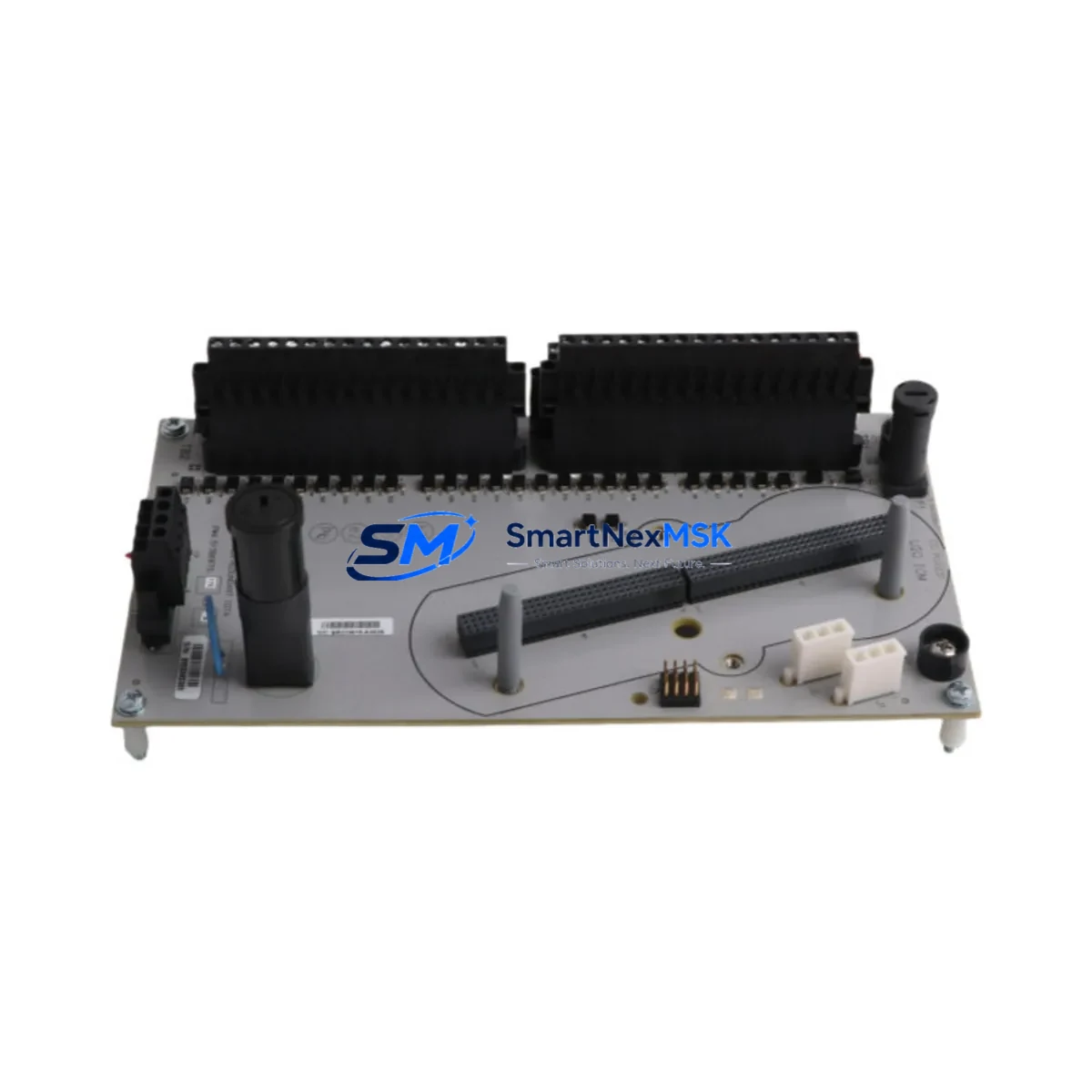
Honeywell CC-TUIO31 51306875-176 Retrofit-Ready Universal I/O Terminal Board for Experion PKS C300 Control Systems
The Honeywell CC-TUIO31 (Part No. 51306875-176) is a Universal I/O Terminal Board engineered for seamless integration within the Experion PKS distributed control system platform. As legacy DCS installations age and original spare parts become increasingly difficult to source, the CC-TUIO31 has emerged as a critical retrofit component for facilities seeking to extend the operational life of their C300 controller-based control architectures without committing to a full system overhaul.
This terminal board serves as the field-side wiring interface for the Honeywell Universal I/O (UIO) module family, providing the physical termination points that connect field instruments — including 4–20 mA transmitters, RTDs, thermocouples, discrete inputs, and discrete outputs — to the C300 controller backplane. Its universal channel configuration eliminates the need for dedicated analog or discrete terminal boards, significantly reducing spare parts inventory complexity during a retrofit project.
For facilities currently operating on older Honeywell TDC 3000, PlantScape, or early-generation Experion R100/R200 platforms, the CC-TUIO31 51306875-176 is a validated migration endpoint. Engineers planning a phased migration from TDC 3000 High-Performance Process Manager (HPPM) or Advanced Process Manager (APM) modules will find that the CC-TUIO31 supports the I/O marshalling strategy required when consolidating legacy field wiring into the Experion PKS C300 architecture.
Upgrade Compatibility Table
| Parameter | Details |
|---|---|
| Part Number | CC-TUIO31 / 51306875-176 |
| Compatible Controller | Honeywell C300 Process Controller (Experion PKS) |
| Compatible I/O Module | CC-PAIX01, CC-PAOX01, CC-PDIL01, CC-PDOB01, CC-TAIX11, CC-TAOX11 series UIO modules |
| Backplane Interface | IOLINK backplane connector; compatible with standard C300 I/O Link chassis |
| Installation Type | DIN rail or panel-mount; screw-terminal field wiring |
| Communication Compatibility | Experion PKS IOLINK protocol; not compatible with FTE or Modbus direct |
| Replacement Scope | Direct replacement for worn, damaged, or end-of-life CC-TUIO31 units |
| Commissioning Notes | Module address must be re-confirmed in Control Builder after swap; verify channel type assignments |
| Warranty | 12 Months — tested and verified before dispatch |
Retrofit Planning for Existing Automation Systems
A successful retrofit involving the CC-TUIO31 51306875-176 requires careful pre-engineering across several system layers. Before removing the existing terminal board, engineers should document all field wiring terminations, confirm the channel-by-channel I/O type assignments stored in the Experion PKS Control Builder configuration, and verify that the replacement board’s revision level is compatible with the installed firmware on the associated C300 controller.
Power budget verification is a mandatory first step. The C300 I/O chassis — typically a CC-PCNT01 or CC-PCNT02 chassis — has a defined power envelope. Adding or replacing UIO terminal boards requires confirming that the chassis power supply, such as the CC-PWR001 or CC-PWR002 power supply module, can sustain the aggregate load of all installed I/O modules and terminal boards without triggering an over-current fault.
Field wiring continuity must be preserved during the swap. The CC-TUIO31 uses a standard screw-terminal block arrangement. Engineers should photograph or document the existing wiring layout before disconnection. For facilities using marshalling cabinets with cross-wiring to a junction box, the terminal numbering on the replacement board must be mapped against the existing cable schedule to avoid mis-termination of critical process signals such as reactor temperature loops or pressure transmitter inputs.
Module addressing is another key commissioning step. In the Experion PKS architecture, each I/O module slot on the C300 backplane is assigned a logical address within the IOLINK segment. After installing the replacement CC-TUIO31, the engineer must open Control Builder, navigate to the affected controller’s I/O assignment tree, and confirm that the channel definitions — including signal type, range, and engineering unit scaling — are correctly mapped to the new board. Failure to verify this step can result in incorrect process variable readings or spurious discrete output activations.
For facilities also upgrading their human-machine interface layer, HMI screen updates may be required if the tag names or I/O point addresses have changed during the migration. Systems running Honeywell Station or third-party SCADA platforms connected via OPC DA or OPC UA should have their tag databases audited against the updated Control Builder configuration before returning the loop to automatic control.
Communication link integrity should be validated after the swap. The IOLINK segment connecting the C300 controller to its I/O chassis operates over a dedicated backplane bus. If the retrofit also involves replacing the C300 controller module itself — for example, upgrading from an early CC-PCNT01 revision to a current-generation C300 — the IOLINK segment parameters must be re-synchronized. In multi-controller architectures, the CC-LINK01 or CC-LINK02 communication interface modules should be checked for firmware compatibility with the updated controller revision.
For projects involving protocol migration — such as transitioning legacy HART field devices from point-to-point wiring to a HART multiplexer arrangement, or migrating from RS-485 Modbus RTU instruments to FOUNDATION Fieldbus segments — the CC-TUIO31 terminal board serves as the physical anchor point for the new wiring scheme. The associated CC-TAIX11 or CC-TAOX11 UIO modules support HART pass-through, enabling asset management integration with Honeywell Field Device Manager (FDM) without requiring additional hardware.
Downtime Control During System Migration
Minimizing unplanned downtime is the primary operational constraint in any live-plant DCS retrofit. For a CC-TUIO31 replacement, the recommended approach is a hot-standby swap sequence combined with pre-staged configuration verification.
Begin by placing all affected control loops in manual mode at the operator station. For critical process loops — such as reactor feed flow, column pressure, or furnace temperature — coordinate with the process team to confirm that manual operation can be sustained safely for the duration of the swap, typically 15 to 45 minutes for a single terminal board replacement.
Before physically removing the existing CC-TUIO31, export the current Control Builder configuration for the affected C300 controller to a backup file. This preserves the original I/O channel assignments, PID tuning parameters, and interlock logic in the event that the replacement board requires a configuration reload. The backup file also serves as the reference document for post-swap verification.
After installing the replacement board and reconnecting field wiring, bring the IOLINK segment back online and monitor the Experion PKS system status display for any I/O fault alarms. Confirm that all channel status indicators return to normal before transferring control loops back to automatic. For facilities with a redundant C300 controller pair, the switchover sequence should be tested in simulation mode before the live cutover to confirm that the standby controller correctly inherits the updated I/O configuration.
Pre-shipment testing of the CC-TUIO31 51306875-176 at our facility ensures that the board arrives ready for immediate installation, reducing the risk of discovering a defective component during a planned maintenance window. Each unit undergoes functional verification of all terminal connections and backplane interface signals before dispatch, backed by a 12-month warranty covering manufacturing defects and premature failure under normal operating conditions.
Retrofit Support FAQ
Q1: Is the CC-TUIO31 51306875-176 a direct drop-in replacement for my existing CC-TUIO31 unit?
Yes. The CC-TUIO31 51306875-176 is a direct form-fit-function replacement for all prior revisions of the CC-TUIO31 terminal board used in Experion PKS C300 I/O chassis. Field wiring terminations, backplane connector pinout, and DIN rail mounting dimensions are identical. No mechanical modifications to the cabinet or chassis are required. After installation, verify channel type assignments in Control Builder to confirm the configuration matches your process requirements.
Q2: What commissioning steps are required after installing the replacement board?
After physical installation and field wiring reconnection, open Experion PKS Control Builder and navigate to the affected C300 controller’s I/O assignment. Confirm that each channel’s signal type (AI, AO, DI, DO), range, and engineering unit scaling matches the original configuration. Check the IOLINK segment status for any communication faults. Place affected loops in manual mode during the swap and return to automatic only after all channel status indicators confirm normal operation. For HART-enabled channels, re-initiate HART device recognition in Field Device Manager if applicable.
Q3: Can this board be used with older Honeywell Experion PKS releases, such as R310 or R400?
The CC-TUIO31 51306875-176 is compatible with Experion PKS releases from R310 onward, subject to the firmware revision of the installed C300 controller. For R210 or earlier installations, consult the Honeywell Experion PKS I/O Compatibility Matrix to confirm the minimum controller firmware version required to support the UIO terminal board family. If your site is running a pre-R310 release, a controller firmware upgrade may be required before installing this terminal board.
Q4: What does the 12-month warranty cover, and what is the return process?
The 12-month warranty covers manufacturing defects and premature failure under normal industrial operating conditions, including temperature cycling, vibration within DIN EN 60068-2 limits, and standard DCS cabinet environments. It does not cover damage resulting from incorrect installation, over-voltage events, or physical impact. To initiate a warranty claim, contact our technical support team with the unit serial number, installation date, and a description of the observed fault. Replacement units are dispatched within 3 business days of claim approval, and failed units must be returned within 30 days for warranty validation.
© 2026 SMARTNEXMSK. All rights reserved.
Original Source: https://smartnexmsk.com
Contact: [email protected] | +86 18259474341



