
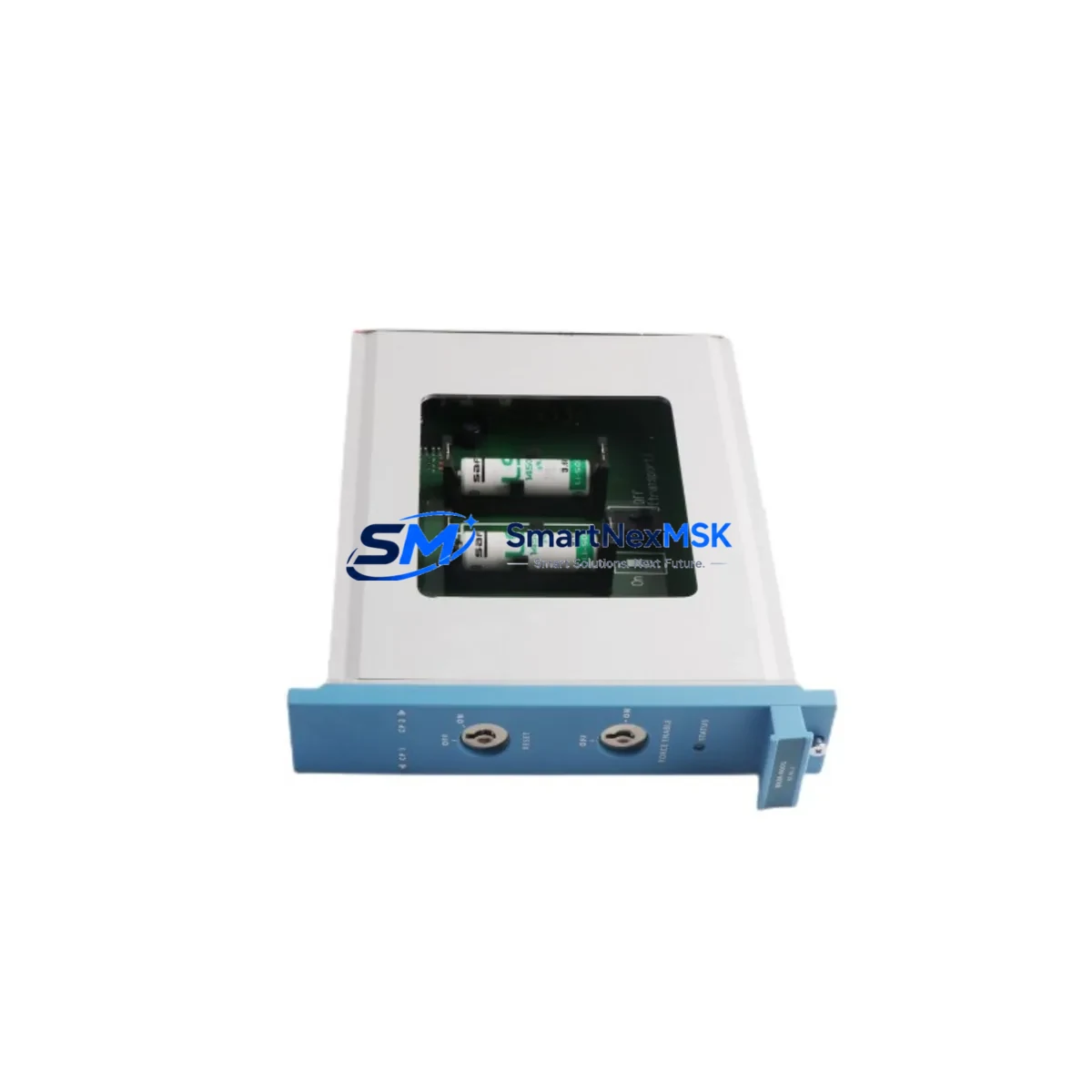
Honeywell FC-BKM-0001 Retrofit-Ready Battery Key Switch Module for Experion PKS Series C Control Systems
The Honeywell FC-BKM-0001 is a Battery and Key Switch Module engineered for the Experion PKS Series C distributed control system platform. As legacy DCS installations age and OEM support windows close, the FC-BKM-0001 has become one of the most sought-after retrofit components for facilities managing long-lifecycle process control infrastructure. Whether you are replacing a failed unit on an operating line, upgrading a control cabinet during a planned shutdown, or building a spare-parts inventory ahead of a multi-year modernization program, this module delivers verified compatibility and reliable performance in demanding industrial environments.
The FC-BKM-0001 provides battery backup management and key-switch control functions critical to maintaining controller state during power interruptions. In Experion PKS Series C architectures, the module interfaces directly with the C200 or C300 controller chassis, protecting volatile memory and enabling controlled startup sequences. Facilities that have migrated from older TDC 3000 or PlantScape platforms to Experion PKS frequently encounter this module as a mandatory component during cabinet consolidation and rack standardization projects.
Upgrade Compatibility Table
| Parameter | FC-BKM-0001 Specification |
|---|---|
| Compatible Platform | Honeywell Experion PKS Series C |
| Compatible Controllers | C200, C200E, C300 |
| Chassis / Backplane | Series C IOTA / Standard Series C Rack |
| Communication Interface | FTE (Fault Tolerant Ethernet) compatible chassis |
| Installation Type | Direct slot replacement — no hardware modification required |
| Replaces / Supersedes | Earlier BKM variants in TDC 3000 migration paths |
| Retrofit Recommendation | Replace in pairs where redundant controller chassis are deployed |
| Commissioning Note | Verify battery charge state via Experion Station after installation |
| Warranty | 12 Months — covers functional failure under normal operating conditions |
Retrofit Planning for Existing Automation Systems
Integrating the FC-BKM-0001 into an existing Experion PKS installation requires a structured approach to avoid unplanned downtime and configuration drift. Before removing the legacy module, engineers should document the current battery status, key-switch position, and any active controller alarms visible on the Experion Station HMI. The C200 or C300 controller should be placed in a safe operating state, and where redundant controllers are present, the standby unit should be confirmed as fully synchronized before the primary chassis is touched.
The physical installation is straightforward: the FC-BKM-0001 seats into the designated slot on the Series C IOTA backplane. However, the surrounding components in the cabinet deserve equal attention during the retrofit. The CC-TAIX11 or CC-TAOX11 analog I/O termination assemblies mounted on adjacent IOTA bases should be inspected for terminal corrosion and loose wiring, as vibration over years of operation can loosen field wiring connections. Similarly, the CC-PWR01 or CC-PWR02 power supply modules feeding the rack should be load-tested to confirm they can support the restored module complement without voltage sag.
Communication continuity is another critical checkpoint. In FTE-based Experion PKS networks, the CC-TCF901 FTE switch or equivalent managed switch infrastructure must remain operational throughout the swap. Any interruption to the FTE ring during controller maintenance can trigger redundancy failover events that propagate alarms to the Experion Station and, in some configurations, to connected Safety Manager or Safety Builder nodes. Coordinating with the control room operator before beginning work ensures that alarm floods are anticipated and suppressed appropriately.
For facilities also managing Profibus DP or HART field device networks through the Experion PKS system, the CC-PDOB01 Profibus interface module and associated HART multiplexers should be verified as stable before and after the FC-BKM-0001 replacement. Field device diagnostics accessible through the Experion FDM (Field Device Manager) provide a baseline for confirming that no field instruments lost communication during the controller maintenance window.
Where the retrofit is part of a broader cabinet upgrade — for example, consolidating multiple legacy Series C racks into a smaller footprint using updated C300 controllers and IOTA bases — the FC-BKM-0001 should be provisioned for each new controller chassis in the bill of materials. Overlooking the battery module during cabinet redesign is a common source of post-commissioning deficiencies that require a second maintenance window to resolve.
Downtime Control During System Migration
Minimizing production impact during FC-BKM-0001 replacement depends on preparation, sequencing, and having verified spare parts on hand before the maintenance window opens. The recommended approach is to pre-stage the replacement module in the control room at least 24 hours before the planned outage, allowing the module to reach ambient temperature and enabling a visual inspection for shipping damage.
Where the process unit can tolerate a brief controller switchover, the preferred sequence is to transfer control to the redundant C200 or C300 controller, replace the FC-BKM-0001 in the primary chassis, restore the primary controller to active status, and confirm synchronization before closing the work order. This approach keeps the process running on a validated control path throughout the maintenance activity and limits the window of single-controller exposure to the time required for physical module swap and battery charge verification — typically under 30 minutes for an experienced technician.
For non-redundant controller installations, the maintenance window must be coordinated with production scheduling to align with a planned process hold or safe-state condition. In these cases, preserving the controller program is paramount: a full controller backup using Honeywell Control Builder should be completed and verified before any hardware is disturbed. The backup file should be stored on a local engineering workstation as well as on the site’s network backup system, ensuring that program recovery is possible even if the workstation itself is unavailable during the outage.
Post-installation, the Experion Station should be monitored for a minimum of one full process cycle to confirm that all control loops, alarm setpoints, and historian data collection have resumed normally. Any residual battery-related alarms should clear within minutes of the new FC-BKM-0001 completing its initial charge cycle.
Retrofit Support FAQ
Q: Is the FC-BKM-0001 a direct drop-in replacement for earlier Honeywell battery modules used in Experion PKS Series C?
A: Yes. The FC-BKM-0001 is designed for direct slot replacement in Series C IOTA backplanes supporting C200, C200E, and C300 controllers. No hardware modification or firmware update is required for standard replacement scenarios. Confirm the chassis revision level matches Series C specifications before installation.
Q: What wiring or termination changes are needed when installing the FC-BKM-0001?
A: The FC-BKM-0001 is a backplane-mounted module with no external field wiring connections. Terminal block re-termination is not required. Inspect the backplane connector on the existing chassis for pin damage or contamination before seating the replacement module.
Q: How is compatibility with the existing Experion PKS control program verified after replacement?
A: After installation, use Honeywell Control Builder to confirm the controller status shows “Loaded” and synchronized. Check the Experion Station for active hardware alarms related to the BKM slot. Run a full point check on critical control loops to verify that setpoints, outputs, and historian tags are operating as expected.
Q: What does the 12-month warranty cover?
A: The 12-month warranty covers functional failure of the FC-BKM-0001 under normal operating conditions, including battery management circuit failure and key-switch mechanism defects. Units are tested prior to shipment. Warranty claims are supported by SMARTNEXMSK with advance replacement coordination to minimize site downtime.
© 2026 SMARTNEXMSK. All rights reserved.
Original Source: https://smartnexmsk.com
Contact: [email protected] | +86 18259474341



