
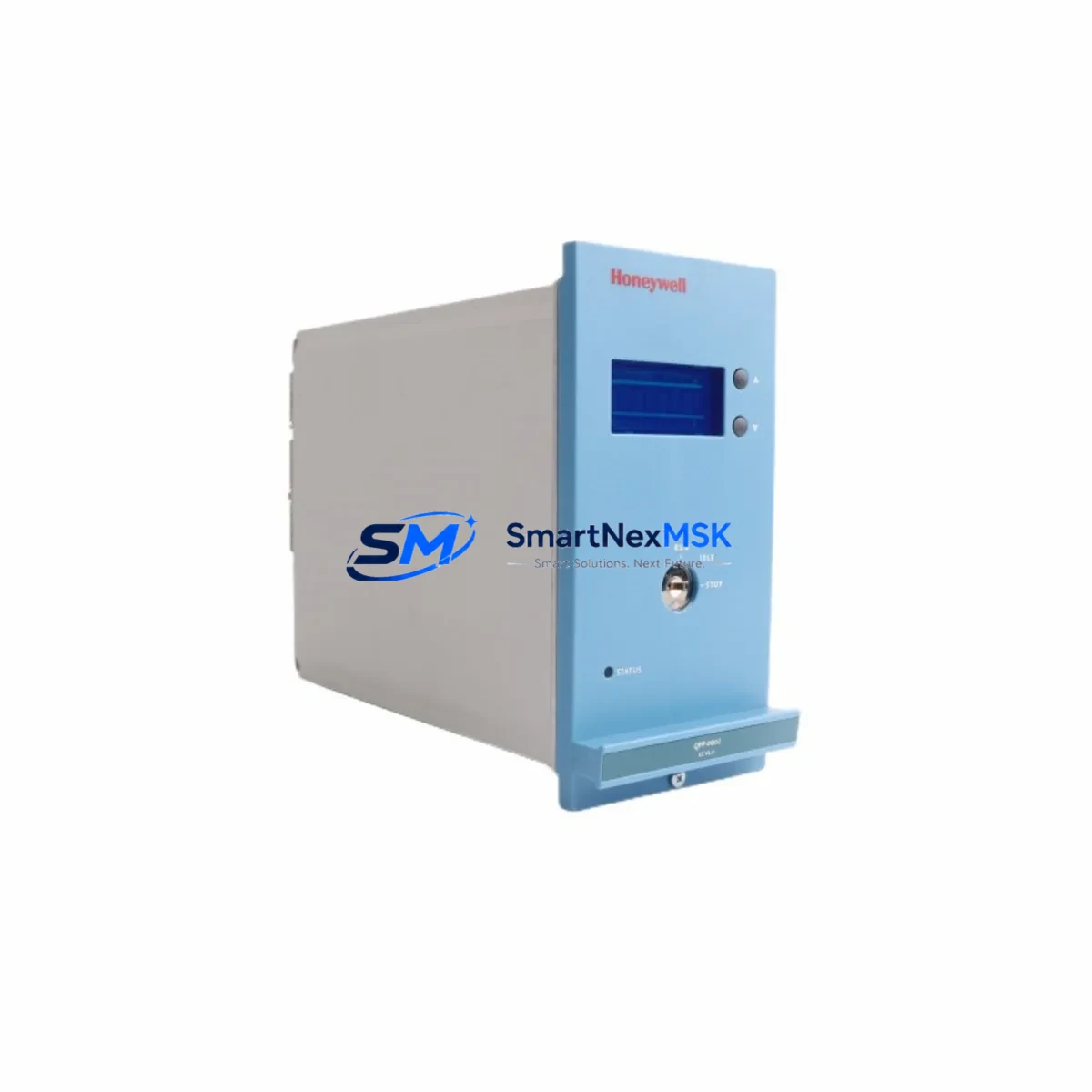
Honeywell FC-QPP-0002 V1.2 Maintenance-Ready Spare for Experion PKS Automation
The Honeywell FC-QPP-0002 V1.2 is a Quad Processor Module engineered for the Experion PKS distributed control system platform — one of the most widely deployed DCS architectures in refining, petrochemical, power generation, and continuous process industries. When this module fails or degrades, the consequences extend far beyond a single I/O point: the entire controller node may go offline, triggering unplanned shutdowns, safety system interventions, and costly production losses. Sourcing a verified, original-specification replacement with the shortest possible lead time is the single most critical action a maintenance or reliability engineer can take in this scenario.
At SMARTNEXMSK, the FC-QPP-0002 V1.2 is stocked as a long-term maintenance spare, pre-inspected, function-tested, and shipped with a 12-month warranty. Every unit undergoes bench verification against Honeywell Experion PKS compatibility parameters before dispatch, ensuring that the module you receive is ready for immediate installation — not a source of additional troubleshooting delay on the plant floor.
Spare Maintenance Table
| Parameter | Specification / Detail |
|---|---|
| Part Number | FC-QPP-0002 |
| Firmware / Revision | V1.2 |
| Module Type | Quad Processor Module (QPP) |
| Platform Compatibility | Honeywell Experion PKS (C200, C300 controller families) |
| Series | Experion PKS |
| Manufacturer | Honeywell Process Solutions |
| Country of Origin | United States |
| Mounting | DIN-rail / backplane slot installation |
| Operating Temperature | 0°C to 60°C (standard industrial enclosure) |
| Power Supply Requirement | 24 VDC via controller backplane (verify with FC-PSU series) |
| Communication Interface | FTE (Fault Tolerant Ethernet) backplane bus |
| Redundancy Support | Supports redundant controller pair configuration |
| Application Environment | Continuous process control, refining, power, petrochemical |
| Maintenance Classification | Critical spare — recommend minimum 1 unit on-site |
| Pre-shipment Testing | Function-tested and bench-verified before dispatch |
| Warranty | 12 months from date of shipment |
| Lead Time | In stock — ships within 1–3 business days |
Maintenance Planning for Continuous Operation
Replacing the FC-QPP-0002 V1.2 in an Experion PKS system is rarely an isolated task. A disciplined maintenance engineer will treat this event as an opportunity to audit the entire controller node and associated cabinet infrastructure. The Quad Processor Module sits at the heart of the control loop, and its failure often signals stress on adjacent components that share the same power rail, backplane, or communication path.
Begin with the FC-PSU series power supply modules — verify output voltage stability and check for capacitor aging, particularly in cabinets that have been in service for more than five years. A marginal power supply is a common root cause of intermittent processor faults. Next, inspect the FTE network switch and Ethernet patch cables connecting the controller node to the Experion server: degraded cable shielding or a failing switch port can cause communication timeouts that mimic processor failure.
On the I/O side, audit the FC-AI16 analog input modules and FC-DO16 digital output modules installed in the same chassis. Backplane connector wear and oxidation on I/O module edge connectors are frequently overlooked during corrective maintenance. While the cabinet is open, check the terminal blocks and field wiring terminations on the marshalling panel — loose or corroded terminals are a leading cause of spurious signals that accelerate processor diagnostic faults.
If the system uses redundant controllers, verify that the redundancy synchronization cable between the primary and secondary FC-QPP modules is intact and properly seated. A failed sync link will prevent automatic failover and defeats the purpose of the redundant architecture. Also confirm that the C300 controller chassis backplane itself shows no signs of physical damage, burn marks, or contamination — backplane replacement is a significant undertaking and is best identified proactively.
For sites running Experion PKS with HART-enabled field instruments, check the HART multiplexer or signal conditioner modules in the loop. These devices are often overlooked in processor-focused maintenance events but can introduce loop impedance issues that affect the new module’s I/O diagnostics after installation. Similarly, review any signal isolators or intrinsic safety barriers in hazardous-area loops connected to this controller — barrier degradation can cause ground faults that stress the I/O subsystem.
Finally, update the Experion PKS server configuration backup and confirm that the controller load file is current before powering up the replacement FC-QPP-0002 V1.2. A stale configuration file is one of the most common causes of extended commissioning time after a hardware swap.
Site Replacement Workflow
Step 1 — Pre-replacement verification: Confirm the installed module’s part number and firmware revision against the spare. The FC-QPP-0002 V1.2 is backward-compatible with earlier V1.x revisions in most Experion PKS configurations, but always cross-reference with the site’s Honeywell system documentation or contact your DCS support team for firmware compatibility confirmation.
Step 2 — Controller state management: If the system is configured for redundancy, initiate a controlled switchover to the secondary controller before removing the primary FC-QPP-0002. This eliminates process disruption and allows the replacement to be performed under live-system conditions. For non-redundant configurations, coordinate with operations for a planned shutdown window.
Step 3 — Physical replacement: Follow Honeywell’s ESD precautions. Remove the faulty module by releasing the front-panel locking mechanism, sliding the module out of the backplane slot, and immediately installing the replacement. Ensure the backplane connector is fully seated — partial engagement is a common installation error that causes intermittent faults.
Step 4 — Configuration download and verification: After power-up, download the controller configuration from the Experion server and verify that all I/O points report correctly. Run a loop check on critical analog outputs before returning the controller to automatic mode.
Step 5 — Documentation and spare replenishment: Record the replacement in the site maintenance management system and immediately initiate a purchase order for a replacement spare. A zero-spare position on a critical processor module is an unacceptable risk posture for any continuous process facility.
Spare Parts Support FAQ
Q1: Is the FC-QPP-0002 V1.2 compatible with both C200 and C300 Experion PKS controller families?
The FC-QPP-0002 is primarily associated with the Experion PKS C-series controller architecture. Compatibility with specific chassis generations depends on the backplane revision and firmware version deployed at your site. We recommend providing your system’s controller chassis part number and current firmware version when placing your order so our technical team can confirm fit before shipment.
Q2: What pre-shipment testing does SMARTNEXMSK perform on this module?
Every FC-QPP-0002 V1.2 unit is bench-tested for power-on functionality, backplane communication integrity, and processor initialization before dispatch. Units that do not pass functional verification are not shipped. A test report is available upon request for critical spare applications.
Q3: What does the 12-month warranty cover?
The 12-month warranty covers manufacturing defects and functional failures under normal operating conditions. It does not cover damage resulting from incorrect installation, overvoltage events, or physical mishandling. Warranty claims are processed with a replacement-first policy to minimize your downtime.
Q4: Can SMARTNEXMSK supply other Experion PKS spare modules for the same maintenance event?
Yes. We maintain inventory of complementary Experion PKS components including power supply modules, I/O modules, communication modules, and chassis backplanes. If you are planning a scheduled maintenance outage and need to consolidate your spare parts order, contact our team with your BOM and we will confirm availability and lead times for all items.
© 2026 SMARTNEXMSK. All rights reserved.
Original Source: https://smartnexmsk.com
Contact: [email protected] | +86 18259474341



