
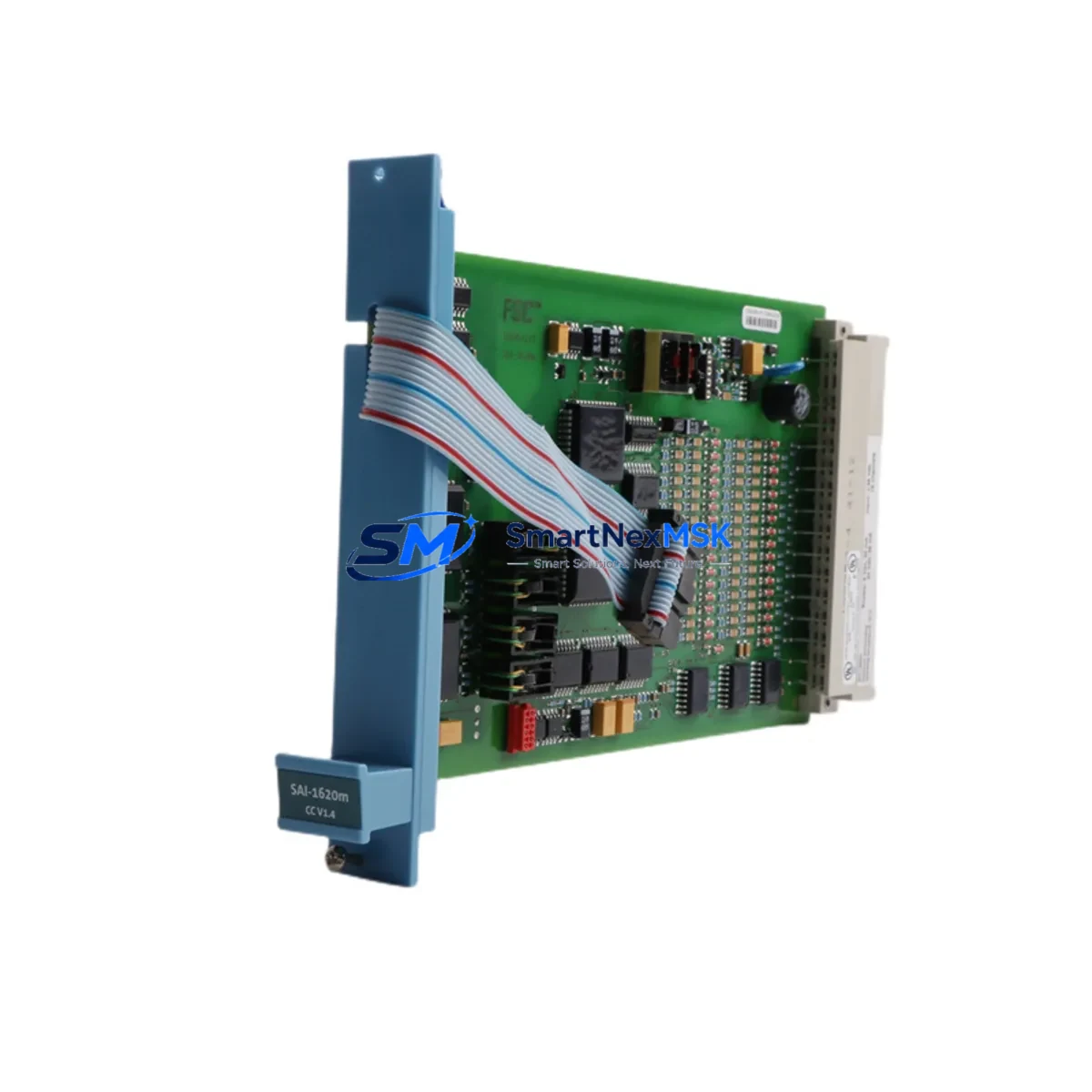
Honeywell FC-SAI-1620M Maintenance-Ready Spare FSC: Spare Replacement & Industrial Downtime Risk Control
The Honeywell FC-SAI-1620M is a 16-channel fail-safe analog input module designed for the Honeywell FSC (Fail-Safe Controller) safety system platform. As a critical component in SIL-rated safety instrumented systems (SIS), this module handles 4–20 mA analog signals from field transmitters — including pressure, temperature, flow, and level sensors — and delivers them to the FSC safety CPU for real-time process monitoring and emergency shutdown logic. When this module fails or degrades, the entire safety loop it serves is compromised, making rapid spare replacement essential to maintaining plant safety integrity and regulatory compliance.
Sourced as an original Honeywell spare, the FC-SAI-1620M is tested prior to shipment and backed by a 12-month warranty. It is suitable for direct replacement in existing FSC racks without firmware reconfiguration in most standard deployments. For maintenance engineers managing aging FSC systems, stocking this module as a critical spare is a fundamental part of any SIS lifecycle management strategy.
Spare Maintenance Table
| Parameter | Specification |
|---|---|
| Part Number | FC-SAI-1620M |
| Brand | Honeywell |
| Series | FSC (Fail-Safe Controller) |
| Module Type | 16-Channel Fail-Safe Analog Input |
| Signal Type | 4–20 mA (HART-compatible) |
| Channel Count | 16 channels |
| Safety Integrity Level | SIL 2 / SIL 3 capable |
| Compatibility | Honeywell FSC Safety Controller racks |
| Installation | Direct rack-mount, hot-swap capable in redundant configurations |
| Operating Temperature | 0°C to +60°C |
| Origin | Germany |
| Condition | Original / New Surplus |
| Warranty | 12 Months |
| Pre-shipment Testing | Yes — functional and communication verified |
| Maintenance Recommendation | Inspect every 12–24 months; replace on first sign of channel drift or diagnostic fault |
Maintenance Planning for Continuous Operation
When replacing the FC-SAI-1620M in an FSC safety system, a thorough inspection of the surrounding control cabinet and associated field wiring is strongly recommended. Maintenance engineers should treat this replacement as an opportunity to audit the full safety loop integrity.
Begin by verifying the FSC Power Supply Module (such as the FC-PSU-24VDC or equivalent) — analog input modules are sensitive to power rail noise and voltage sag, which can cause spurious diagnostics or channel faults that mimic module failure. Confirm that the 24 VDC bus is within tolerance before condemning the FC-SAI-1620M.
Next, inspect the field terminal assemblies and marshalling terminal strips connected to the 16 input channels. Corroded terminals, loose ferrules, or degraded cable insulation are common root causes of analog signal drift in long-service installations. If the plant uses Zener barrier assemblies or galvanic signal isolators for intrinsically safe field loops, these should be tested for leakage and isolation resistance — a failing isolator can inject noise into the 4–20 mA loop and trigger false diagnostics on the FC-SAI-1620M.
For systems using HART communication over the analog channels, verify that the HART multiplexer or asset management interface is correctly configured after module replacement. HART device descriptors and tag assignments may need to be re-verified in the Honeywell FSC Engineering Tool or compatible HART configuration software.
Maintenance teams should also inspect adjacent modules in the same FSC rack — particularly the FC-SDO-0824M digital output module, FC-SDI-1220M digital input module, and the FC-CPU-0714 safety CPU — for any co-occurring diagnostic alarms. A rack-level fault that appears as a single module failure may actually indicate a backplane communication issue or a degraded rack chassis connector.
For plants running extended FSC system lifecycles beyond the original design horizon, consider scheduling concurrent replacement of electrolytic capacitors in the power supply modules, backup battery units for the CPU, and any fiber optic communication modules used for remote I/O or peer-to-peer safety network links. Proactive replacement of these wear-prone components during a planned shutdown significantly reduces the probability of unplanned trips.
Finally, after module installation, perform a full channel-by-channel loop check using a calibrated 4–20 mA signal source. Verify that each channel reads correctly in the FSC diagnostic display and that no latent faults are present before returning the safety system to service.
Site Replacement Workflow
The FC-SAI-1620M is designed for straightforward field replacement within the Honeywell FSC rack architecture. Follow this workflow to minimize downtime and ensure system compatibility:
1. Pre-replacement verification: Confirm the replacement module’s firmware revision is compatible with the installed FSC CPU version. Honeywell FSC systems may require specific firmware pairing between the CPU and I/O modules — consult the FSC system release notes or your Honeywell service representative before installation.
2. Safe state confirmation: Before removing the faulty module, confirm that the affected safety loops are in a defined safe state or that the process has been placed in manual control. In redundant FSC configurations, the redundant channel should be verified as healthy before the primary module is extracted.
3. Module extraction and installation: Remove the FC-SAI-1620M by releasing the rack locking mechanism. Insert the replacement module and ensure full backplane connector engagement. The module will perform a self-test sequence on power-up — observe the diagnostic LEDs to confirm successful initialization.
4. Configuration restore: In most standard FSC deployments, module configuration is stored in the CPU and automatically downloaded to the replacement module. Verify that all 16 channel configurations, engineering unit ranges, and alarm setpoints are correctly restored via the FSC Engineering Tool.
5. Loop test and return to service: Perform a live loop test on all 16 channels. Document the as-found and as-left readings for the maintenance record. Return the safety system to automatic mode only after all channels pass the acceptance criteria defined in the site’s SIS maintenance procedure.
This workflow applies equally when upgrading from an older FC-SAI variant or migrating from a third-party analog input module to the Honeywell FC-SAI-1620M. The standardized rack interface ensures backward compatibility within the FSC platform generation.
Spare Parts Support FAQ
Q1: Is the FC-SAI-1620M compatible with all FSC rack generations?
The FC-SAI-1620M is compatible with the standard Honeywell FSC rack backplane used across the FSC platform. However, compatibility with specific CPU firmware versions should be confirmed prior to installation. Contact our technical team with your FSC CPU part number and firmware version for a compatibility confirmation before ordering.
Q2: What is included in the 12-month warranty and pre-shipment testing?
Every FC-SAI-1620M shipped by SMARTNEXMSK undergoes functional verification including power-up self-test, channel communication check, and diagnostic LED confirmation. The 12-month warranty covers manufacturing defects and functional failures under normal operating conditions. DOA (dead-on-arrival) units are replaced or refunded promptly.
Q3: How should I manage FC-SAI-1620M inventory for a multi-unit FSC installation?
For plants with 4 or more FSC racks, we recommend maintaining a minimum of 1–2 FC-SAI-1620M units as on-site critical spares. Given the long lead times for safety-rated I/O modules from OEM channels, having pre-tested spares on hand is the most effective strategy for minimizing unplanned downtime. SMARTNEXMSK offers reserved stock arrangements for high-volume customers.
Q4: Can the FC-SAI-1620M be used as a direct replacement for older FC-SAI variants?
In most cases, yes — the FC-SAI-1620M maintains form, fit, and function compatibility within the FSC I/O module family. However, if your system uses an older FSC CPU with legacy firmware, a firmware compatibility check is required. Our team can assist with cross-reference verification and, where needed, source the exact legacy variant required for your installation.
© 2026 SMARTNEXMSK. All rights reserved.
Original Source: https://smartnexmsk.com
Contact: [email protected] | +86 18259474341



