
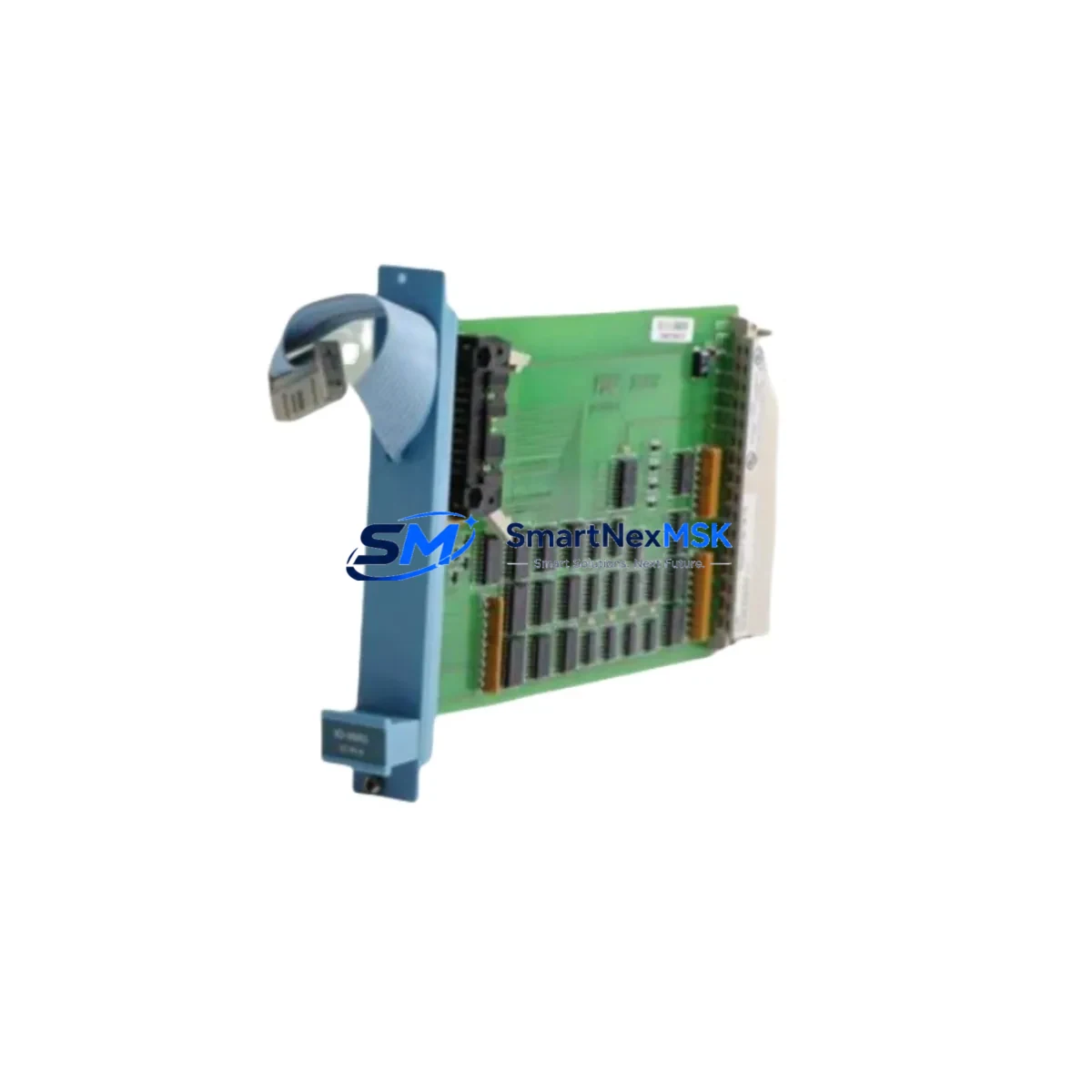
Honeywell FS-IO-0001 Maintenance-Ready Spare for FS Series Automation
The Honeywell FS-IO-0001 is an original Safety I/O Extender Module designed for the Honeywell Safety Manager FS Series Safety Instrumented System (SIS). In process industries — including oil & gas, petrochemical, power generation, and chemical manufacturing — unplanned SIL-rated loop failures caused by a degraded I/O extender can trigger emergency shutdowns, production losses, and costly regulatory non-compliance. Maintaining a verified, tested FS-IO-0001 spare on the shelf is a fundamental element of any proactive SIS maintenance strategy.
This unit ships fully tested against original Honeywell factory specifications, covered by a 12-month warranty, and is available for immediate dispatch to minimize your mean time to repair (MTTR). Whether you are executing a planned turnaround, responding to a diagnostic fault alarm, or building a critical-spare inventory for a remote facility, the FS-IO-0001 is sourced, inspected, and ready.
Spare Maintenance Table
| Parameter | Specification / Detail |
|---|---|
| Part Number / SKU | FS-IO-0001 |
| Brand | Honeywell |
| Series | Safety Manager FS Series |
| Module Type | Safety I/O Extender Module |
| System Compatibility | Honeywell Safety Manager FS Series SIS |
| Safety Integrity Level | SIL 2 / SIL 3 capable (per system configuration) |
| Origin | China (CN) — Original OEM-grade component |
| Installation | DIN-rail / backplane slot mount per FS Series cabinet layout |
| Operating Temperature | 0°C to +60°C (typical industrial control room environment) |
| Application Environment | Process plant SIS cabinets, ESD systems, fire & gas panels |
| Pre-shipment Testing | Full functional and communication verification |
| Maintenance Recommendation | Inspect every 12–24 months; replace on first diagnostic fault |
| Warranty | 12 Months |
| Lead Time | In stock — same-day or next-business-day dispatch available |
Maintenance Planning for Continuous Operation
When a maintenance engineer or reliability engineer identifies a fault on the FS-IO-0001 Safety I/O Extender, the replacement workflow should never be limited to swapping the module in isolation. A thorough site inspection of the surrounding FS Series cabinet is essential to confirm that the root cause has been fully addressed and that no adjacent components are at risk of imminent failure.
Begin by verifying the FS-PWR-0001 or FS-PWR-0002 power supply module — a marginal or noisy DC rail is one of the most common causes of I/O extender communication faults and spurious diagnostic alarms. Confirm that output voltage is within specification under load before re-energizing the replacement module. Next, inspect the FS Series backplane and chassis for signs of corrosion, loose connector seating, or mechanical damage; a compromised backplane slot can cause recurring faults even after a module swap.
Check all field wiring terminations at the FS Series terminal blocks and marshalling panels. Loose or corroded terminals on safety-critical I/O loops — particularly for emergency shutdown (ESD) inputs, pressure transmitter signals, and valve solenoid outputs — can introduce intermittent faults that are difficult to distinguish from module failures. If the cabinet includes Honeywell FS-DI or FS-DO digital I/O modules on the same I/O bus, verify their diagnostic status simultaneously; a shared communication fault may affect multiple modules.
For systems using HART-enabled analog input modules such as the FS-AI-0001, confirm that HART pass-through communication to field instruments (flow transmitters, level sensors, pressure gauges) is restored after the I/O extender replacement. In cabinets with Honeywell FS-COM communication modules handling Modbus or PROFIBUS links to the DCS or operator station, verify that the communication link re-establishes cleanly and that no watchdog timeout alarms persist.
If the facility uses a Honeywell Safety Builder or Safety Manager configuration workstation, perform a full online diagnostic scan after module replacement to confirm that all I/O channels report healthy status and that the SIS logic solver has resumed normal operation. For sites with redundant SIS architectures, verify that the redundancy switchover function is intact before returning the system to automatic mode. Finally, check any signal isolators or galvanic barriers installed between the FS-IO-0001 and field devices — these components are often overlooked during I/O module replacements but can degrade over time and contribute to signal quality issues that trigger false diagnostics.
Site Replacement Workflow
Step 1 — Permit and Isolation: Obtain a valid work permit. Coordinate with the control room to place the affected SIS loop in bypass or manual mode per your site Management of Change (MOC) procedure. Document the current module configuration and I/O channel assignments from the Safety Manager engineering workstation before removal.
Step 2 — Module Removal: De-energize the I/O extender slot following the FS Series hardware manual procedure. Disconnect field wiring connectors in sequence, labeling each connector to ensure correct re-termination. Remove the FS-IO-0001 from the backplane slot.
Step 3 — Inspection and Cleaning: Inspect the backplane connector pins and the cabinet interior for contamination, moisture ingress, or thermal damage. Clean as required before installing the replacement unit.
Step 4 — Replacement Installation: Insert the new FS-IO-0001 into the correct backplane slot. Reconnect field wiring connectors in the documented sequence. Verify torque on terminal screws.
Step 5 — Configuration Restore and Commissioning: Power up the module. Using the Safety Manager workstation, confirm that the module is recognized, firmware version is compatible, and all I/O channels are mapped correctly. Run a channel-by-channel loop check for critical SIS inputs and outputs before releasing the bypass.
Step 6 — Return to Service: Remove the SIS bypass, confirm normal diagnostic status in the Safety Manager HMI, and update the maintenance record. Archive the replaced module with a fault tag for root-cause analysis.
This structured workflow reduces unplanned downtime, maintains SIS integrity, and ensures full traceability — critical requirements for IEC 61511 compliance audits.
Spare Parts Support FAQ
Q1: Is the FS-IO-0001 a direct drop-in replacement for the existing module in my FS Series cabinet?
Yes. The FS-IO-0001 is an original-specification Safety I/O Extender Module for the Honeywell Safety Manager FS Series. It is designed for direct slot replacement without hardware modification. Always verify firmware compatibility with your Safety Manager version using the Honeywell compatibility matrix before installation.
Q2: What pre-shipment testing is performed on this unit?
Each FS-IO-0001 unit undergoes full functional verification prior to dispatch, including power-up testing, communication interface checks, and I/O channel continuity verification. A test report is available upon request. All units are shipped with a 12-month warranty covering manufacturing defects and functional failures under normal operating conditions.
Q3: How should I manage FS-IO-0001 inventory for a multi-site facility?
For facilities operating multiple FS Series SIS cabinets, we recommend maintaining a minimum of one FS-IO-0001 spare per site, with a centralized regional buffer stock for large installations. Given the safety-critical nature of SIS components, a spare holding period of 2–3 years is typical. Units should be stored in anti-static packaging in a climate-controlled environment and inspected annually.
Q4: Can you support long-term or repeat supply of the FS-IO-0001 for ongoing maintenance contracts?
Yes. We support long-term supply agreements for maintenance contractors, EPCs, and plant operators requiring scheduled replenishment of FS Series spare parts. Contact our team to discuss volume pricing, reserved stock arrangements, and lead-time guarantees tailored to your maintenance planning cycle.
© 2026 SMARTNEXMSK. All rights reserved.
Original Source: https://smartnexmsk.com
Contact: [email protected] | +86 18259474341



