
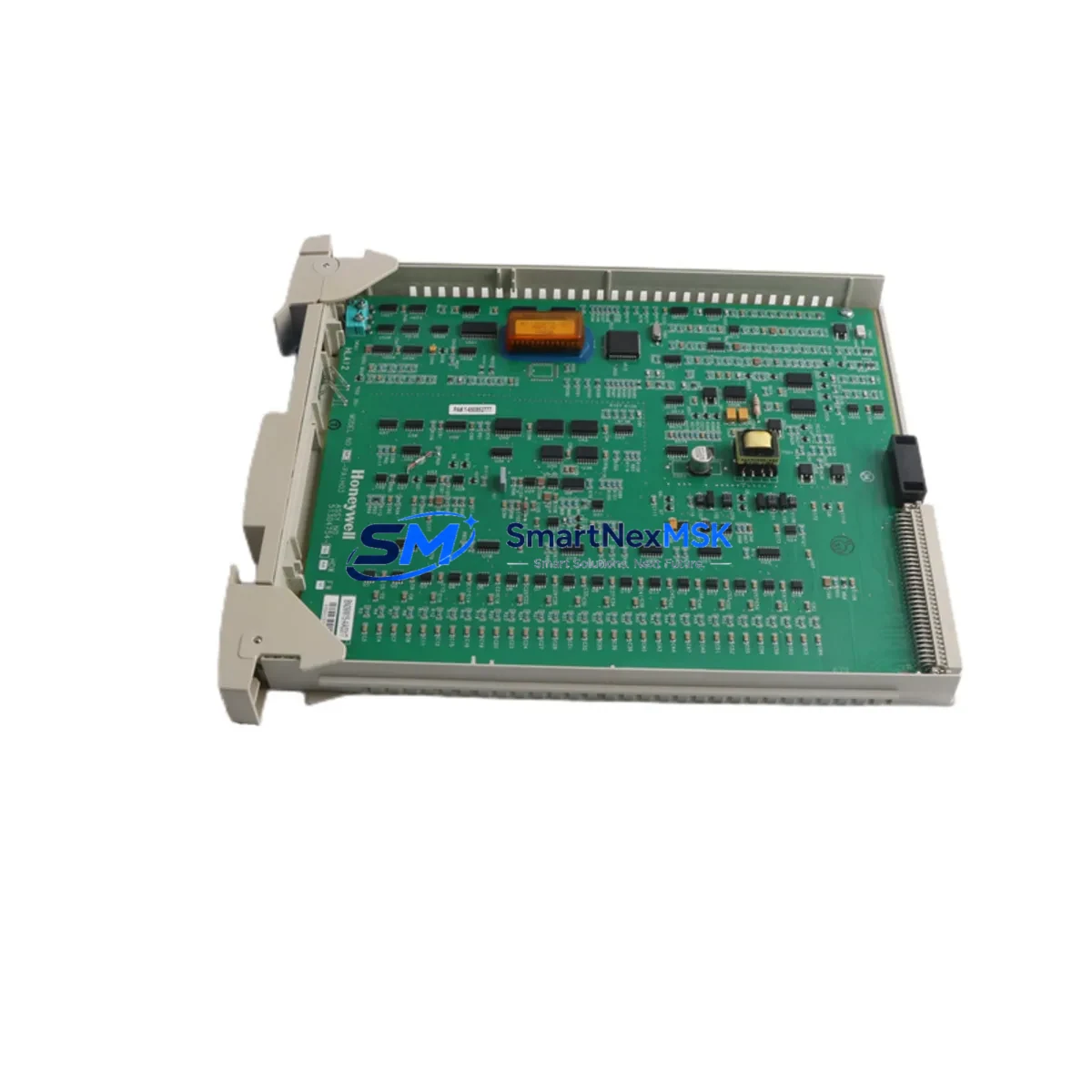
Honeywell MC-PAIH03 51304754-150 Retrofit-Ready Analog Input Module for Experion PKS Control Systems
The Honeywell MC-PAIH03 (part number 51304754-150) is a high-density analog input module engineered for the Experion PKS distributed control system platform. As legacy DCS installations age and OEM support windows close, plant engineers and automation integrators increasingly rely on verified replacement modules like the MC-PAIH03 to sustain production continuity without committing to a full system overhaul. This module delivers a proven, wiring-compatible upgrade path for facilities operating Honeywell Series C hardware, enabling retrofit projects to proceed with minimal disruption to existing field wiring, cabinet layouts, and control logic.
The MC-PAIH03 is designed for direct installation into the standard Series C I/O chassis and IOLIM backplane assemblies used across Experion PKS installations. It interfaces natively with the C300 Controller and supports the FTE (Fault Tolerant Ethernet) communication architecture that underpins most mid-generation Experion deployments. Engineers replacing failed or end-of-life MC-PAIH01 or MC-PAIH02 modules will find the MC-PAIH03 backward-compatible in most configurations, though terminal block wiring assignments and module address settings should be verified against the original I/O assignment sheets before energizing.
Upgrade Compatibility Table
| Parameter | Details |
|---|---|
| Compatible Platform | Honeywell Experion PKS (Series C) |
| Backplane Interface | IOLIM / Series C I/O Chassis |
| Communication Protocol | FTE (Fault Tolerant Ethernet) |
| Channel Count | 8 Channels, High-Level Analog Input |
| Signal Range | 4–20 mA / 1–5 V (configurable) |
| Replaces | MC-PAIH01, MC-PAIH02, 51304754-100, 51304754-125 |
| Installation Type | Direct backplane mount, no adapter required |
| Address Configuration | Software-assigned via Experion Configuration Studio |
| Wiring Compatibility | Existing terminal blocks retained in most cases |
| Commissioning Tool | Experion Configuration Studio / Control Builder |
| Warranty | 12 Months from date of shipment |
Retrofit Planning for Existing Automation Systems
A successful MC-PAIH03 retrofit begins well before the module arrives on site. The first step is a thorough audit of the existing I/O chassis — confirming available slot positions, verifying that the IOLIM backplane is revision-compatible, and checking that the C300 Controller firmware supports the MC-PAIH03 module descriptor. In many aging Experion installations, the C300 Controller itself may be running firmware from the R310 or R400 release cycle; upgrading to a supported firmware version is often a prerequisite for seamless module recognition.
Power budget verification is equally critical. The Series C I/O chassis distributes 24 VDC across all installed modules via the backplane power bus. Adding or replacing modules changes the total current draw, and the chassis power supply — typically a Honeywell MC-PSIM01 or equivalent redundant power module — must have sufficient headroom. Engineers should calculate the aggregate load of all installed modules, including any MC-TDID12 digital input modules, MC-TAIH04 thermocouple input modules, or MC-TAOM02 analog output modules sharing the same chassis, before proceeding.
Terminal block wiring should be mapped against the original I/O assignment documentation. The MC-PAIH03 uses a standard 32-pin terminal assembly; if the existing field wiring was landed on an MC-PAIH01 with a different pin-out revision, a wiring adapter or re-termination may be required. Shielded twisted-pair cables should be inspected for continuity and insulation integrity before reconnection. Once physical installation is complete, the module address must be assigned in Experion Configuration Studio, and the corresponding control module in Control Builder must be updated to reference the new hardware tag.
For sites also migrating communication infrastructure — for example, transitioning from legacy PCDI links to FTE — the MC-PAIH03 retrofit is an ideal opportunity to consolidate I/O onto the FTE backbone. This may involve installing or reconfiguring an IOLIM gateway module and updating the network topology in the Experion server configuration. HMI faceplates and historian tags referencing the replaced I/O points should be reviewed to confirm that tag names and engineering unit scaling remain consistent after the swap.
Downtime Control During System Migration
Minimizing unplanned downtime is the primary operational constraint in any live-plant DCS retrofit. The recommended approach is to pre-configure the replacement MC-PAIH03 offline using a bench test setup — connecting a signal simulator to each channel and verifying that the module reads correctly within Experion Configuration Studio before it enters the control cabinet. This pre-commissioning step eliminates the most common source of extended outages: discovering wiring or configuration errors only after the process has been taken offline.
Where process conditions permit, a phased replacement strategy is preferred. Channels can often be migrated one group at a time, with the remaining active channels held in manual control mode at the C300 Controller level. The original control logic — including PID loops, interlocks, and alarm setpoints — should be exported and archived before any hardware change. Experion’s checkpoint and restore functionality provides an additional safety net, allowing the system to revert to a known-good configuration if unexpected behavior is observed during commissioning.
Field technicians should have the Experion System Manager open on a connected engineering workstation throughout the cutover, monitoring module health status and channel diagnostic flags in real time. Any channel showing a BAD or UNCERTAIN quality status after module insertion should be investigated before returning the loop to automatic control. With proper pre-staging, most MC-PAIH03 replacements can be completed within a planned four-hour maintenance window.
Retrofit Support FAQ
Q: Is the MC-PAIH03 a direct drop-in replacement for the MC-PAIH01?
A: In most Experion PKS Series C installations, yes. The MC-PAIH03 uses the same backplane connector and chassis slot format. However, terminal block pin assignments and firmware compatibility should be verified against your specific system revision before installation. We recommend comparing the I/O assignment sheets for both modules prior to ordering.
Q: What commissioning steps are required after installing the MC-PAIH03?
A: After physical installation, the module must be recognized and assigned in Experion Configuration Studio. The corresponding hardware tag in Control Builder should be updated, channel scaling and engineering units verified, and a loop check performed on each active channel. HMI displays and historian configurations referencing the replaced I/O points should also be reviewed.
Q: Can the MC-PAIH03 be used in a redundant I/O configuration?
A: The MC-PAIH03 supports redundant operation when paired with a compatible IOLIM and a redundant C300 Controller pair. Redundancy configuration is managed through Experion Configuration Studio and requires that both the primary and secondary modules are assigned correctly in the hardware tree.
Q: What does the 12-month warranty cover?
A: All MC-PAIH03 modules supplied by SMARTNEXMSK are covered by a 12-month warranty from the date of shipment. Each unit undergoes functional testing prior to dispatch. The warranty covers manufacturing defects and functional failures under normal operating conditions. Modules are shipped with test documentation upon request.
—
© 2026 SMARTNEXMSK. All rights reserved.
Original Source: https://smartnexmsk.com
Contact: [email protected] | +86 18259474341



