
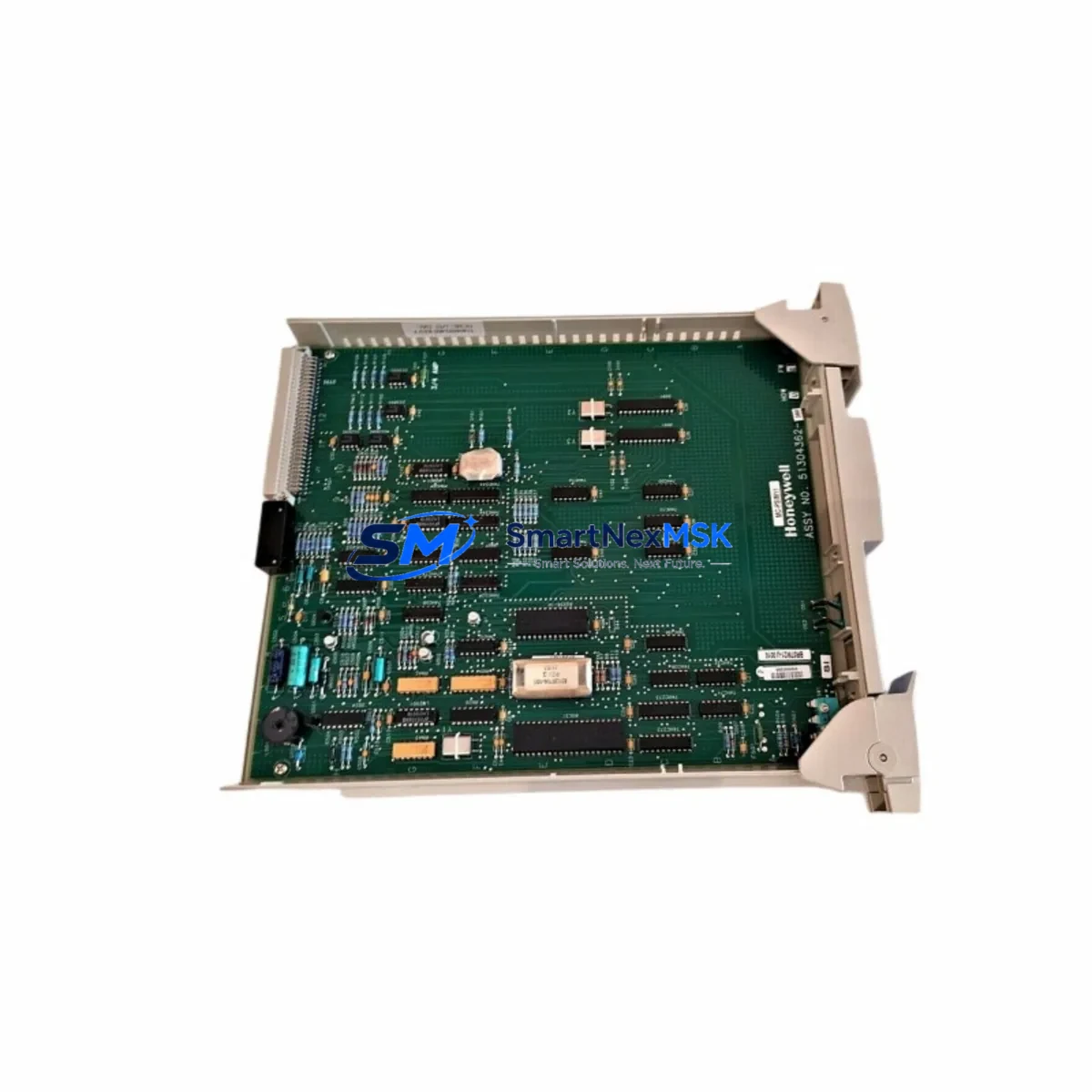
Honeywell MC-PSIM11 51304362-350 Maintenance-Ready Spare for Experion PKS Automation
The Honeywell MC-PSIM11 (Part No. 51304362-350) is an original process simulation interface module engineered for Experion PKS distributed control systems. In industrial facilities where continuous process availability is non-negotiable, maintaining a verified spare of the MC-PSIM11 on the shelf is a fundamental risk-mitigation strategy. Unplanned downtime caused by a failed simulation interface can cascade across the entire control loop, delaying fault isolation, disrupting operator training environments, and compromising the integrity of process validation workflows. This listing provides a factory-original, fully tested MC-PSIM11 51304362-350 with a 12-month warranty, ready for immediate dispatch.
For maintenance engineers and spare parts procurement teams managing Honeywell Experion PKS installations, the MC-PSIM11 occupies a critical position in the control architecture. It interfaces directly with the simulation environment used for loop checkout, FAT/SAT procedures, and operator training. When this module degrades or fails, the downstream impact extends well beyond the simulation rack — it affects the ability to validate control strategies before live commissioning and to safely train operators on process responses without risking production assets.
Spare Maintenance Table
| Parameter | Specification |
|---|---|
| Part Number | MC-PSIM11 / 51304362-350 |
| Brand | Honeywell |
| Series | Experion PKS (Process Knowledge System) |
| Module Type | Process Simulation Interface Module |
| Compatibility | Honeywell Experion PKS C200, C300 Controller Series |
| Backplane Interface | EUCN / FTE (Fault Tolerant Ethernet) compatible |
| Operating Voltage | 24 VDC (supplied via I/O chassis backplane) |
| Operating Temperature | 0°C to 60°C |
| Mounting | Standard Honeywell I/O chassis slot |
| Origin | USA |
| Condition | Original, New or Refurbished-to-OEM-spec |
| Pre-shipment Testing | Full functional test performed |
| Warranty | 12 Months |
| Typical Application | DCS simulation, loop checkout, operator training, FAT/SAT |
| Maintenance Interval | Inspect annually; replace on fault indication or simulation mismatch |
Maintenance Planning for Continuous Operation
When a maintenance or procurement engineer schedules replacement of the MC-PSIM11 51304362-350, a disciplined inspection of the surrounding control cabinet and associated I/O infrastructure is strongly recommended. The simulation interface does not operate in isolation — its performance depends on the health of several interconnected components within the Experion PKS architecture.
Begin with the C200 or C300 Controller Module, which serves as the primary execution engine for the control strategies that the MC-PSIM11 simulates. A degraded controller can produce erratic simulation responses that are incorrectly attributed to the simulation module itself. Simultaneously, inspect the IOTA (I/O Termination Assembly) associated with the simulation chassis slot, as loose or corroded termination points are a common source of intermittent faults in high-vibration industrial environments.
The FTE (Fault Tolerant Ethernet) switch and cabling connecting the simulation rack to the Experion server should be verified for link integrity and duplex settings — a degraded FTE link can cause simulation timeouts that mimic module failure. Check the 24 VDC power supply module feeding the I/O chassis; voltage sag under load is a frequent root cause of unexplained module resets. If the installation uses a redundant power supply pair, verify that the load-sharing diode assembly and the secondary supply are both within specification.
For facilities running extended simulation sessions, inspect the chassis backplane connector for pin wear or oxidation, particularly in environments with high humidity or chemical exposure. The MC-PDIY22 or MC-PDOY22 digital I/O modules in adjacent slots should be checked for address conflicts or firmware version mismatches that can interfere with simulation data exchange. If the system includes HART-enabled analog I/O modules such as the MC-PAIH02 or MC-PAOH01, verify that HART pass-through is correctly configured, as simulation mode can mask HART communication faults that only surface during live operation.
Finally, review the Experion server communication settings and confirm that the simulation node is correctly mapped in the Control Builder project. Outdated firmware on the MC-PSIM11 or mismatched project downloads are a leading cause of post-replacement commissioning delays. Keeping a documented baseline of firmware versions and project revision numbers as part of the site maintenance record significantly reduces mean time to restore (MTTR) when emergency replacements are required.
Site Replacement Workflow
Replacing the MC-PSIM11 51304362-350 on-site follows a structured sequence designed to minimize control system disruption and ensure a clean handover between the failed unit and the spare.
Step 1 — Pre-replacement verification: Confirm the exact part number (MC-PSIM11, 51304362-350) against the installed unit’s label and the site bill of materials. Cross-reference with the Experion PKS hardware compatibility matrix to ensure the replacement module matches the firmware baseline of the installed C200/C300 controller.
Step 2 — Safe state and backup: Place the affected simulation node in a safe state via the Experion Station operator interface. Export the current Control Builder project and save a timestamped backup of the simulation configuration to a secure network location before any physical intervention.
Step 3 — Physical replacement: Power down the affected I/O chassis following the site lockout/tagout (LOTO) procedure. Remove the failed MC-PSIM11 by releasing the module locking lever and sliding it clear of the backplane. Insert the replacement module, ensuring full backplane engagement before restoring power. Inspect the chassis slot for debris or pin damage before insertion.
Step 4 — Firmware and configuration download: After power restoration, use Control Builder to download the simulation configuration to the new module. Verify that the module status LED indicates normal operation and that the Experion server recognizes the simulation node without alarms.
Step 5 — Functional validation: Run a loop checkout sequence on the simulation node to confirm that all configured I/O channels respond correctly. Document the replacement in the site maintenance log, including the serial number of the removed unit and the replacement, the date, and the technician’s name.
This workflow is compatible with both planned maintenance windows and emergency replacement scenarios, and is designed to restore simulation capability with minimal impact on adjacent production control loops.
Spare Parts Support FAQ
Q1: What is the shelf life of the MC-PSIM11 51304362-350 as a stored spare?
When stored in a climate-controlled environment (15°C–25°C, relative humidity below 60%, away from direct sunlight and electromagnetic interference), the MC-PSIM11 can be held as a shelf spare for 3–5 years without significant degradation. We recommend an annual power-on functional test for long-term stored spares to confirm readiness before a critical maintenance event.
Q2: How do I verify compatibility before installation?
Confirm the installed Experion PKS controller series (C200 or C300), the chassis type, and the Control Builder project firmware version. The MC-PSIM11 51304362-350 is compatible with standard Honeywell Experion PKS I/O chassis configurations. If you require a compatibility confirmation for a specific site configuration, contact our technical team with your system revision details before ordering.
Q3: What pre-shipment testing is performed on this module?
Every MC-PSIM11 51304362-350 unit is subjected to a full functional test prior to dispatch, including power-on self-test verification, backplane communication check, and I/O channel response validation. A test report is available upon request. Units are shipped in anti-static packaging with foam protection to prevent transit damage.
Q4: What does the 12-month warranty cover?
The 12-month warranty covers manufacturing defects and functional failures under normal operating conditions. It does not cover damage resulting from incorrect installation, overvoltage events, physical impact, or use outside the specified environmental parameters. Warranty claims are processed with a replacement-first policy to minimize site downtime — contact [email protected] with the unit serial number and a description of the fault.
—
© 2026 SMARTNEXMSK. All rights reserved.
Original Source: https://smartnexmsk.com
Contact: [email protected] | +86 18259474341



