
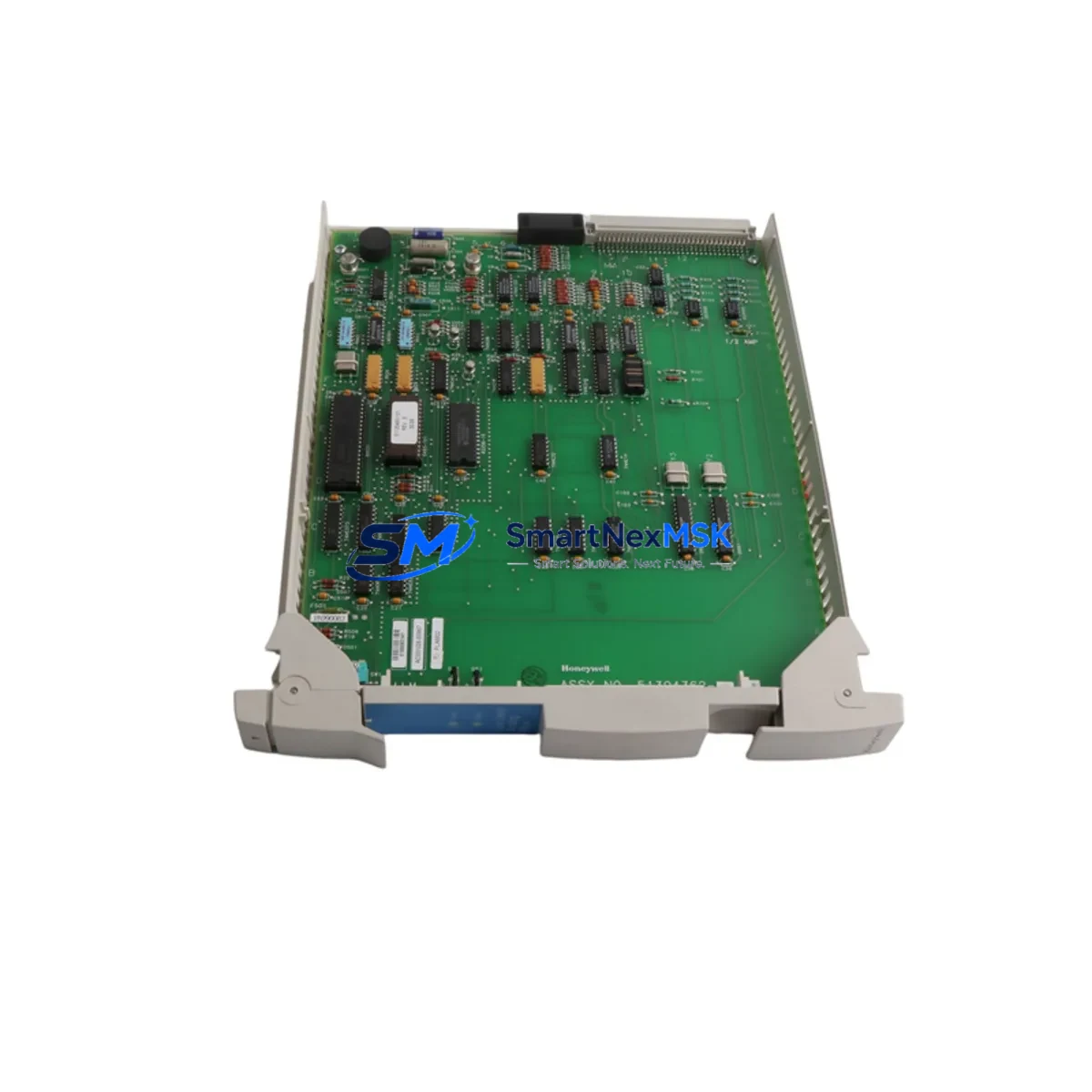
Honeywell MU-PLAM02 51304362-100 Spare TDC 3000 Automation: Spare Replacement & Industrial Downtime Risk Control
The Honeywell MU-PLAM02 (Part No. 51304362-100) is an original LCN (Local Control Network) process control card engineered for continuous-duty operation within Honeywell TDC 3000 and Experion PKS distributed control systems. For maintenance engineers managing aging DCS infrastructure, this module represents a critical node in the control loop — responsible for coordinating process data across the LCN highway and interfacing with upstream AM (Application Modules) and downstream I/O subsystems. Sourced as an original Honeywell spare, the MU-PLAM02 51304362-100 is tested prior to shipment, backed by a 12-month warranty, and available for fast dispatch to minimize unplanned downtime in refinery, chemical, power generation, and pulp & paper environments.
Procurement engineers sourcing this module should confirm compatibility with their installed TDC 3000 firmware revision and LCN node configuration before deployment. The MU-PLAM02 is designed for direct slot replacement within the standard Honeywell card cage, requiring no hardware modification when substituting a failed unit of the same part number.
Spare Maintenance Table
| Parameter | Specification / Detail |
|---|---|
| Part Number | MU-PLAM02 / 51304362-100 |
| Brand | Honeywell |
| Series | TDC 3000 / Experion PKS |
| Module Type | LCN Process Control Card (DCS) |
| Network Interface | Local Control Network (LCN) Highway |
| Compatibility | Honeywell TDC 3000, Experion PKS (LCN-based configurations) |
| Installation | Direct card-cage slot replacement; no hardware modification required |
| Power Supply | Supplied via backplane from standard Honeywell TDC 3000 power module |
| Operating Environment | Industrial control room; 0–60°C, humidity-controlled enclosure |
| Origin | United States (Original Honeywell) |
| Condition | Original spare; pre-shipment functional test |
| Warranty | 12 Months |
| Lead Time | In stock — fast dispatch available |
| Maintenance Recommendation | Inspect LCN termination, backplane connectors, and power rail before installation |
Maintenance Planning for Continuous Operation
When scheduling a replacement of the MU-PLAM02 51304362-100, a disciplined site inspection of the surrounding control cabinet is essential to prevent repeat failures and ensure a clean return to service. Maintenance engineers should treat this card swap as an opportunity to audit the full LCN node assembly.
Begin with the Honeywell TDC 3000 Power Supply Module (e.g., MC-PDOY22 or equivalent backplane power unit) — verify output voltage stability and check for capacitor aging or thermal discoloration on the power board. A degraded power module is a common root cause of LCN card failures and will damage a replacement MU-PLAM02 if left unaddressed.
Next, inspect the LCN Highway Termination Assembly and coaxial cable connectors for oxidation or mechanical damage. LCN signal integrity is critical; a marginal termination can cause intermittent node dropouts that mimic card failure. While the cabinet is open, verify the condition of the Honeywell AM (Application Module) and NIM (Network Interface Module) — both interact directly with the MU-PLAM02 on the LCN bus and should be confirmed fault-free before the new card is commissioned.
For I/O subsystems connected downstream, check the Honeywell MU-TAIH02 or MU-TAIH12 I/O Link Interface cards and associated FTA (Field Termination Assembly) panels for loose wiring, corroded terminals, and blown fuse elements. Terminal blocks on the FTA should be torqued to specification and inspected for heat discoloration. If the system uses Honeywell LLMUX (Low-Level Multiplexer) modules for thermocouple or RTD inputs, verify their calibration status during the same maintenance window.
Communication integrity should also be validated: confirm that the Honeywell UCN (Universal Control Network) Gateway or HG (Hiway Gateway) modules show no fault LEDs after the MU-PLAM02 is reseated. For plants running Experion PKS in parallel, check the Experion C300 Controller event log for any LCN-related alarms generated during the fault period. Finally, if the control loop feeds an Honeywell HMI Station (e.g., GUS or Experion Operator Station), verify that process displays return to normal scan rates after the replacement card is online.
Stocking a secondary MU-PLAM02 51304362-100 as a cold spare — alongside a spare power module and a set of FTA fuse kits — is the recommended inventory posture for any facility running TDC 3000 as a primary control platform.
Site Replacement Workflow
Step 1 — Pre-Replacement Verification: Confirm the failed card’s part number (MU-PLAM02, 51304362-100) against the cabinet label and system configuration record. Cross-check the LCN node address assigned to the slot. Document the current fault state via the Honeywell operator station or Universal Station (US) diagnostic display.
Step 2 — Safe Isolation: Follow site LOTO (Lockout/Tagout) procedures. The MU-PLAM02 is hot-swap capable in most TDC 3000 configurations, but confirm with your site’s DCS engineer before extracting the card under live conditions. If hot-swap is not permitted, coordinate a controlled process hold with the operations team.
Step 3 — Physical Replacement: Extract the failed card using the standard Honeywell card ejector levers. Inspect the backplane connector pins for damage or contamination. Insert the replacement MU-PLAM02 51304362-100 firmly until the ejector levers lock. Verify the card’s status LED sequence on power-up — a solid green indicates successful LCN node acquisition.
Step 4 — System Verification: Confirm LCN node status from the operator station. Check that all associated process points return to scan. Review the system event log for any residual alarms. Perform a loop check on critical control loops served by this node before returning the unit to automatic control.
Step 5 — Documentation: Record the replacement in the site maintenance management system (CMMS), including the old card’s serial number, failure mode, and the new card’s part number and source. Update the spare parts inventory record accordingly.
Spare Parts Support FAQ
Q1: Is the MU-PLAM02 51304362-100 a direct replacement for all TDC 3000 LCN configurations?
The MU-PLAM02 with part number 51304362-100 is compatible with standard Honeywell TDC 3000 LCN card cage slots. Compatibility with specific firmware revisions or custom LCN node configurations should be verified against your site’s DCS engineering records before installation. Our technical team can assist with compatibility confirmation prior to shipment.
Q2: What pre-shipment testing is performed on this spare?
Each MU-PLAM02 51304362-100 unit undergoes functional verification before dispatch, including power-on self-test and LCN interface checks where test bench infrastructure permits. Units are shipped in anti-static packaging with inspection documentation. A 12-month warranty covers defects in materials and workmanship from the date of shipment.
Q3: How should this module be stored if held as a cold spare?
Store the MU-PLAM02 in its original anti-static bag inside a climate-controlled environment (15–25°C, relative humidity below 60%, non-condensing). Avoid proximity to strong magnetic fields or high-vibration areas. Inspect the spare annually for connector oxidation and re-bag if the original packaging is compromised. Rotate cold spares into service within 3–5 years to avoid electrolytic capacitor degradation.
Q4: Can this spare be used to extend the life of a legacy TDC 3000 system scheduled for migration?
Yes. The MU-PLAM02 51304362-100 is a proven solution for extending TDC 3000 operational life during phased migration programs. Many facilities maintain TDC 3000 as a primary or backup control platform for 5–10 years beyond the original EOL date. Sourcing original Honeywell spares — rather than refurbished or third-party alternatives — ensures system stability and reduces the risk of introducing compatibility issues during the migration transition period.
© 2026 SMARTNEXMSK. All rights reserved.
Original Source: https://smartnexmsk.com
Contact: [email protected] | +86 18259474341



