
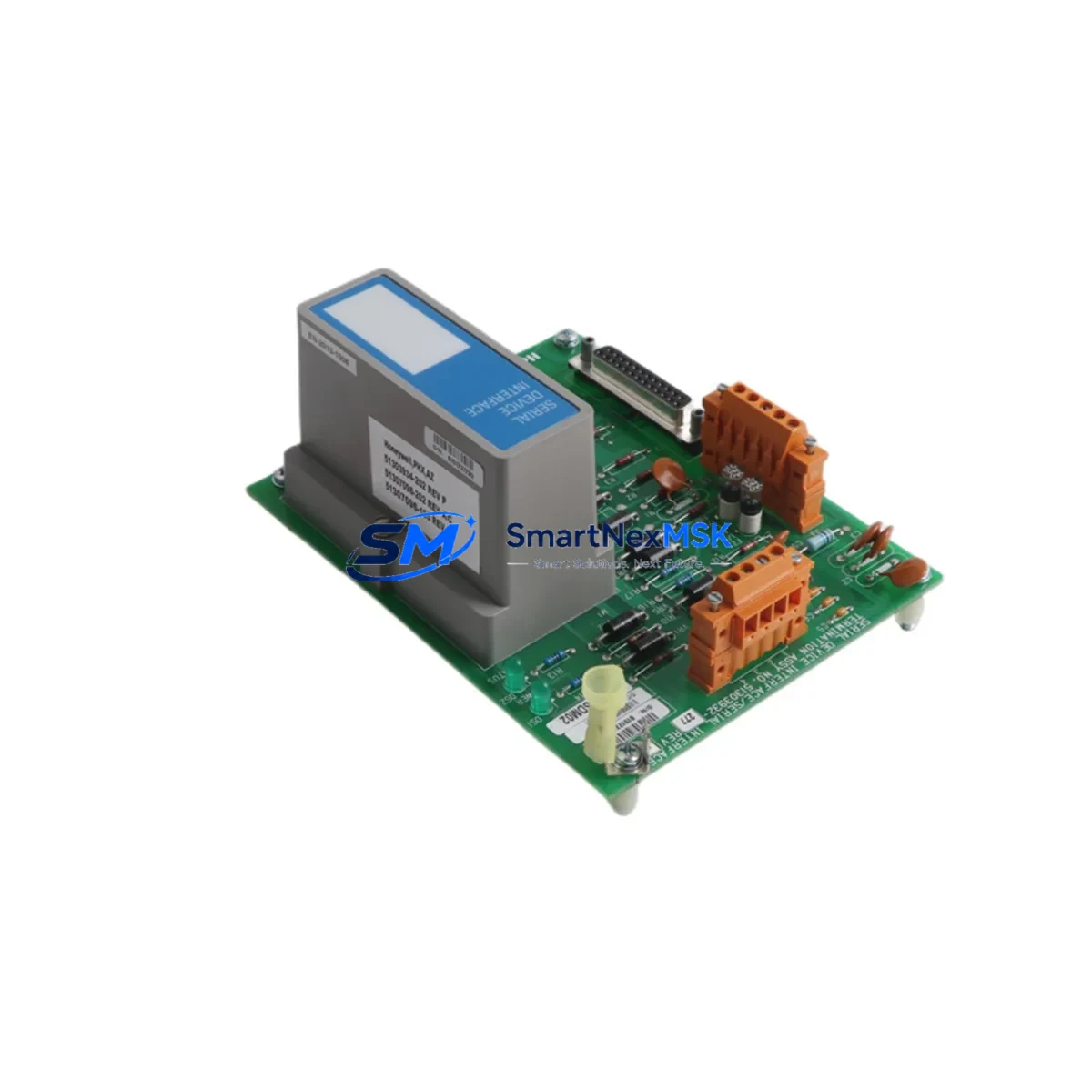
Honeywell MU-TSDM02 51303932-277 Retrofit-Ready Serial Device Interface for Experion PKS Control Systems
The Honeywell MU-TSDM02 (part number 51303932-277) is a Serial Device Interface Module designed for the Experion PKS distributed control system platform. As legacy Honeywell TDC 3000 and PlantScape systems reach end-of-life, the MU-TSDM02 serves as a critical bridge component enabling engineers to migrate serial-connected field devices into the modern Experion PKS architecture without replacing existing field wiring or instrumentation. This module supports RS-232 and RS-485 serial communication protocols, making it directly compatible with a wide range of legacy transmitters, analyzers, and third-party serial devices already installed in the plant.
For facilities running aging Honeywell C200, C300, or ACE controller nodes, the MU-TSDM02 integrates into the standard IOTA (I/O Termination Assembly) backplane without structural modification to the control cabinet. Engineers replacing a failed or obsolete serial interface card can install the MU-TSDM02 into the existing slot, reconnect the original terminal wiring, and restore communication with minimal downtime. The module’s firmware is compatible with current Experion PKS R400 through R520 software releases, ensuring that existing control strategies, function blocks, and HMI display links remain intact after the swap.
When planning a retrofit involving the MU-TSDM02, the engineering team should verify the power budget of the existing IOTA chassis. The module draws power from the backplane supply shared with adjacent I/O modules such as the MU-TAIH02 analog input module and the MU-TAOH02 analog output module. If the chassis is already near capacity, a supplemental power supply module may be required before installation. Terminal block wiring should be documented and photographed prior to removal of the legacy card, as the MU-TSDM02 uses the same 40-pin IOTA connector layout, but baud rate and parity settings must be reconfigured in Experion Control Builder to match the connected serial device.
Upgrade Compatibility Table
| Parameter | Details |
|---|---|
| Part Number | MU-TSDM02 / 51303932-277 |
| Platform Compatibility | Honeywell Experion PKS (R400–R520), PlantScape, TDC 3000 migration path |
| Communication Protocols | RS-232, RS-485 (half/full duplex), Modbus RTU (via serial pass-through) |
| Backplane Interface | Standard Experion IOTA 40-pin connector — no adapter required |
| Installation Requirement | Verify chassis power budget; confirm slot address in Control Builder |
| Replacement Candidates | 51303932-150, 51303932-175, MC-TSDM02 (TDC 3000 legacy serial modules) |
| Firmware Compatibility | Experion PKS R400 and above; no firmware flash required for standard replacement |
| Debugging Requirement | Reconfigure baud rate, parity, and stop bits in Control Builder after installation |
| HMI Impact | Existing Experion Station display links remain valid; verify tag assignments post-swap |
| Warranty | 12-Month Warranty — tested and verified before shipment |
Retrofit Planning for Existing Automation Systems
A successful retrofit involving the MU-TSDM02 typically begins with a full audit of the control cabinet. Engineers should identify all modules sharing the same IOTA chassis, including the MU-TAIH02 analog input cards, MU-TAOH02 analog output cards, and any MU-TDID02 digital input modules. The chassis backplane, often a standard 8-slot or 16-slot Experion IOTA rack, must be inspected for physical damage and confirmed to be running a compatible backplane firmware version before the new serial interface module is seated.
For plants migrating from TDC 3000 or PlantScape environments, the MU-TSDM02 is frequently used alongside the Honeywell C300 Controller and the associated IOTA backplane to consolidate legacy serial device connections into the Experion PKS network. In these scenarios, the existing Modbus RTU or proprietary serial links from field analyzers, gas chromatographs, or third-party flow computers are re-terminated at the MU-TSDM02’s serial port, and the corresponding Experion Control Builder data points are updated to reflect the new module address and channel assignment.
Communication continuity during migration is a key concern. If the plant uses a Honeywell FTE (Fault Tolerant Ethernet) network backbone, the MU-TSDM02 does not require a separate network connection — it communicates through the IOTA backplane to the C300 or C200 controller, which in turn handles all FTE traffic. This architecture means that replacing the serial interface module does not disrupt the broader FTE network or affect other I/O modules in adjacent chassis. Engineers should also confirm that the Experion Server’s point database has been backed up before making any module address changes, as reassigning a slot address can temporarily orphan associated HMI display tags on Experion Operator Stations.
Where the retrofit involves upgrading from an older MC-TSDM02 or a 51303932-150 variant, the physical wiring at the IOTA terminal block is typically reusable without modification. However, the cable shield grounding practice should be reviewed, as the MU-TSDM02 requires proper shield termination at the IOTA chassis ground bar to prevent RS-485 signal interference in electrically noisy environments. A programming cable such as the Honeywell MC-KFTA01 or a standard USB-to-serial adapter with the appropriate Experion driver may be needed for initial configuration if the module is being commissioned outside of an active Experion system.
Downtime Control During System Migration
Minimizing production downtime during a serial interface module replacement requires careful pre-staging. Before the maintenance window opens, the replacement MU-TSDM02 should be bench-tested using a portable Experion PKS test environment or verified against the module’s self-diagnostic LED indicators. The original module’s configuration — including baud rate, parity, data bits, stop bits, and device address — should be extracted from Control Builder and documented in a commissioning checklist.
During the swap, the connected serial field device should be placed in a safe, hold-last-value state if the process permits. For critical loops where the serial device provides a primary process variable, the control strategy should be switched to manual mode at the Experion Operator Station before the module is removed. This prevents the C300 or C200 controller from generating spurious alarms or driving outputs to a failsafe state during the brief communication interruption.
Once the MU-TSDM02 is seated and the IOTA chassis power is restored, the module typically initializes within 30 to 60 seconds. The Control Builder online download function can then be used to push the updated module configuration without a full controller restart, preserving all running control strategies and maintaining continuity of the FTE network. After communication is confirmed via the module’s status LEDs and the Experion point detail display, the affected control loops can be returned to automatic mode and the HMI displays verified for correct data presentation.
All units supplied by SMARTNEXMSK are pre-tested under load conditions before shipment and include a 12-month warranty covering hardware defects and communication failures. In-stock units are available for same-week dispatch, supporting urgent maintenance scenarios where extended downtime is not acceptable.
Retrofit Support FAQ
Q: Is the MU-TSDM02 51303932-277 a direct drop-in replacement for the 51303932-150 or MC-TSDM02?
A: Yes. The MU-TSDM02 51303932-277 is physically and electrically compatible with earlier 51303932-series serial interface modules and the MC-TSDM02 used in TDC 3000 migration projects. The IOTA connector pinout and terminal block wiring are identical. After installation, baud rate and parity settings must be reconfigured in Experion Control Builder to match the connected serial device.
Q: Will replacing the serial interface module affect my existing HMI displays or control strategies?
A: Replacing the MU-TSDM02 in the same chassis slot does not alter the Experion point database or HMI display links. However, if the module is installed in a different slot or chassis, the module address must be updated in Control Builder and the associated HMI tags verified. A Control Builder online download is sufficient — a full controller restart is not required in most cases.
Q: What commissioning steps are required after installing the MU-TSDM02?
A: After seating the module, confirm the chassis power budget is within limits, verify the slot address in Control Builder, configure the serial port parameters (baud rate, parity, stop bits) to match the connected field device, perform an online download, and confirm communication via the module’s status LEDs and the Experion point detail display. For RS-485 installations, verify shield grounding at the IOTA chassis ground bar.
Q: What warranty and pre-shipment testing does SMARTNEXMSK provide?
A: Every MU-TSDM02 unit is functionally tested before dispatch, including communication port verification and backplane interface checks. A 12-month warranty is included, covering hardware defects and communication failures under normal operating conditions. Units are shipped with original or equivalent packaging to prevent transit damage.
© 2026 SMARTNEXMSK. All rights reserved.
Original Source: https://smartnexmsk.com
Contact: [email protected] | +86 18259474341



