
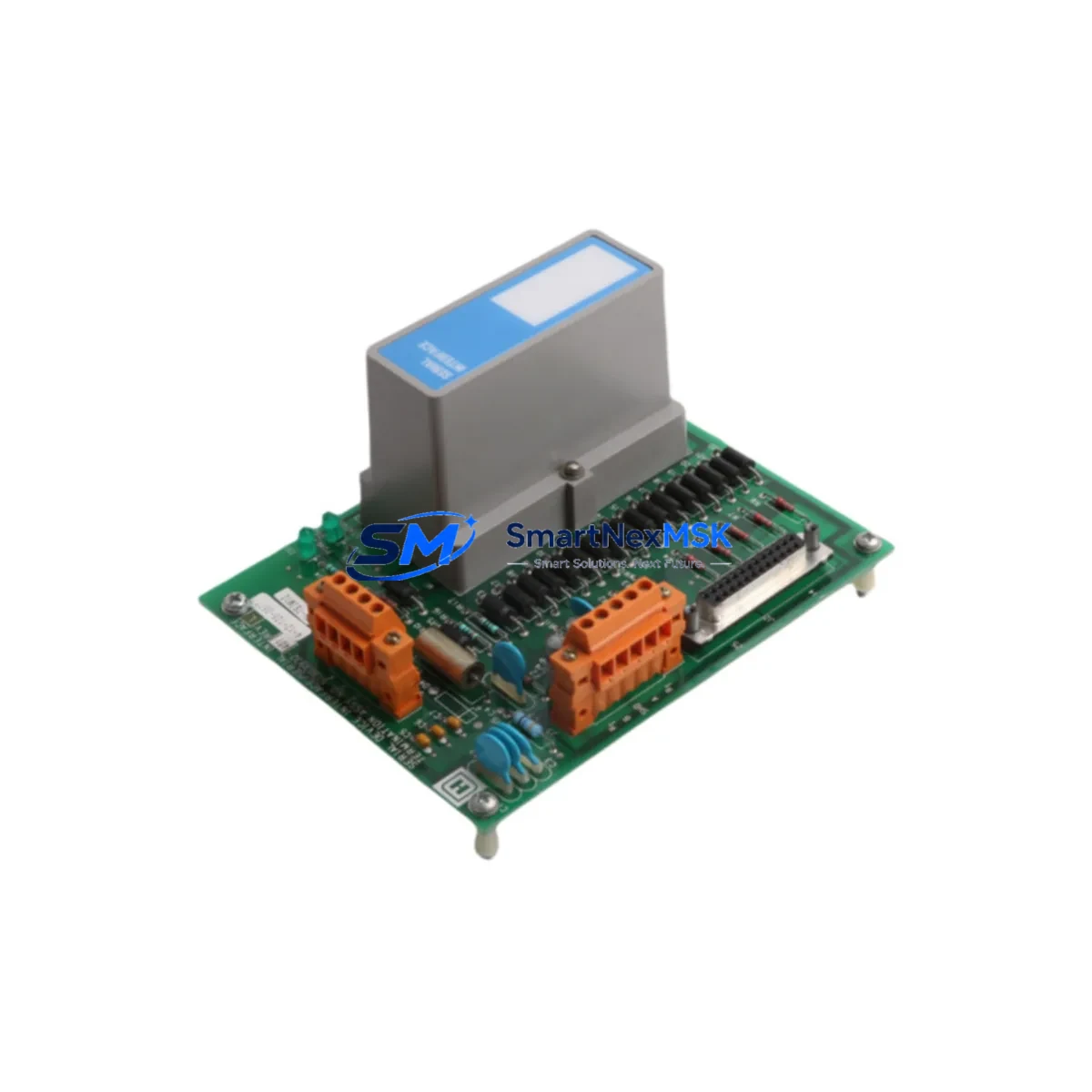
Honeywell MU-TSIM12 51303932-401 Retrofit-Ready DCS Interface for Experion PKS Control Systems
The Honeywell MU-TSIM12 (P/N 51303932-401) is a Device Interface Module engineered for seamless integration within Honeywell’s Experion PKS and legacy TDC 3000 distributed control system architectures. As aging DCS installations approach end-of-support milestones, the MU-TSIM12 has become a critical retrofit component for facilities seeking to extend operational life, restore failed I/O paths, or execute phased migration strategies without full system replacement. This module is stocked, tested, and shipped with a 12-month warranty, making it a reliable choice for both emergency spares and planned upgrade projects.
Designed to interface field devices with the Experion PKS controller backplane, the MU-TSIM12 supports the signal conditioning and terminal connectivity requirements common across process industries including refining, petrochemical, power generation, and pharmaceutical manufacturing. Its wiring-compatible form factor allows direct substitution in existing marshalling cabinets without retermination, significantly reducing retrofit labor and downtime exposure.
Upgrade Compatibility Table
| Parameter | MU-TSIM12 51303932-401 | Retrofit Notes |
|---|---|---|
| Compatible Platform | Honeywell Experion PKS, TDC 3000 | Verify firmware revision of host C300 or C200 controller |
| Backplane Interface | EUCN / FTE backplane connector | Confirm slot assignment matches existing rack configuration |
| Terminal Wiring | Screw-terminal, field-side compatible | No retermination required for like-for-like swap |
| Communication Protocol | Honeywell proprietary EUCN / FTE | No protocol migration needed within same platform |
| Power Requirement | Supplied via backplane (24 VDC bus) | Verify PM I/O power module capacity before installation |
| Module Address | Configured via Experion Configuration Studio | Re-import module tag database after replacement |
| HMI Compatibility | Experion Station / HMIWeb Display Builder | No display rebuild required; tag references preserved |
| Installation Type | Hot-swap capable (with proper isolation) | Follow Honeywell SIL procedures for live cabinet work |
| Replacement For | MU-TSIM12 (all prior revisions) | Cross-reference P/N 51303932-401 before ordering |
| Warranty | 12-Month Warranty — Covered against manufacturing defects; includes pre-shipment functional test report | |
Retrofit Planning for Existing Automation Systems
Successful integration of the MU-TSIM12 into an existing Experion PKS installation begins with a thorough audit of the host rack assembly. The module occupies a standard I/O slot within a Honeywell IOTA (I/O Termination Assembly) carrier, and the installer must confirm that the associated MU-TAIH12 or MU-TAIX12 termination assembly is present and undamaged before proceeding. In many retrofit scenarios, the termination assembly remains serviceable even when the interface module itself has failed, allowing a direct module swap without disturbing field wiring.
Power budget verification is a mandatory pre-installation step. The Honeywell PM I/O Power Module supplying the affected rack must have sufficient headroom to support the MU-TSIM12’s backplane draw. In high-density cabinets where multiple I/O modules share a single power rail, adding or replacing a module without checking the power budget can cause nuisance trips or brownout conditions across adjacent channels. Review the rack’s power allocation table in Experion Configuration Studio before committing to the swap.
For sites running mixed-generation hardware — for example, a cabinet that combines legacy TDC 3000 HPM (High-Performance Manager) nodes alongside newer Experion C300 controllers — the MU-TSIM12 retrofit must be scoped carefully. The module’s tag database and I/O assignment must be re-validated in the Experion server after installation. Technicians should export the existing module configuration from Configuration Studio, perform the physical swap, and then re-import and download the configuration to the replacement module. This sequence preserves loop tag integrity and prevents orphaned alarms on the Experion Operator Station.
Communication link continuity is another key consideration. In FTE (Fault Tolerant Ethernet) architectures, the MU-TSIM12 communicates through the Honeywell ENET Switch Module embedded in the controller chassis. Verify that both FTE paths (primary and secondary) are active and that the replacement module is recognized on both network segments before returning the loop to automatic control. For sites using Modbus RTU or HART pass-through via a co-located Honeywell HMIM (Highway Manager Interface Module), confirm that the HART device descriptors are re-loaded after the module swap to restore full asset management visibility.
In cabinet upgrade projects where the MU-TSIM12 is being installed as part of a broader I/O expansion — rather than a straight replacement — the installer will also need to provision a new Honeywell IOTA carrier rail and confirm that the rack’s backplane bus segment has available addressing capacity. Coordinate with the control system engineer to assign a unique module address that does not conflict with existing I/O maps. Once the physical installation is complete, a loop check against the Experion Process Controller (C300 or C200E) should be performed channel by channel before the module is placed in service.
Downtime Control During System Migration
Minimizing unplanned downtime is the primary operational concern when replacing a DCS interface module in a live production environment. The MU-TSIM12’s hot-swap capability — when the host rack supports it — allows the physical replacement to be completed without a full controller shutdown, provided that the affected I/O channels are placed in manual mode at the Experion Operator Station prior to removal. This approach keeps the process running under manual supervision while the module is exchanged, dramatically reducing the window of control interruption.
Before initiating the swap, the control engineer should capture a full backup of the Experion server database, including the current module configuration, alarm setpoints, and loop tuning parameters. This backup serves as the recovery baseline if the replacement module requires re-commissioning or if a configuration mismatch is detected during the post-installation checkout. The backup should be stored on an isolated engineering workstation, not on the live Experion server, to prevent accidental overwrite during the restoration process.
Program logic continuity is preserved through Experion’s online download capability. Once the replacement MU-TSIM12 is physically seated and recognized by the controller, the engineer can perform an online configuration download from Configuration Studio without interrupting the execution of control strategies running on the C300 Process Controller. This means that PID loops, sequence logic, and interlock functions continue to execute during the download, with the new module’s I/O channels transitioning from manual to automatic control as each channel is re-commissioned and verified.
For sites where hot-swap is not feasible — typically older TDC 3000 installations with non-redundant power architectures — a structured cold-swap procedure should be planned during a scheduled maintenance window. In this case, coordinate with operations to place all affected loops in manual, document all field device states, and prepare a step-by-step restoration checklist that covers power-up sequence, module initialization, tag re-association, and loop-by-loop return to automatic. A pre-tested spare MU-TSIM12 from verified stock, complete with its pre-shipment functional test report, ensures that the replacement unit is confirmed good before the maintenance window begins.
Retrofit Support FAQ
Q1: Is the MU-TSIM12 51303932-401 a direct drop-in replacement for all prior MU-TSIM12 revisions?
A: In the vast majority of Experion PKS and TDC 3000 installations, yes. The 51303932-401 part number is the current production revision and is backward-compatible with earlier MU-TSIM12 variants. However, customers should verify the firmware revision of their host C300 or C200 controller against Honeywell’s compatibility matrix, as very early firmware releases may require an update before the new module is fully recognized. Our team can assist with cross-referencing your specific system revision before shipment.
Q2: What wiring changes are required when replacing a failed MU-TSIM12?
A: For a like-for-like replacement using the same IOTA termination assembly, no field wiring changes are required. The MU-TSIM12 plugs into the existing IOTA carrier, and all field terminations remain undisturbed. If the IOTA assembly itself is also being replaced, the field cables must be re-landed on the new termination assembly using the original wiring schedule. We recommend photographing the existing termination before any work begins as a reference during re-wiring.
Q3: How is the replacement module commissioned after installation?
A: After seating the MU-TSIM12 in the rack, open Experion Configuration Studio and navigate to the affected controller’s I/O assignment. The new module should appear as an uninitialized device in the slot. Download the existing module configuration to the replacement unit, then perform a channel-by-channel loop check to verify signal integrity. For HART-enabled channels, re-load the device descriptors and confirm that the Experion Asset Manager recognizes each field instrument. Return each loop to automatic control only after the loop check is complete and documented.
Q4: What does the 12-month warranty cover, and is a test report included?
A: Every MU-TSIM12 51303932-401 shipped by SMARTNEXMSK is covered by a 12-month warranty against manufacturing defects and functional failures under normal operating conditions. Each unit undergoes a pre-shipment functional test, and a test report is included with the shipment documentation. If a warranty claim arises, contact our support team with the test report reference number and a description of the failure mode. Replacement or repair is processed within the warranty period at no additional cost.
© 2026 SMARTNEXMSK. All rights reserved.
Original Source: https://smartnexmsk.com
Contact: [email protected] | +86 18259474341



