
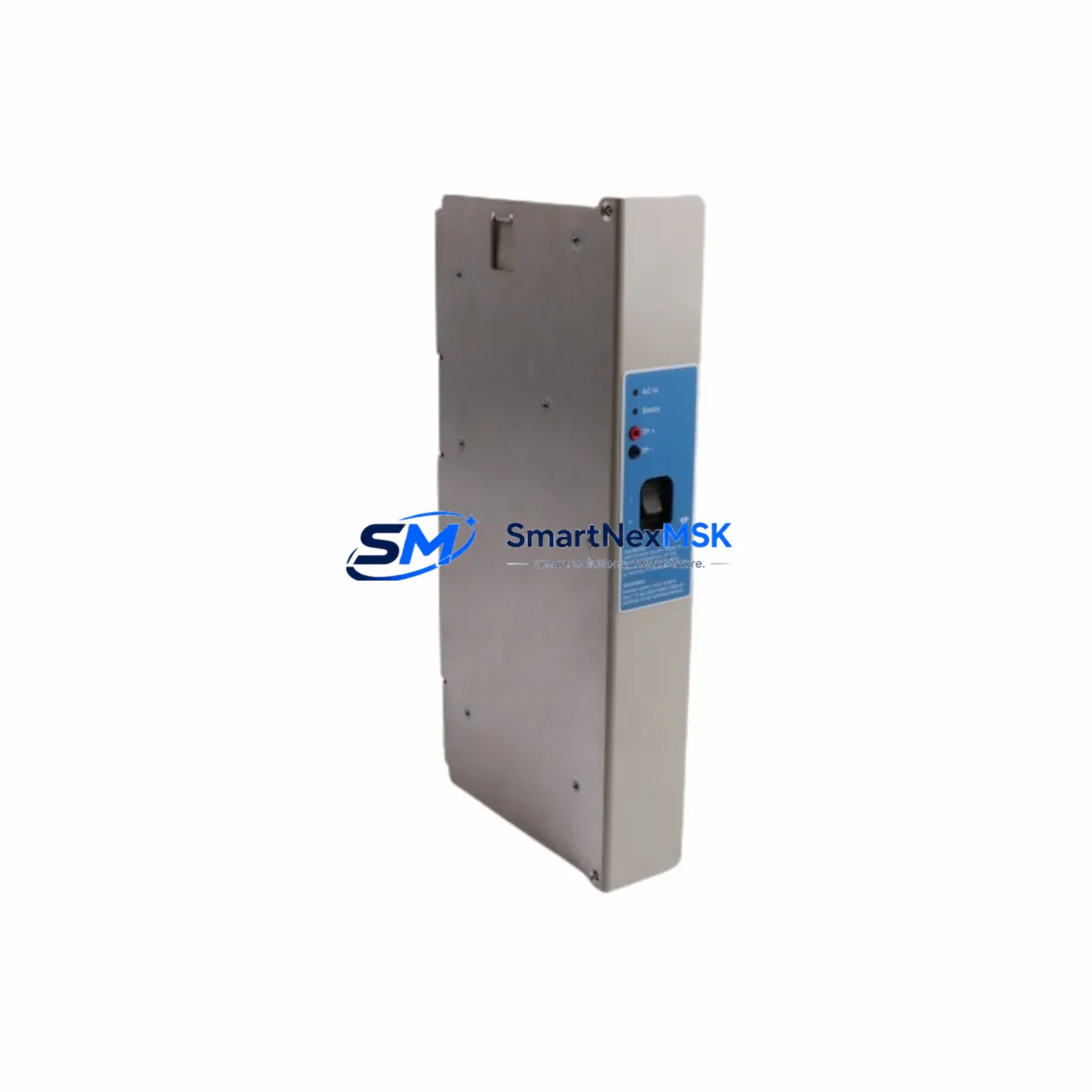
Honeywell SPS5710 51199929-100 Spare for Experion PKS Automation
The Honeywell SPS5710 (part number 51199929-100) is a rack-mounted DC power supply module designed for the Experion PKS (Process Knowledge System) distributed control system platform. For maintenance engineers managing continuous-process facilities — refineries, chemical plants, power generation sites, and pulp & paper mills — this module is a critical line-replaceable unit (LRU) that directly governs the operational integrity of the entire controller rack. An unplanned failure of the SPS5710 can result in immediate loss of I/O communication, controller shutdown, and unscheduled process downtime. Stocking a verified original spare is the single most effective mitigation against this risk.
SMARTNEXMSK supplies the SPS5710 51199929-100 as a tested, original Honeywell spare. Each unit undergoes pre-shipment functional verification, is packaged in anti-static ESD-safe materials, and ships with a 12-month warranty covering manufacturing defects and operational failure under normal service conditions. Global logistics support ensures delivery to plant sites across Asia, the Middle East, Europe, and the Americas.
Spare Maintenance Table
| Parameter | Specification |
|---|---|
| Part Number | SPS5710 / 51199929-100 |
| Brand | Honeywell Process Solutions |
| Series / Platform | Experion PKS (Process Knowledge System) |
| Module Type | Rack Power Supply Module |
| Output Voltage | 24 VDC (nominal, regulated) |
| Input Voltage Range | 85–264 VAC, 47–63 Hz (universal input) |
| Form Factor | Rack-mount, hot-swap capable |
| Compatible Racks | Experion PKS C200 / C300 Controller Racks |
| Weight | 2,160 g (approx.) |
| Origin | United States |
| Operating Temperature | 0°C to 60°C |
| Humidity | 5%–95% RH, non-condensing |
| Maintenance Recommendation | Inspect every 12 months; replace at first sign of output voltage drift or thermal alarm |
| Warranty | 12 Months (SMARTNEXMSK) |
| Condition | Original, New / Surplus New |
| Pre-shipment Test | Yes — functional output verification |
Maintenance Planning for Continuous Operation
When scheduling a planned replacement of the SPS5710 51199929-100, a thorough maintenance engineer will treat the power supply swap as an opportunity to inspect the entire power distribution chain within the Experion PKS controller cabinet. Begin with the upstream AC distribution panel: verify that the circuit breaker feeding the rack is rated correctly and shows no signs of thermal discoloration or loose terminations. Check the AC input wiring to the SPS5710 itself — loose or corroded terminals are a common root cause of intermittent power faults that are often misdiagnosed as module failure.
On the DC output side, inspect the backplane power bus connectors for oxidation or mechanical wear. The Experion PKS C200 and C300 controller modules — including the C200 Controller (51304485-150) and associated I/O Link Interface modules — draw regulated 24 VDC from this bus, and any impedance increase at the connector interface can cause marginal voltage conditions that trigger nuisance resets. While the cabinet is de-energized, this is also the correct time to inspect the Series C I/O modules installed in the rack: FTA (Field Termination Assembly) wiring, analog input modules, and digital output modules should all be checked for loose field wiring and terminal block integrity.
For facilities running redundant power configurations, the redundant SPS5710 module (if installed) should be tested independently to confirm it can carry full rack load before the primary is removed. Redundancy modules and power-sharing diode assemblies within the Experion PKS rack are often overlooked during routine PM cycles. Additionally, review the status of the UPS (uninterruptible power supply) feeding the control room — a degraded UPS battery bank is frequently the hidden cause of power supply module stress and premature failure.
Communication health should also be verified during this maintenance window. The C300 Controller’s Fault Tolerant Ethernet (FTE) network switches, fiber patch panels, and Ethernet cables connecting the controller to the Experion PKS server should be inspected for physical damage. If the site uses FOUNDATION Fieldbus or PROFIBUS segments, check the segment power conditioners and terminators, as these are often powered from the same distribution panel as the SPS5710. Finally, confirm that the Experion PKS server’s redundant power supplies are operational and that the server UPS runtime is within specification — a controller rack restored after a power supply replacement is of limited value if the supervisory server cannot sustain operation through a subsequent utility disturbance.
Site Replacement Workflow
Step 1 — Pre-replacement verification: Confirm the replacement SPS5710 51199929-100 part number matches the installed unit exactly. Cross-reference the label on the existing module with the Honeywell spare parts catalog. Note that earlier Experion PKS installations may use the predecessor SPS5600 or SPS5700 series; while physically similar, these are not electrically interchangeable without engineering review.
Step 2 — System state documentation: Before removing the failed module, capture a screenshot or printout of the Experion PKS Station alarm summary and controller status display. Document all active alarms related to power supply faults (typically reported under the rack node in the system display hierarchy). This baseline is essential for post-replacement verification.
Step 3 — Safe removal: If the rack supports hot-swap power redundancy and a second SPS5710 is carrying load, the failed unit may be removed without a controller shutdown. If the rack is single-supply, coordinate a controlled shutdown of the C200/C300 controller and place the associated process loops in manual at the DCS operator station before proceeding.
Step 4 — Installation and startup: Seat the replacement SPS5710 firmly into the rack slot, ensuring the backplane connector is fully engaged. Restore AC power and observe the module’s status LEDs: a solid green PWR LED indicates normal operation. Monitor the Experion PKS Station for alarm clearance and confirm all I/O modules return to normal scan status within 60 seconds of power restoration.
Step 5 — Post-replacement documentation: Record the replacement in the site CMMS (Computerized Maintenance Management System) with the new module’s serial number, installation date, and the 12-month warranty expiry date. Schedule the next inspection interval accordingly.
Spare Parts Support FAQ
Q1: Is the SPS5710 51199929-100 compatible with both C200 and C300 Experion PKS controller racks?
The SPS5710 is designed for the Experion PKS rack platform and is compatible with C200 and C300 series controller racks that specify 51199929-100 as the power supply part number. Always verify the rack’s power supply slot specification in the Honeywell hardware manual before installation. If your rack uses a different power supply form factor, contact SMARTNEXMSK for compatibility confirmation prior to ordering.
Q2: What pre-shipment testing does SMARTNEXMSK perform on the SPS5710?
Each SPS5710 unit is functionally tested for correct output voltage regulation, input voltage range acceptance, and status LED operation before shipment. Units are packed in ESD-safe anti-static bags with foam cushioning to prevent transit damage. A test report is available upon request for quality-critical procurement processes.
Q3: How should the SPS5710 be stored if purchased as a long-term inventory spare?
Store in a climate-controlled environment at 15°C–30°C with relative humidity below 70%, away from direct sunlight and electromagnetic interference sources. Keep in the original ESD-safe packaging until installation. For long-term storage exceeding 24 months, perform a functional power-on test annually to confirm module integrity before committing to installation in a live system.
Q4: What does the 12-month warranty cover, and how is a warranty claim processed?
The 12-month warranty covers manufacturing defects and operational failure under normal operating conditions as specified in the Honeywell hardware documentation. It does not cover damage resulting from incorrect installation, overvoltage events, or physical mishandling. To initiate a warranty claim, contact SMARTNEXMSK with the order reference, module serial number, and a description of the failure symptom. Replacement or repair will be arranged within the warranty period at no additional cost.
© 2026 SMARTNEXMSK. All rights reserved.
Original Source: https://smartnexmsk.com
Contact: [email protected] | +86 18259474341



