
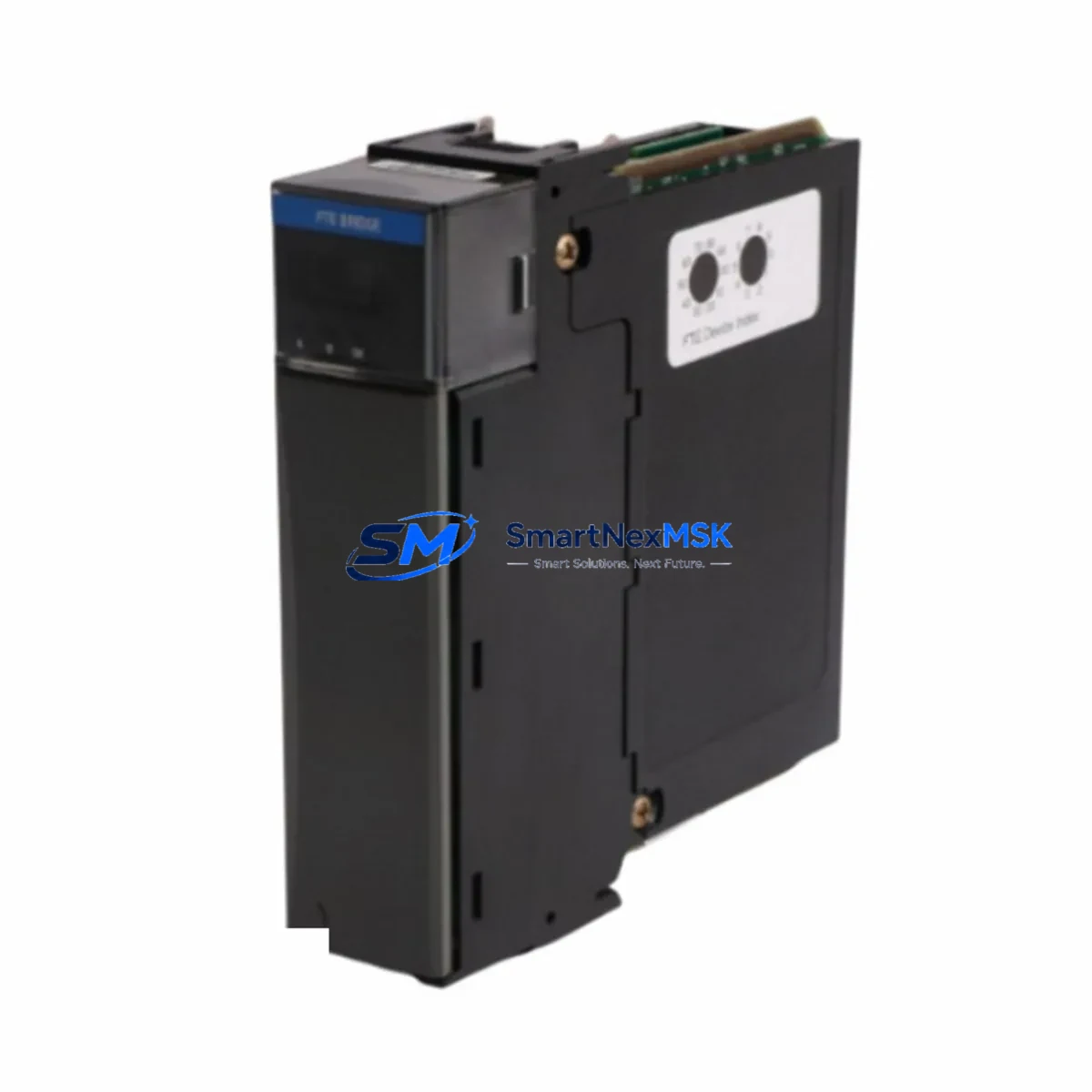
Honeywell TK-FTEB01 Maintenance-Ready Spare for Experion PKS Automation
The Honeywell TK-FTEB01 Fault Tolerant Ethernet (FTE) Bridge Module is a mission-critical communication component within the Experion PKS distributed control system architecture. Designed to bridge the FTE network with standard Ethernet infrastructure, the TK-FTEB01 enables redundant, high-availability data paths between C300 controllers, I/O links, and the Experion server layer. When this module fails or degrades, the entire DCS communication backbone is at risk — making a verified, ready-to-deploy spare an essential element of any industrial maintenance strategy.
At SMARTNEXMSK, every TK-FTEB01 unit is sourced from authorized supply channels, individually inspected, and function-tested prior to shipment. Each unit ships with a 12-month warranty and full traceability documentation, supporting both planned maintenance cycles and emergency breakdown recovery.
Spare Maintenance Table
| Part Number | TK-FTEB01 |
| Manufacturer | Honeywell Process Solutions |
| Series / Platform | Experion PKS — C300 DCS |
| Module Function | Fault Tolerant Ethernet (FTE) Bridge — dual-network redundancy bridging |
| Network Interface | FTE (Fault Tolerant Ethernet) + Standard 100BASE-TX Ethernet |
| Communication Protocol | FTE proprietary redundancy protocol over IEEE 802.3 |
| Power Supply Compatibility | 24 VDC (via backplane or external rail — confirm with system drawing) |
| Operating Temperature | 0°C to 60°C (32°F to 140°F) |
| Mounting | DIN rail / Experion PKS control cabinet backplane |
| Compatibility | Experion PKS R310 and above; C300 Controller; IOLINK modules |
| Replacement Scope | Direct drop-in replacement for failed or end-of-life TK-FTEB01 units |
| Condition | Original, new or refurbished-to-spec; function-tested before shipment |
| Warranty | 12 Months — covers functional failure under normal operating conditions |
| Lead Time | In-stock units ship within 3–5 business days; express options available |
| Origin | United States (Honeywell Process Solutions) |
| Maintenance Recommendation | Inspect FTE link LEDs quarterly; replace proactively at first sign of intermittent packet loss or redundancy fault alarms |
Maintenance Planning for Continuous Operation
Replacing the TK-FTEB01 in an Experion PKS system is rarely an isolated task. Maintenance engineers and procurement teams should treat this module as part of a broader control cabinet audit. When a TK-FTEB01 fault is detected — whether through an Experion system alarm, FTE redundancy warning, or physical LED inspection — the following associated components should be evaluated simultaneously to prevent secondary failures and reduce total downtime.
Begin with the C300 Controller module itself: FTE bridge faults are sometimes symptomatic of upstream controller communication errors rather than a failed bridge. Verify the C300’s diagnostic LEDs and Experion Station fault logs before committing to a bridge replacement. Next, inspect the CC-PCNT01 or CC-PAIX01 I/O modules connected downstream — a degraded FTE path can cause I/O scan timeouts that mimic field device failures.
The 24 VDC power supply rail feeding the control cabinet should be load-tested; under-voltage conditions accelerate communication module wear. Check the PS-IOTA1 or equivalent power supply module for output ripple and verify that the terminal block wiring and DIN rail grounding straps are secure and corrosion-free.
On the network side, inspect the FTE switch (e.g., Cisco IE-2000 series or Honeywell-qualified managed switch) port connected to the TK-FTEB01. A faulty switch port can cause repeated bridge resets. Replace the Cat5e/Cat6 patch cables between the bridge and the FTE switch as a low-cost precaution — cable degradation is a common and overlooked root cause.
If the system includes Honeywell IOLINK modules (e.g., CC-TAIX11, CC-TDOB11), verify their communication status post-replacement. For plants running legacy Series C or HC900 controllers alongside Experion PKS, also audit the gateway or protocol converter modules that bridge older fieldbus segments to the FTE network. Finally, confirm that the Experion PKS server’s NIC configuration and FTE network adapter settings are correctly mapped after the bridge module swap to avoid ghost redundancy alarms.
Site Replacement Workflow
Step 1 — Pre-replacement verification: Log into Experion Station and capture a full system snapshot. Note all active alarms related to FTE redundancy, controller communication, and I/O link status. Document the current firmware version displayed for the TK-FTEB01 in the Experion hardware tree.
Step 2 — Safe isolation: Coordinate with the control room operator to place affected loops in manual mode. The TK-FTEB01 supports hot-swap in redundant FTE configurations — confirm redundancy is active on the secondary path before removing the primary bridge to maintain uninterrupted process communication.
Step 3 — Physical replacement: Remove the failed TK-FTEB01 by releasing the DIN rail latch and disconnecting the Ethernet and power connectors. Install the replacement unit, reconnect all cables, and verify LED status: the FTE LINK and ACT LEDs should illuminate within 30 seconds of power-up.
Step 4 — System re-integration: In Experion Station, navigate to the hardware tree and perform a module re-scan. Confirm the TK-FTEB01 appears online with no fault flags. Clear historical FTE alarms and monitor for 15–30 minutes to confirm stable redundant operation before returning loops to automatic control.
Step 5 — Documentation: Record the replacement in the plant CMMS (e.g., SAP PM or Maximo), including the old module’s serial number, failure mode, and the new unit’s traceability details. Update the spare parts inventory to trigger a reorder for the consumed TK-FTEB01 unit.
This workflow minimizes process disruption, maintains system compatibility, and ensures the replacement is fully validated before the maintenance window closes — reducing the risk of repeat callouts.
Spare Parts Support FAQ
Q1: Is the TK-FTEB01 still available as a new original spare, or only as refurbished?
Both new original and refurbished-to-specification units are available depending on current stock. All refurbished units undergo full functional testing and are supplied with the same 12-month warranty as new stock. Contact our team to confirm current availability and lead time for your specific requirement.
Q2: How do I verify compatibility between a replacement TK-FTEB01 and my current Experion PKS revision?
Compatibility is determined by the Experion PKS software release (R310 and above are supported) and the C300 controller firmware version. Provide your Experion release number and C300 firmware string when ordering, and our technical team will confirm compatibility before shipment. We also recommend cross-referencing Honeywell’s FTE Bridge compatibility matrix in the Experion PKS Planning Guide.
Q3: What does the 12-month warranty cover, and what is the RMA process if a unit fails in service?
The 12-month warranty covers functional failure under normal operating conditions — including communication faults, power-up failures, and LED/port malfunctions not caused by physical damage or incorrect installation. To initiate an RMA, contact [email protected] with your order number, failure description, and site photos. Replacement units are dispatched within 5 business days of RMA approval.
Q4: Should we stock more than one TK-FTEB01 as a critical spare?
For plants with more than two Experion PKS cabinets or continuous-process operations (refining, petrochemical, power generation), we recommend maintaining a minimum of two TK-FTEB01 units in the on-site spare parts store. Given the module’s role in FTE network redundancy, a single-unit spare strategy creates unacceptable risk during extended lead-time periods. SMARTNEXMSK offers volume pricing and long-term supply agreements to support strategic spare parts stocking programs.
© 2026 SMARTNEXMSK. All rights reserved.
Original Source: https://smartnexmsk.com
Contact: [email protected] | +86 18259474341



