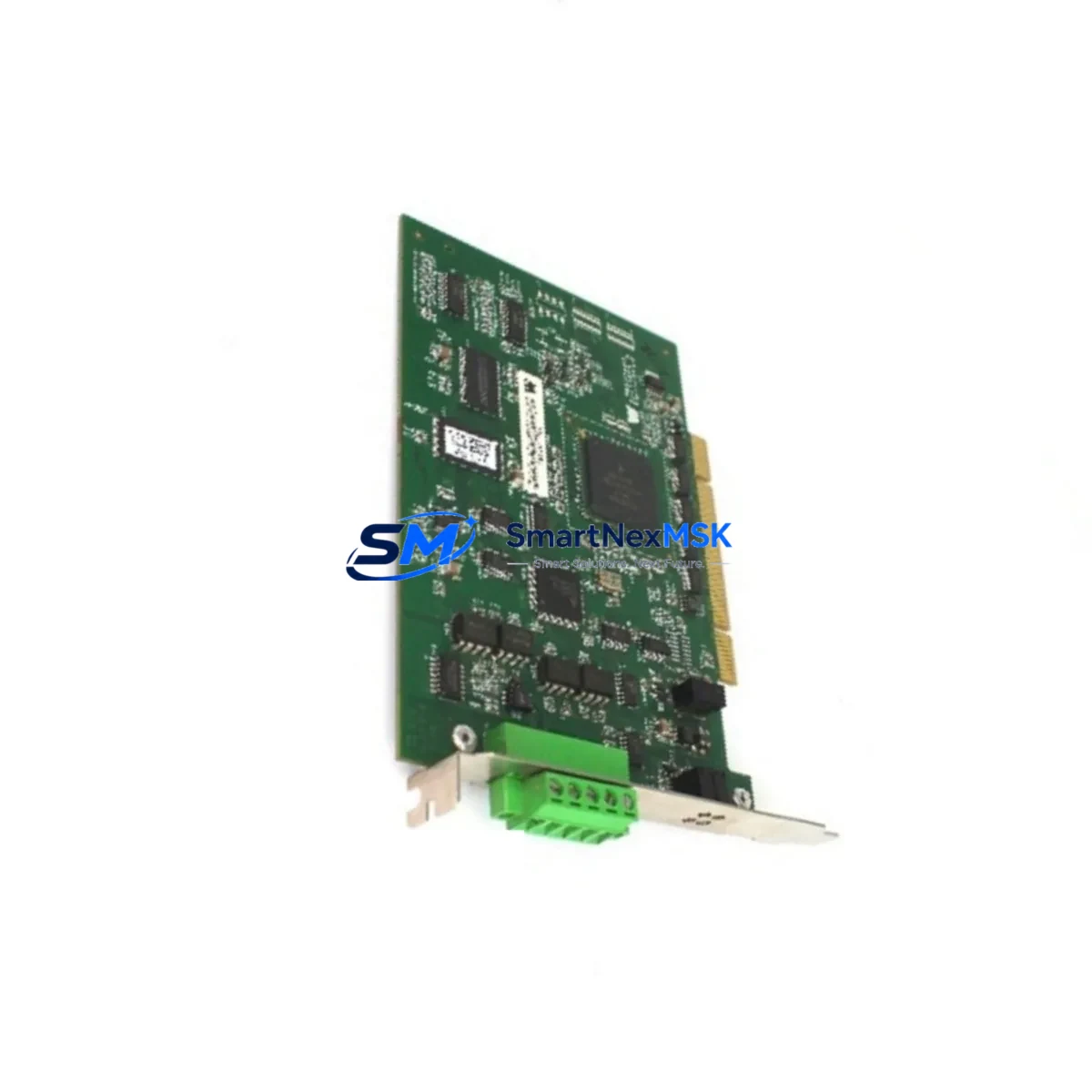
Yaskawa AB-PCI-PRT-S AB3609-C Spare for A1000 Automation: Spare Parts Replacement & Industrial Downtime Risk Control
The Yaskawa AB-PCI-PRT-S (part number AB3609-C) is an original PROFIBUS-DP option board engineered for Yaskawa A1000, E7, F7, and G7 series AC drives. In industrial automation environments where PROFIBUS-DP fieldbus communication is the backbone of PLC-to-drive coordination, a failed or degraded option board can halt an entire production line within seconds. Maintaining a verified, tested spare of the AB-PCI-PRT-S in your parts inventory is one of the most cost-effective strategies for minimizing unplanned downtime and protecting your control system’s long-term reliability.
For maintenance engineers managing aging drive systems, the AB-PCI-PRT-S provides a direct, plug-in replacement path that preserves existing PROFIBUS network topology, GSD file configurations, and PLC address mappings. No re-engineering of the fieldbus segment is required when replacing like-for-like. For procurement engineers, sourcing a genuine Yaskawa AB3609-C from a verified supplier with documented testing and a 12-month warranty eliminates the risk of counterfeit components entering the spare parts chain.
Spare Maintenance Table
| Parameter | Specification |
|---|---|
| Part Number | AB-PCI-PRT-S / AB3609-C |
| Brand | Yaskawa Electric Corporation |
| Product Type | PROFIBUS-DP Option Board |
| Compatible Drive Series | A1000, E7, F7, G7 AC Variable Frequency Drives |
| Communication Protocol | PROFIBUS-DP (EN 50170 / IEC 61158) |
| Baud Rate Support | 9.6 kbps – 12 Mbps (auto-detect) |
| Node Address Range | 0–125 (configurable via DIP switch) |
| Connector Interface | 9-pin D-Sub (DB9) female |
| Installation Method | Plug-in option slot (CN5 port on A1000) |
| Power Supply | Supplied internally by host drive |
| Operating Temperature | -10°C to +50°C |
| Storage Temperature | -20°C to +60°C |
| Humidity | 5–95% RH (non-condensing) |
| Weight | Approx. 560 g (packaged) |
| Origin | Japan |
| Condition | Original New / Tested Surplus |
| Warranty | 12 Months from date of shipment |
| Pre-shipment Testing | Communication function verified before dispatch |
| Typical Application | PROFIBUS-DP network integration for Yaskawa VFD control in PLC-based automation systems |
| Maintenance Recommendation | Inspect connector pins, verify GSD file version, confirm node address after replacement |
Maintenance Planning for Continuous Operation
When a PROFIBUS-DP communication fault is traced to the AB-PCI-PRT-S option board, experienced maintenance engineers know that the board itself is rarely the only component that warrants inspection. A systematic approach to fault isolation and preventive replacement significantly reduces the risk of repeat failures and secondary downtime events.
Begin by verifying the integrity of the PROFIBUS cable and the DB9 connector at the option board interface. Damaged shielding, loose termination resistors, or corroded pin contacts are common root causes of intermittent communication errors that are frequently misdiagnosed as board failures. If the drive cabinet has been in service for more than five years, it is advisable to simultaneously inspect the Yaskawa A1000 main control board (YPCT31481-1B) for capacitor aging and inspect the drive’s power supply board for output voltage stability, as degraded internal power rails can cause option board resets under load.
For the broader control cabinet, a planned inspection should include the 24 VDC power supply module feeding the PROFIBUS segment, the PROFIBUS repeater or hub if the network spans multiple segments, and the PLC PROFIBUS-DP master module (such as a Siemens CP 342-5 or equivalent) to confirm that the master is not generating excessive bus errors. Checking the terminal blocks and cable ferrules on the PROFIBUS trunk line is also recommended, as loose connections at junction points are a leading cause of intermittent DP faults.
In systems where the A1000 drive operates alongside Yaskawa SI-EP3 EtherNet/IP option boards or SI-N3 DeviceNet option boards on parallel drives, ensure that the replacement of the AB-PCI-PRT-S does not disrupt the broader network topology. Verify that the PROFIBUS termination resistors at both ends of the bus segment remain correctly enabled after the board swap. If the drive cabinet includes a Yaskawa DriveWizard Industrial interface for parameter backup, use it to confirm that all drive parameters are preserved before and after the option board replacement.
For facilities running legacy E7 or F7 series drives alongside newer A1000 units, maintaining a shared spare parts inventory that includes the AB-PCI-PRT-S alongside Yaskawa ETC006901 gate driver boards and A1000 CIMR-AC series capacitor kits provides comprehensive coverage for the most common failure modes in long-running VFD installations. A well-structured spare parts kit reduces mean time to repair (MTTR) and supports the extended service life of control systems that are not yet scheduled for full replacement.
Site Replacement Workflow
Step 1 — Pre-replacement preparation: Before removing the existing option board, use DriveWizard Industrial or the drive’s keypad to perform a full parameter backup. Record the current PROFIBUS node address (set via DIP switches on the AB-PCI-PRT-S) and note the GSD file version in use on the PROFIBUS master. Power down the drive and follow lockout/tagout (LOTO) procedures. Allow a minimum of 5 minutes for the DC bus capacitors to discharge before opening the drive enclosure.
Step 2 — Board removal and inspection: Carefully extract the AB-PCI-PRT-S from the CN5 option slot. Inspect the slot connector on the drive for bent pins or contamination. Clean with dry compressed air if necessary. Inspect the removed board for visible burn marks, cracked components, or corrosion on the DB9 connector pins.
Step 3 — Replacement board configuration: Before installing the new AB-PCI-PRT-S (AB3609-C), set the DIP switches to match the original node address. Verify that the replacement board’s firmware revision is compatible with the installed drive firmware version — refer to Yaskawa technical document TM.A1000.11 for compatibility matrices.
Step 4 — Installation and commissioning: Seat the new board firmly into the CN5 slot until the locking tab engages. Reconnect the PROFIBUS DB9 cable. Power up the drive and confirm that the option board LED indicators show normal communication status (typically a steady green RUN LED and no ERR LED). From the PROFIBUS master, perform a network scan to confirm the drive node is online and responding correctly.
Step 5 — Functional verification: Issue a test run command via the PROFIBUS master and verify that the drive responds to speed reference and control word commands as expected. Log the replacement in the site maintenance record and update the spare parts inventory to trigger reorder of a replacement AB-PCI-PRT-S for the next event.
This workflow is applicable to both direct like-for-like replacements and scenarios where an older AB-PCI-PRT board (without the -S suffix) is being upgraded to the current AB3609-C revision. The -S revision offers improved EMC performance and is the recommended replacement for all earlier PROFIBUS-DP option board variants used in the A1000, E7, F7, and G7 drive families.
Spare Parts Support FAQ
Q1: What is the service life expectation for the AB-PCI-PRT-S, and when should I proactively replace it?
Under normal operating conditions (ambient temperature within spec, clean cabinet environment, no excessive vibration), the AB-PCI-PRT-S option board typically provides 8–12 years of reliable service. Proactive replacement is recommended when the host drive is approaching 10 years of operation, when PROFIBUS communication errors begin appearing in the PLC diagnostic buffer without a clear cable or network cause, or when the drive is scheduled for a major overhaul. Maintaining one spare per 5–10 installed drives is a common inventory strategy for facilities with high PROFIBUS-DP drive populations.
Q2: How do I verify compatibility between the AB3609-C and my specific A1000 drive model before installation?
The AB-PCI-PRT-S is compatible with all A1000 series drives (CIMR-AC□□□□) equipped with a CN5 option slot, as well as E7, F7, and G7 series drives with the equivalent option slot. Compatibility can be confirmed by checking the drive’s nameplate model number against Yaskawa’s option board compatibility table in the A1000 Technical Manual (SIEP C710606 18). If you are replacing an older PROFIBUS option board variant, confirm that the GSD file version on your PROFIBUS master matches the AB-PCI-PRT-S GSD file (available from Yaskawa’s technical support portal).
Q3: What pre-shipment testing is performed on the AB-PCI-PRT-S before dispatch?
Each AB-PCI-PRT-S unit supplied by SMARTNEXMSK undergoes functional communication testing prior to shipment. This includes verification of PROFIBUS-DP data exchange, LED indicator operation, and physical connector integrity. Units are shipped in anti-static packaging with individual test records available upon request. The 12-month warranty covers manufacturing defects and functional failures under normal operating conditions from the date of shipment.
Q4: Can the AB-PCI-PRT-S be used as a long-term supply solution for legacy E7 and F7 drive systems that are no longer in production?
Yes. The AB-PCI-PRT-S (AB3609-C) remains the current production revision and is fully backward compatible with E7 and F7 series drives. For facilities committed to extending the service life of legacy Yaskawa drive systems, SMARTNEXMSK maintains stock of this option board alongside other critical spare components to support long-term maintenance programs. Bulk procurement and scheduled delivery arrangements are available for facilities managing large installed bases of Yaskawa PROFIBUS-DP drives.
© 2026 SMARTNEXMSK. All rights reserved.
Original Source: https://smartnexmsk.com
Contact: [email protected] | +86 18259474341