
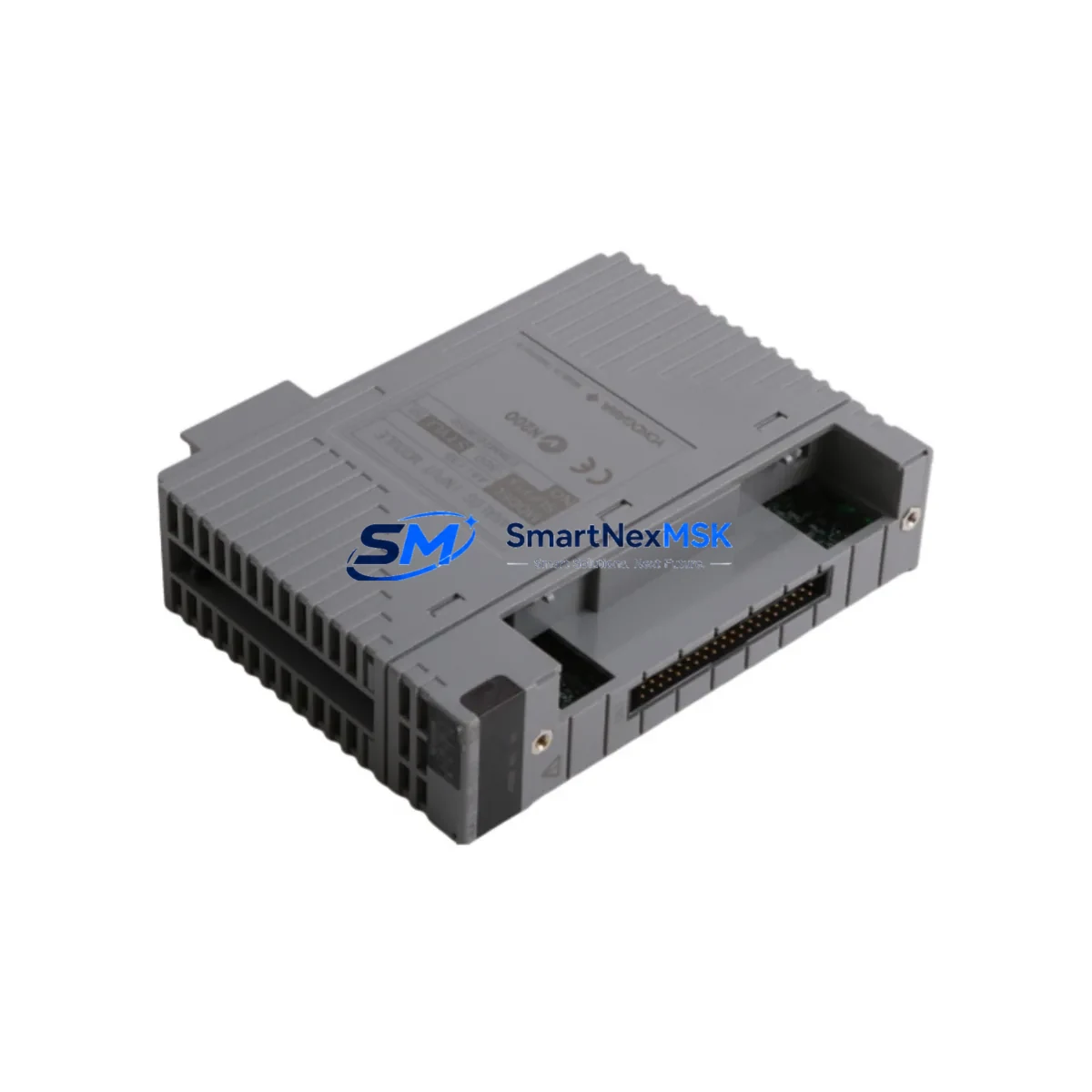
YOKOGAWA AAI135-S00 S2: Retrofit-Ready Analog Input Module for CENTUM VP & CS 3000 Control Systems
The YOKOGAWA AAI135-S00 S2 is a high-reliability 4-20 mA analog input module engineered for seamless integration into CENTUM VP and CS 3000 distributed control systems. As legacy DCS installations age and original spare parts become increasingly scarce, the AAI135-S00 S2 serves as a proven retrofit solution — enabling plant engineers to extend the operational life of existing control architectures without committing to a full platform migration. Whether you are replacing a failed card in a running process line, upgrading a control cabinet during a scheduled turnaround, or consolidating spare inventory ahead of a multi-year maintenance contract, this module delivers the compatibility, signal integrity, and form-factor consistency that industrial retrofit projects demand.
Sourced directly from authorized distribution channels and subject to full functional testing prior to shipment, each AAI135-S00 S2 unit is backed by a 12-month warranty covering manufacturing defects and operational failures under normal service conditions. Stock is maintained on-hand to support urgent replacement orders, with global logistics options available for time-critical plant recovery scenarios.
Upgrade Compatibility Table
| Parameter | AAI135-S00 S2 Specification | Retrofit / Replacement Notes |
|---|---|---|
| Compatible Platform | CENTUM VP, CS 3000 | Direct slot-for-slot replacement in existing FCS cabinets |
| Signal Type | 4–20 mA Analog Input (16-channel) | No signal conditioning changes required at field terminal |
| Backplane Interface | CENTUM standard node bus connector | Compatible with existing RIO node and ESB bus backplanes |
| Installation Requirement | Standard CENTUM I/O nest / rack | Fits existing Nest units; no mechanical modification needed |
| Communication Compatibility | CENTUM VP / CS 3000 internal bus protocol | No protocol conversion required; recognized natively by FCS |
| Replacement Recommendation | Direct replacement for AAI135-S00 (prior revision) | Verify FCS firmware version supports S2 revision if upgrading from early CS 3000 |
| Commissioning Focus | Module address assignment, channel scaling, HART pass-through | Confirm IOM address in FCS builder before hot-swap; re-download if required |
| Warranty | 12 Months | Covers manufacturing defects and functional failures under normal operating conditions |
Retrofit Planning for Existing Automation Systems
Successful integration of the AAI135-S00 S2 into a brownfield CENTUM VP or CS 3000 installation requires a structured pre-replacement assessment. Before pulling the existing card, engineers should document the current IOM address assigned in the FCS builder, verify that the replacement module’s hardware revision is recognized by the installed FCS firmware, and confirm that the ESB bus or RIO node backplane connector is free of corrosion or mechanical damage. Terminal wiring should be photographed and labeled at the terminal board (typically an ATB or equivalent marshalling terminal) before disconnection to eliminate re-wiring errors during reinstatement.
Power budget verification is a frequently overlooked step in analog input module retrofits. The AAI135-S00 S2 draws its operating power from the CENTUM power supply unit — commonly the PW481 or PW482 series — via the nest backplane. Before installation, confirm that the existing power supply has sufficient residual capacity to support the replacement module, particularly in fully populated I/O nests where multiple AAI141 or AAI143 analog input cards may already be consuming available current headroom.
For installations where the CS 3000 system is being partially migrated toward CENTUM VP, the AAI135-S00 S2 can coexist within a hybrid cabinet configuration alongside AAI841 FOUNDATION Fieldbus analog input modules and ADV151 analog output modules, provided that the FCS domain configuration is updated to reflect the revised I/O map. Communication links between the FCS and the HIS (Human Interface Station) should be validated post-swap to confirm that all channel tags are resolving correctly in the CENTUM VP HMI graphic displays — particularly for critical process variables such as flow, pressure, and temperature loops that feed into cascade or ratio control strategies.
Where the retrofit scope extends to communication protocol migration — for example, transitioning legacy RS-485 Modbus field devices to HART or FOUNDATION Fieldbus — the AAI135-S00 S2’s HART pass-through capability allows field device parameterization via the existing wiring without requiring additional HART multiplexers or dedicated communication modules. This simplifies the migration path and reduces the number of additional components that must be sourced, tested, and installed during the outage window. In more complex upgrade scenarios involving Vnet/IP network reconfiguration or the addition of FCN/FCJ field control nodes, the AAI135-S00 S2 remains compatible with the existing I/O architecture and does not require re-engineering of the upstream control network topology.
Downtime Control During System Migration
Minimizing unplanned downtime is the primary operational constraint in any DCS module replacement project. For the AAI135-S00 S2, the recommended approach is a hot-standby swap procedure where the FCS is placed in manual control mode for the affected loops prior to module extraction. This preserves the last-known output values on all downstream ADV series analog output modules and prevents process upsets caused by signal loss during the card exchange interval.
Before extraction, export the current FCS project from CENTUM VP Engineering Environment (ENG) or the CS 3000 System View builder and archive it to a secure backup location. This ensures that the original program logic, function block assignments, and I/O channel scaling parameters can be restored immediately if the replacement module requires a full IOM re-download. In most cases, the FCS will automatically recognize the AAI135-S00 S2 upon insertion and resume normal scan cycle operation without requiring a controller restart — however, this behavior is firmware-dependent and should be confirmed against the installed FCS revision prior to the maintenance window.
For multi-module replacement campaigns — such as a full nest replacement during a planned turnaround — it is advisable to pre-configure and bench-test each AAI135-S00 S2 unit using a CENTUM VP portable engineering station or a dedicated test rack before bringing the modules to the field. This pre-commissioning step, combined with a structured loop check procedure using a calibrated 4-20 mA signal source, reduces field commissioning time per channel and allows the maintenance team to identify any wiring discrepancies before the process is returned to automatic control.
Retrofit Support FAQ
Q1: Is the AAI135-S00 S2 a direct drop-in replacement for the original AAI135-S00?
Yes. The S2 hardware revision maintains full mechanical and electrical compatibility with the original AAI135-S00. It fits the same CENTUM I/O nest slot, uses the same backplane connector, and is recognized by the FCS using the same IOM type designation. In most CENTUM VP and CS 3000 installations, no FCS project modification is required. However, if the installed FCS firmware predates the S2 revision release, a firmware update may be necessary — consult the YOKOGAWA revision history documentation or contact our technical team for confirmation.
Q2: What wiring changes are required when installing the AAI135-S00 S2?
No wiring changes are required at the field terminal level. The AAI135-S00 S2 uses the same terminal board pinout as its predecessor. All existing 4-20 mA field wiring connected to the marshalling terminal or directly to the module terminal board can remain in place. Engineers should verify terminal tightness and inspect for insulation degradation on older wiring runs as part of standard maintenance practice, but no re-termination is required for the module swap itself.
Q3: How is the module address configured after installation?
The IOM address for the AAI135-S00 S2 is assigned via the CENTUM VP Engineering Environment or CS 3000 System View builder, not via physical DIP switches on the module itself. The address is stored in the FCS project and downloaded to the module during the initial commissioning or re-download cycle. If the replacement module is installed in the same nest slot as the failed unit, the existing IOM address assignment in the FCS project remains valid and no re-configuration is required — the FCS will recognize the module at the next scan cycle.
Q4: What does the 12-month warranty cover, and what is the process for a warranty claim?
The 12-month warranty covers all manufacturing defects and functional failures occurring under normal operating conditions within 12 months of the shipment date. It does not cover damage resulting from incorrect installation, overvoltage events, physical impact, or operation outside the module’s rated environmental specifications. To initiate a warranty claim, contact our sales team at [email protected] with the order reference number, a description of the failure mode, and photographic evidence of the installation. Replacement units are dispatched upon claim verification, with priority handling available for critical process applications.
© 2026 SMARTNEXMSK. All rights reserved.
Original Source: https://smartnexmsk.com
Contact: [email protected] | +86 18259474341



