
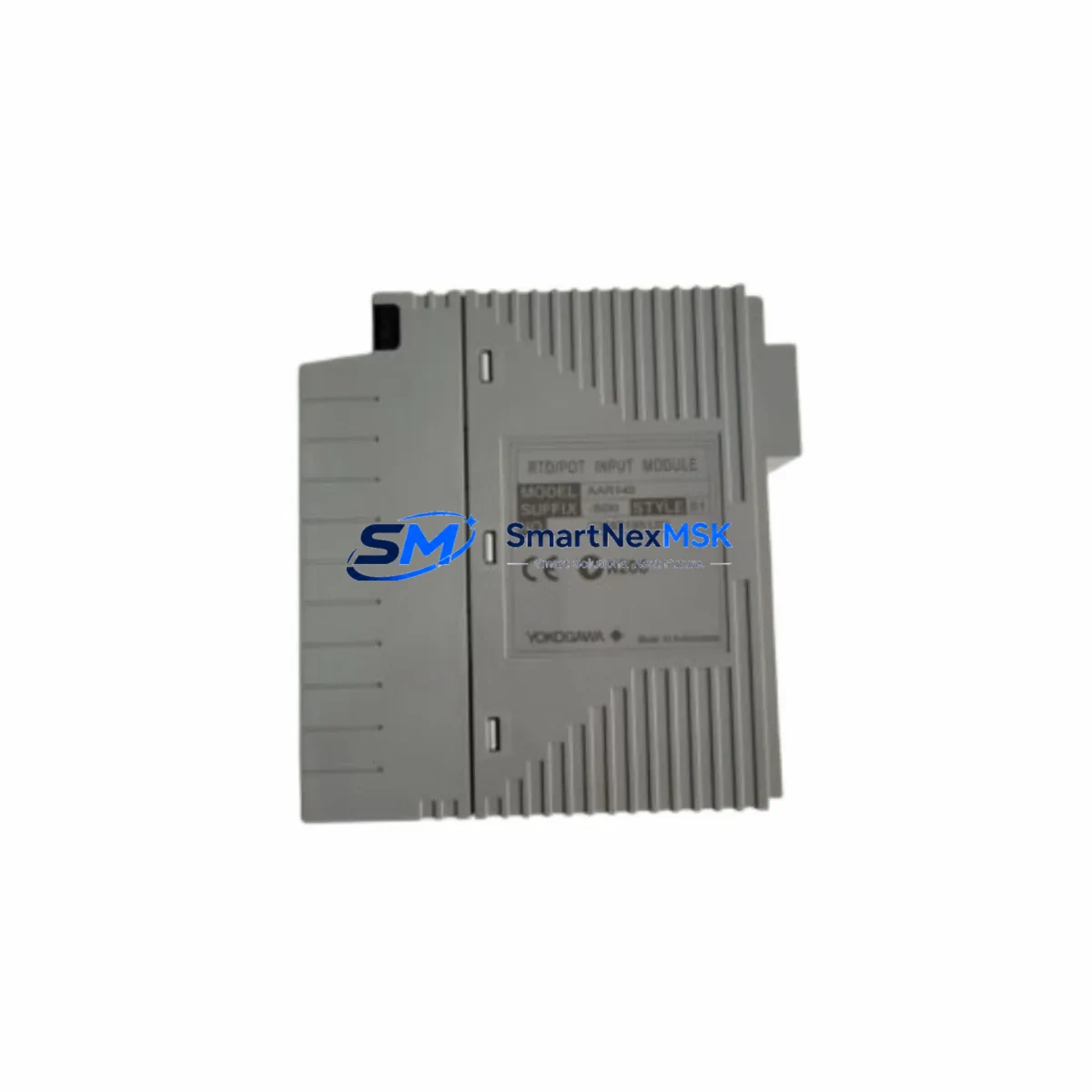
YOKOGAWA AAR145-S00 S1 Retrofit-Ready RTD Input Module for CENTUM VP Control Systems
The YOKOGAWA AAR145-S00 S1 is a high-precision RTD/Potentiometer Input Module designed for seamless integration into CENTUM VP Distributed Control Systems. As legacy CENTUM CS 3000 and CENTUM VP R4 installations reach end-of-life, the AAR145-S00 S1 serves as the verified drop-in retrofit solution — enabling plant engineers to modernize aging control cabinets without rewriting core PLC logic or replacing the entire backplane infrastructure.
This module accepts multi-type RTD inputs (Pt100, Pt1000, JPt100, Ni100) and potentiometer signals, making it a versatile replacement for discontinued analog input cards across YOKOGAWA’s legacy DCS portfolio. Whether you are upgrading a refinery control loop, replacing a failed card in a pharmaceutical batch system, or migrating a power plant’s I/O tier, the AAR145-S00 S1 delivers the signal fidelity and channel isolation required for critical process environments.
Upgrade Compatibility Table
| Parameter | Details |
|---|---|
| Compatible Platform | YOKOGAWA CENTUM VP, CENTUM VP R5/R6, CENTUM CS 3000 (with adapter) |
| Input Types | RTD (Pt100, Pt1000, JPt100, Ni100), Potentiometer |
| Channels | 4-channel isolated RTD input |
| Backplane Interface | Standard CENTUM VP I/O bus — direct slot replacement |
| Installation | Hot-swap capable on supported CENTUM VP node units |
| Communication Compatibility | Vnet/IP, ESB bus (node-dependent) |
| Replacement Recommendation | Direct replacement for AAR141, AAR145-S00 (earlier suffix variants) |
| Commissioning Notes | Module address auto-assigned via slot position; verify in CENTUM VP Builder |
| Warranty | 12-Month Warranty — covers manufacturing defects and functional failure |
Retrofit Planning for Existing Automation Systems
Successful retrofit of the AAR145-S00 S1 into an operating CENTUM VP system requires careful pre-migration planning across several interdependent subsystems. Before pulling the legacy card, engineers should audit the node unit’s power budget — the AFV10D or AFV30D field control unit power supply must have sufficient headroom to support the replacement module’s 24 VDC draw alongside co-installed cards such as the AAI141 analog input module, AAI543 analog output module, and any AAT141 thermocouple input modules sharing the same node.
Terminal wiring compatibility is a critical checkpoint. The AAR145-S00 S1 uses the standard CENTUM VP terminal block format, but field wiring connected to the legacy RTD card must be verified against the new module’s channel pinout. In installations where the ADM11 or ADM51 terminal adapter boards are in use, confirm that the adapter model matches the AAR145-S00 S1’s connector specification before re-terminating field cables.
For systems running CENTUM VP R4 or earlier firmware, verify that the FCS (Field Control Station) software version supports the AAR145-S00 S1 module definition. In some R4 installations, a firmware patch to the ACF11 or ACF12 field control unit is required before the new module is recognized in the I/O map. The CENTUM VP Builder engineering tool should be used to pre-configure the module’s channel assignments, range settings, and alarm limits offline before the physical swap — this eliminates the need for live parameter entry during the maintenance window.
Where the legacy system includes an HIS (Human Interface Station) running CENTUM VP Exaopc or a third-party OPC DA/UA server, confirm that tag addresses mapped to the replaced module’s channels remain valid after the swap. In most CENTUM VP architectures, tag-to-channel binding is slot-position-based, so a like-for-like slot replacement preserves all HMI faceplate references without requiring display rebuilds. However, if the AAR145-S00 S1 is being installed into a previously unused slot as part of an I/O expansion, new tag definitions must be created in the CENTUM VP Builder and pushed to the HIS before commissioning.
Communication link integrity should be validated post-installation. In dual-redundant Vnet/IP configurations, confirm that both network paths to the node unit are active before energizing the new module. For legacy ESB bus nodes, check bus termination resistance and verify that the node address DIP switch settings on the field control unit have not been disturbed during the card swap.
Downtime Control During System Migration
Minimizing unplanned downtime during an AAR145-S00 S1 retrofit begins with a structured pre-outage checklist. Before the maintenance window opens, export a full backup of the CENTUM VP project database from the ENG (Engineering Station) — this preserves all function block logic, loop tuning parameters, and I/O assignments in the event that a rollback is required. If the node unit supports hot-swap operation, the physical card exchange can be completed in under five minutes without interrupting adjacent channels on the same node.
For cold-swap scenarios — common in older CENTUM CS 3000 nodes being migrated to CENTUM VP hardware — coordinate the outage window with the process team to place affected control loops in manual mode at the DCS operator station. Use the CENTUM VP sequence table or SFC (Sequential Function Chart) logic to hold process setpoints at last-known-good values during the swap interval. Once the AAR145-S00 S1 is seated and the node has completed its self-diagnostic cycle (typically 15–30 seconds), verify channel live values against field instrument readings before returning loops to automatic control.
Post-swap functional testing should include a full-range signal injection test on each RTD channel using a calibrated process calibrator, confirmation of alarm setpoint activation at configured thresholds, and a 15-minute trend review in the CENTUM VP HIS to confirm signal stability. All test results should be documented in the site’s MOC (Management of Change) record before the maintenance window is formally closed.
Retrofit Support FAQ
Q1: Is the AAR145-S00 S1 a direct replacement for the AAR141 and earlier AAR145 suffix variants?
A: Yes. The AAR145-S00 S1 is backward-compatible with the AAR141 and earlier AAR145 variants in standard CENTUM VP node slots. Terminal block wiring and slot addressing are preserved. Verify firmware compatibility in CENTUM VP R4 and earlier environments using CENTUM VP Builder before installation.
Q2: What wiring changes are required when replacing a legacy RTD card with the AAR145-S00 S1?
A: In most CENTUM VP installations, no wiring changes are required for a like-for-like slot replacement. Field RTD cables connect to the same terminal block positions. If an ADM adapter board is in use, confirm the adapter model is compatible with the AAR145-S00 S1 connector before re-terminating.
Q3: How is the module address assigned after installation?
A: The AAR145-S00 S1 inherits its module address from its physical slot position in the CENTUM VP node unit. No manual address configuration is required for slot-for-slot replacements. For new slot installations, the address is automatically assigned and must be registered in CENTUM VP Builder before the module is recognized by the FCS.
Q4: What does the 12-month warranty cover, and is pre-shipment testing performed?
A: Every AAR145-S00 S1 unit is functionally tested prior to shipment, including channel signal verification and communication bus handshake confirmation. The 12-month warranty covers manufacturing defects and functional failure under normal operating conditions. Units are shipped with test documentation. Contact [email protected] for warranty claims or technical support.
© 2026 SMARTNEXMSK. All rights reserved.
Original Source: https://smartnexmsk.com
Contact: [email protected] | +86 18259474341



