
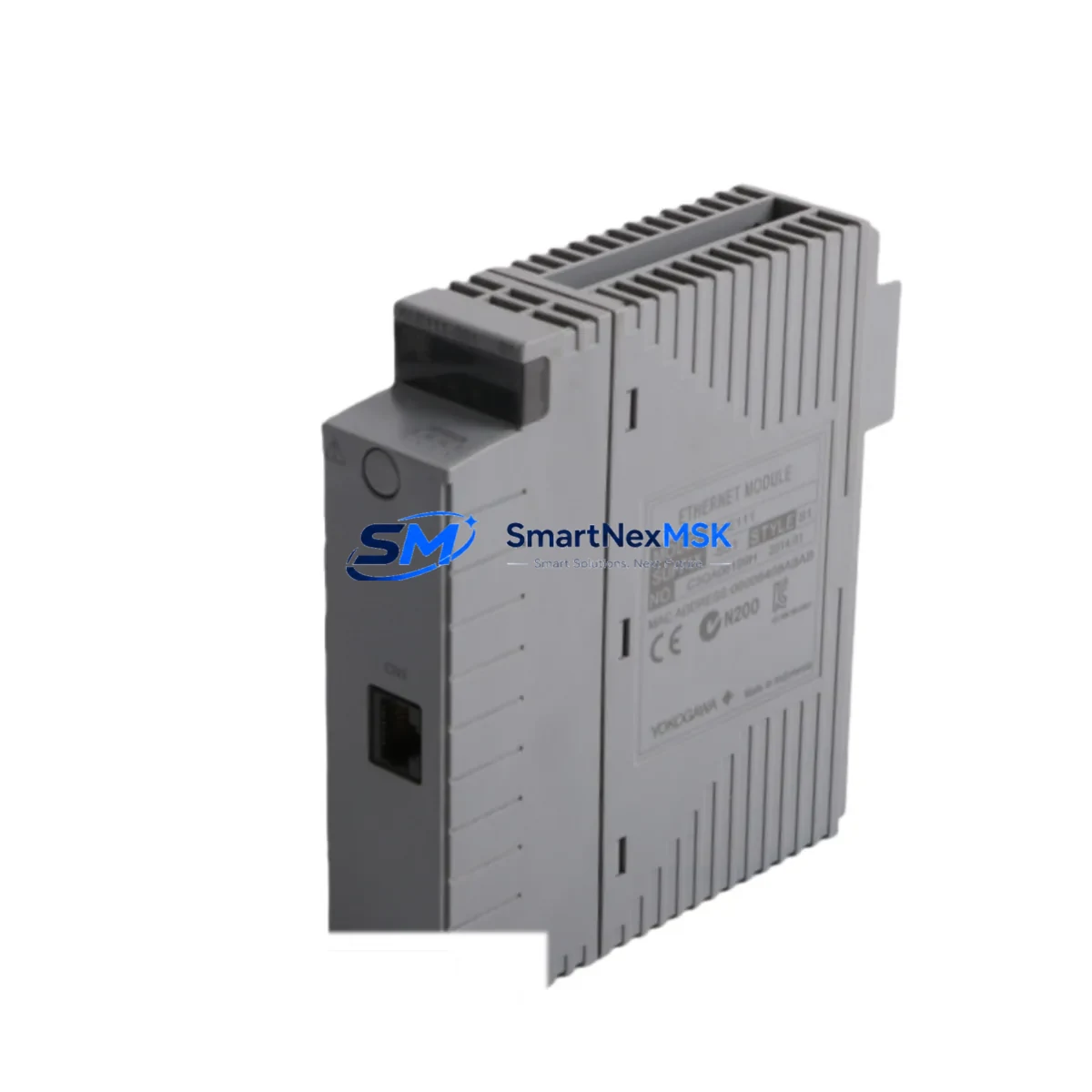
Yokogawa ALE111-S51 Retrofit-Ready Ethernet Module for CENTUM VP Control Systems
The Yokogawa ALE111-S51 is a high-reliability Ethernet communication module engineered for seamless integration into CENTUM VP distributed control system architectures. As legacy CENTUM CS 3000 and early CENTUM VP installations approach end-of-life support cycles, the ALE111-S51 has become a critical retrofit component for facilities seeking to modernize their communication infrastructure without undertaking a full system replacement. This module supports 100BASE-TX Ethernet connectivity and is designed for direct installation into Yokogawa’s standard field control unit (FCU) backplane, making it a preferred choice for engineers managing phased upgrade programs across petrochemical, power generation, pharmaceutical, and pulp-and-paper industries.
When planning a retrofit involving the ALE111-S51, engineers must verify several key parameters before commissioning. Power supply capacity within the existing control cabinet is the first checkpoint — the module draws from the FCU’s internal bus, and the total load across installed modules including the ALR111 remote I/O module, the AAI141-S00 analog input module, and the AAI841-S00 analog output module must remain within the rated capacity of the PW481 or PW482 power supply unit. Exceeding this threshold without load balancing can cause intermittent faults that are difficult to diagnose under live plant conditions.
Terminal wiring compatibility is the next critical factor. The ALE111-S51 connects via standard RJ-45 Ethernet ports and does not require rewiring of field instrument loops, but the upstream network switch — typically a managed industrial Ethernet switch supporting VLAN segmentation — must be configured to accept the module’s MAC address and IP assignment. In CENTUM VP systems, IP addresses are assigned through the System View engineering tool, and any address conflict with existing ALF111 Fieldbus communication modules or ALC111 loop control modules will prevent the module from initializing correctly on the V net control network.
Backplane slot assignment and module addressing are equally important. The ALE111-S51 must be installed in a slot designated for communication modules within the FCU nest. Slot position determines the module’s node address on the V net, and this address must match the configuration defined in the CENTUM VP builder environment. If the replacement module is installed in a different slot than the original, the system configuration file must be updated and downloaded to the FCU before the module will be recognized. Failure to update the configuration is one of the most common causes of post-replacement communication faults during retrofit projects.
Program compatibility is generally maintained when replacing a like-for-like ALE111-S51 unit, as the module’s function block interface and communication parameters are preserved in the FCU’s non-volatile memory. However, if the replacement is part of a broader upgrade from CENTUM CS 3000 to CENTUM VP R6, engineers should audit all function blocks referencing the communication module, particularly those interfacing with the HIS (Human Interface Station) and any third-party SCADA systems connected via OPC DA or OPC UA. HMI screen tag bindings referencing the module’s node address may require remapping in the HIS engineering environment.
Communication link verification should be performed using the CENTUM VP diagnostic tools before returning the loop to automatic control. The V net communication status, Ethernet link state, and module self-diagnostic results should all be confirmed green before releasing the FCU to the process. For systems where the ALE111-S51 interfaces with a Yokogawa STARDOM FCN/FCJ controller or an Exaquantum plant information management system, additional handshake verification between the communication layers is recommended.
Upgrade Compatibility Table
| Parameter | Detail |
|---|---|
| Compatible Systems | Yokogawa CENTUM VP (all revisions), CENTUM CS 3000 (with engineering review) |
| Communication Interface | 100BASE-TX Ethernet (RJ-45), V net node communication |
| Backplane Installation | Standard FCU nest, communication module slot |
| Power Requirement | Supplied via FCU internal bus; verify total load against PW481/PW482 capacity |
| IP Configuration | Assigned via CENTUM VP System View engineering tool |
| Module Addressing | Node address determined by slot position; must match builder configuration |
| Replacement Compatibility | Direct drop-in for existing ALE111-S51 units; slot-for-slot replacement recommended |
| Protocol Support | Yokogawa V net, OPC DA, OPC UA (via HIS gateway) |
| Commissioning Tool | CENTUM VP Builder, System View, HIS Engineering Environment |
| Warranty | 12-Month Warranty — covers manufacturing defects and functional verification |
Retrofit Planning for Existing Automation Systems
A successful ALE111-S51 retrofit begins well before the module arrives on site. The engineering team should prepare a detailed bill of materials covering all components that may be disturbed during the replacement, including the FCU chassis, the existing communication cable harness, and any adjacent modules sharing the same power rail. In multi-FCU configurations, the ALF111 Fieldbus module and ALC111 loop controller installed in neighboring slots should be documented with their current configuration snapshots exported from the CENTUM VP builder.
For facilities running older CENTUM CS 3000 hardware, the retrofit may also involve replacing the ESB bus interface unit or upgrading the FCS (Field Control Station) firmware to ensure compatibility with the ALE111-S51’s communication stack. In these cases, the project scope typically expands to include the RIO (Remote I/O) node cabling, the ALR111 remote I/O module configuration, and a review of the existing PW481 power supply loading. Engineers should also confirm that the plant’s industrial Ethernet backbone supports the module’s auto-negotiation behavior, as some older managed switches require manual speed and duplex configuration to establish a stable link.
When the retrofit is part of a broader control system modernization — for example, migrating from a legacy PLC-based architecture using a Yokogawa FA-M3 or a third-party Siemens S7-300 to a full CENTUM VP DCS — the ALE111-S51 serves as the communication gateway that bridges the new DCS with existing field instruments. In this context, the module’s configuration must account for the I/O mapping between the old PLC address space and the new CENTUM VP function block structure. The programming cable and laptop running the CENTUM VP engineering tools should be on-site throughout the migration to allow real-time configuration adjustments.
Spare parts staging is a best practice for any retrofit involving discontinued or long-lead components. Alongside the ALE111-S51, project teams commonly stage a spare AAI141-S00 analog input module, an AAI841-S00 analog output module, and a set of terminal block connectors to cover any incidental damage discovered during the replacement. Having these components available on-site eliminates the risk of extended downtime caused by secondary failures discovered only after the primary replacement is complete.
Downtime Control During System Migration
Minimizing process downtime during an ALE111-S51 replacement requires a structured hot-swap or planned-outage strategy depending on the FCU’s redundancy configuration. In redundant FCU architectures, the standby FCU can assume control while the primary unit is taken offline for the module replacement, allowing the process to continue running without interruption. The switchover should be tested in simulation mode before the live cutover to confirm that all function blocks transfer cleanly and that the HIS displays update correctly after the switchover event.
For non-redundant FCU configurations, the replacement must be scheduled during a planned maintenance window. Before taking the FCU offline, the engineering team should export the current FCU configuration, back up all function block parameters, and confirm that the HMI alarm suppression list is active to prevent nuisance alarms during the outage. The replacement module should be pre-configured offline using the CENTUM VP builder and verified against the exported configuration before installation to minimize the time the FCU spends offline.
After the ALE111-S51 is installed and the FCU is brought back online, the commissioning sequence should follow a defined checklist: confirm V net communication status, verify Ethernet link state, check module self-diagnostics, confirm all I/O channels are reading correctly, and release the FCU to automatic control only after all checks pass. The entire replacement and recommissioning process, when well-prepared, can typically be completed within a two-to-four-hour maintenance window, preserving process continuity and protecting the plant’s production schedule.
Original program logic is preserved in the FCU’s non-volatile memory and does not need to be reloaded after a like-for-like module replacement. However, if the firmware version of the replacement ALE111-S51 differs from the original, a firmware compatibility check against the FCU’s current software revision should be performed before commissioning. Yokogawa’s technical support documentation provides a compatibility matrix for module firmware and FCU software revisions that should be consulted during pre-replacement planning.
Retrofit Support FAQ
Q: Is the ALE111-S51 a direct drop-in replacement for an existing unit in my CENTUM VP system?
A: Yes, in the vast majority of cases. The ALE111-S51 is designed for slot-for-slot replacement within the FCU nest. The existing configuration stored in the FCU’s non-volatile memory will be applied to the replacement module automatically on power-up, provided the module is installed in the same slot as the original. If the slot position changes, the CENTUM VP builder configuration must be updated and downloaded before the module will initialize correctly.
Q: What wiring changes are required when installing the ALE111-S51?
A: The ALE111-S51 connects via a standard RJ-45 Ethernet cable. No field instrument wiring changes are required. The existing Ethernet cable from the plant network switch can be reconnected directly to the replacement module. Verify that the cable is rated for industrial environments (Cat5e or Cat6, shielded) and that the network switch port is configured for auto-negotiation or manually set to 100 Mbps full-duplex.
Q: How is compatibility with my existing CENTUM VP configuration verified before shipment?
A: Each ALE111-S51 unit undergoes functional testing prior to shipment, including power-on self-test, Ethernet link establishment, and V net communication initialization. Customers are encouraged to provide their FCU firmware revision and CENTUM VP software version so that a pre-shipment compatibility check can be performed. Units are shipped with a test report confirming functional verification.
Q: What does the 12-month warranty cover?
A: The 12-month warranty covers manufacturing defects, component failures, and functional non-conformance under normal operating conditions. It does not cover damage resulting from incorrect installation, overvoltage events, or environmental conditions outside the module’s rated specifications. Warranty claims are supported by our technical team, and replacement units are dispatched within 3 business days of a confirmed warranty fault.
© 2026 SMARTNEXMSK. All rights reserved.
Original Source: https://smartnexmsk.com
Contact: [email protected] | +86 18259474341



