
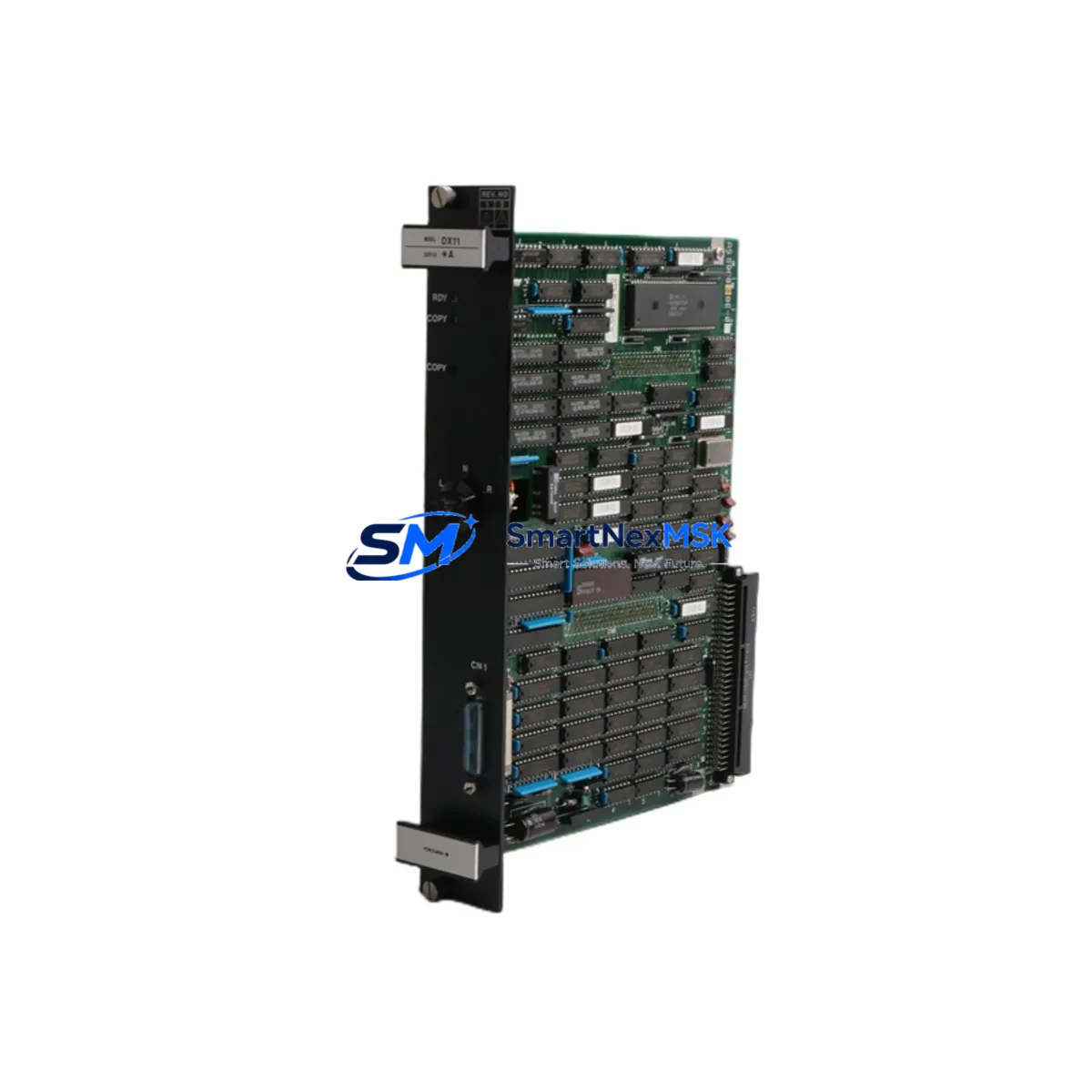
YOKOGAWA DX11*A Spare for DX Series Automation: Spare Replacement & Industrial Downtime Risk Control
The YOKOGAWA DX11*A is an original duplex control card designed for the CENTUM DX Series Distributed Control System (DCS). In continuous-process industries — including petrochemical, power generation, pulp & paper, and pharmaceutical manufacturing — the DX11*A serves as a critical redundancy component within the field control station. When a primary control card degrades or fails, the DX11*A enables seamless bumpless transfer, preventing unplanned shutdowns and protecting process integrity. Maintaining a verified spare in your parts inventory is not optional for high-availability plants; it is a fundamental element of any responsible maintenance strategy.
For maintenance engineers managing aging CENTUM DX installations, sourcing a genuine DX11*A with confirmed firmware compatibility and full electrical testing is the single most important step in a planned card replacement. This listing provides an original YOKOGAWA DX11*A, inspected and function-tested prior to shipment, backed by a 12-month warranty covering manufacturing defects and operational failures under normal service conditions.
Spare Maintenance Table
| Parameter | Specification / Detail |
|---|---|
| Part Number / SKU | DX11*A |
| Manufacturer | YOKOGAWA Electric Corporation |
| Series | CENTUM DX Series DCS |
| Module Type | Duplex Control Card (Primary / Redundant) |
| Origin | Japan |
| Compatibility | CENTUM DX Field Control Station; drop-in replacement for DX11*A installed base |
| Installation | Direct card-slot insertion; no hardware modification required for like-for-like replacement |
| Application Environment | Industrial DCS cabinets; temperature-controlled control rooms; hazardous-area rated enclosures (with appropriate housing) |
| Weight | 780 g |
| Pre-shipment Testing | Function-tested; electrical parameters verified against OEM specification |
| Warranty | 12 Months — covers manufacturing defects and operational failure under normal service conditions |
| Lead Time | In stock; ships within 1–3 business days |
| Shipping | Worldwide; EMS / DHL / FedEx with tracking |
Maintenance Planning for Continuous Operation
A card replacement on a live CENTUM DX system is never an isolated task. Experienced maintenance engineers know that when the DX11*A is pulled for inspection or replacement, the surrounding electrical environment must be evaluated simultaneously to avoid repeat failures and to confirm that the new card enters a clean, stable circuit.
Begin with the field control station power supply module — typically a dedicated 24 VDC redundant supply feeding the card bus. Voltage ripple or supply degradation is a leading cause of premature control card failure and must be measured before the replacement card is inserted. Alongside the power supply, inspect the bus terminator and backplane connector for oxidation, bent pins, or heat discoloration; a compromised backplane will damage a new DX11*A within weeks of installation.
On the I/O side, verify the analog input / output modules connected to the same field control station — YOKOGAWA FCS I/O cards such as the AAI141 (analog input) and AAO141 (analog output) should be checked for calibration drift and channel isolation integrity. If the plant uses digital I/O modules (e.g., ADV151 or ADV161 series), confirm that field wiring terminations at the terminal block assemblies are tight and free of corrosion, as loose terminations generate noise that can trigger spurious control card faults.
For systems with FOUNDATION Fieldbus or HART communication integration, inspect the communication interface cards and associated signal conditioners / signal isolators in the same cabinet. A degraded isolator can inject ground loops that stress the control card’s communication bus. Similarly, review the fuse holders and circuit protection on the 24 VDC distribution rail — blown or weakened fuses are often overlooked during emergency card swaps and can cause the replacement card to fail on first power-up.
If the plant operates a YOKOGAWA CENTUM VP or CS 3000 supervisory layer communicating with the DX field station, confirm that the Vnet/IP or ESB bus communication module is functioning correctly after the card swap, as a card replacement can occasionally reset communication parameters. Finally, if an operator interface terminal or HMI panel is directly wired to the field station, verify that all faceplates and control loops are displaying correctly before returning the loop to automatic mode.
Stocking the DX11*A alongside these associated components — power supply modules, I/O cards, communication interfaces, terminal assemblies, and signal isolators — forms the foundation of a robust spare parts strategy for any plant running CENTUM DX infrastructure.
Site Replacement Workflow
Step 1 — Preparation & Compatibility Verification: Confirm the installed card’s full part number against the DX11*A designation. Check the firmware revision label on the existing card and note it for reference. Retrieve the CENTUM DX engineering drawings to identify the card slot address and associated I/O assignments.
Step 2 — Safe Isolation: In a duplex configuration, initiate a controlled switchover to the standby card before removing the primary. Confirm the standby card has assumed control and that process alarms are stable. Follow your plant’s LOTO (Lockout/Tagout) procedure for the card slot.
Step 3 — Card Removal & Inspection: Remove the degraded DX11*A. Inspect the card-edge connector and backplane slot for contamination or damage. Clean with approved electronics-grade contact cleaner if required.
Step 4 — Replacement Card Installation: Insert the new DX11*A into the designated slot. Secure the card latch. Power up and observe the card’s status LEDs — confirm RUN status and absence of fault indicators per the YOKOGAWA DX Series hardware manual.
Step 5 — Loop Verification & Return to Service: Verify all associated I/O channels are reading correctly from the engineering workstation. Confirm communication with the supervisory DCS layer. Perform a bumpless transfer test if the system supports it. Document the replacement in the plant maintenance management system (CMMS) and update the spare parts inventory record.
This workflow minimizes downtime to the shortest possible window and ensures the replacement card enters service in a verified, stable condition — protecting both the process and the investment in the new spare.
Spare Parts Support FAQ
Q1: What is the warranty coverage for this DX11*A spare?
This DX11*A carries a 12-month warranty from the date of shipment. The warranty covers manufacturing defects and operational failures occurring under normal industrial service conditions. Each unit is function-tested and electrically verified prior to dispatch. If a fault is identified within the warranty period, we provide replacement or repair at no additional cost.
Q2: How do I verify compatibility before installation?
Compatibility is confirmed by matching the full part number (DX11*A) to the card slot designation in your CENTUM DX engineering documentation. If your system uses a specific firmware revision, please contact us with the revision label details before ordering — we will confirm compatibility from our inventory records. We recommend cross-referencing the YOKOGAWA hardware manual for your field control station model.
Q3: Can this card replace an older or discontinued DX11*A variant?
The DX11*A designation covers the standard duplex control card for the CENTUM DX series. For older installed variants with suffix differences, please provide the full nameplate part number when enquiring. Our technical team will advise on direct replacement suitability or identify the closest compatible spare from available stock.
Q4: What is your typical lead time and how is the card packaged for shipment?
Stock units ship within 1–3 business days. Each card is packaged in anti-static ESD shielding, placed in a rigid foam-lined carton, and shipped via tracked international courier (DHL / FedEx / EMS). A packing list and test report are included with each shipment. For urgent plant shutdowns, please contact us directly to arrange priority dispatch.
© 2026 SMARTNEXMSK. All rights reserved.
Original Source: https://smartnexmsk.com
Contact: [email protected] | +86 18259474341



