
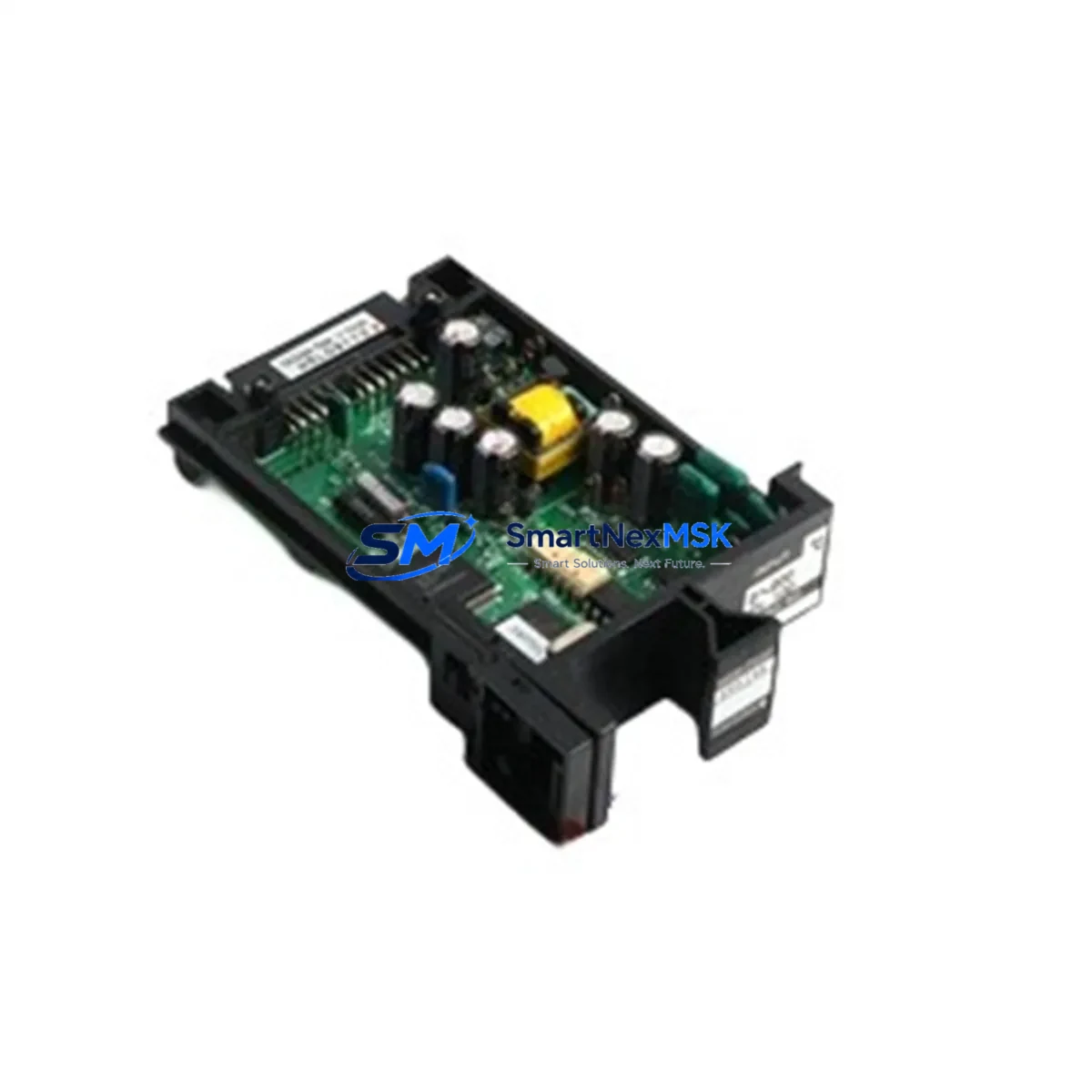
YOKOGAWA ER5*B Retrofit-Ready RTD Input Module: Seamless Compatibility for Legacy DCS Modernization
The YOKOGAWA ER5*B is a 16-channel RTD (Resistance Temperature Detector) input module designed for use within the CENTUM VP and CS 3000 distributed control system platforms. As industrial facilities face increasing pressure to extend the operational life of existing control infrastructure while meeting modern reliability and compliance standards, the ER5*B has become a critical component in retrofit and upgrade projects across refining, petrochemical, power generation, and continuous process industries.
This module accepts standard RTD sensor types including Pt100, Pt1000, JPt100, and Ni100, providing high-accuracy temperature measurement across a wide process range. Its direct wiring compatibility with existing field termination assemblies and I/O marshalling cabinets makes it a preferred drop-in replacement for aging or failed RTD input cards in CENTUM CS 3000 and CENTUM VP field control stations (FCS). Engineers undertaking control system modernization projects can install the ER5*B without redesigning the existing wiring harness or modifying the backplane slot assignments, significantly reducing retrofit engineering hours and on-site risk.
Upgrade Compatibility Table
| Parameter | Details |
|---|---|
| Compatible Platforms | YOKOGAWA CENTUM VP, CENTUM CS 3000 |
| Module Type | 16-Channel RTD Input Module |
| Supported RTD Types | Pt100, Pt1000, JPt100, Ni100 |
| Backplane Interface | Standard CENTUM VP / CS 3000 I/O backplane slot (direct plug-in) |
| Wiring Compatibility | Compatible with existing field termination assemblies (FTA); no rewiring required in most retrofit scenarios |
| Communication | Internal FCS bus; compatible with Vnet/IP and legacy Vnet communication architectures |
| Module Address | Configured via FCS engineering tool (CENTUM VP Engineering Environment); address must match original slot assignment |
| Replacement Recommendation | Direct replacement for failed or end-of-life RTD input modules in CS 3000 and CENTUM VP FCS cabinets |
| Commissioning Notes | Verify module address, RTD type configuration, and channel scaling in the FCS database before hot-swap or cold-start |
| Warranty | 12 months from date of shipment |
Retrofit Planning for Existing Automation Systems
Successful integration of the ER5*B into an existing CENTUM VP or CS 3000 system requires careful pre-engineering to avoid process disruption. Before initiating a module swap, the project team should audit the current FCS cabinet layout to confirm the target backplane slot, verify that the existing power supply module — typically an ESB or ESC series power supply unit — can support the additional load of the replacement module, and review the field termination assembly wiring to confirm RTD sensor lead configuration (2-wire, 3-wire, or 4-wire).
In many legacy CS 3000 installations, the RTD input module is paired with an EB401 or EB501 node interface unit that manages communication between the I/O modules and the field control station processor. When replacing the ER5*B, engineers should confirm that the node interface firmware version is compatible with the replacement module revision. If the existing node interface unit is also approaching end-of-life, a concurrent upgrade to the current CENTUM VP-compatible node interface is advisable to avoid a second planned outage.
For facilities running mixed I/O configurations — combining the ER5*B RTD input module with analog output modules such as the AAT141 or AAV141, or with digital I/O modules such as the ADV151 or ADV161 — the backplane slot sequence must be preserved exactly as documented in the original FCS engineering database. Any deviation in slot assignment will cause the FCS to generate a hardware mismatch alarm and may prevent the control station from entering RUN mode.
Communication architecture should also be reviewed during retrofit planning. CENTUM CS 3000 systems using legacy Vnet coaxial bus topology may require a communication coupler or gateway module if the upgrade path includes migration toward Vnet/IP Ethernet-based communication. In such cases, the Vnet/IP interface card installed in the FCS cabinet must be confirmed as compatible with the existing HMI stations running CENTUM VP HIS (Human Interface Station) software, and the HMI faceplates referencing the RTD input channels should be validated against the new module’s channel numbering and tag assignments.
Programming compatibility is another critical checkpoint. The function blocks referencing the ER5*B channels in the FCS application — typically PID, RATIO, or CALCU blocks reading from the RTD input tags — must be reviewed to confirm that the engineering unit conversion, range scaling, and alarm setpoints remain valid after the module replacement. The CENTUM VP Engineering Environment (formerly BKF Engineering Tool) provides a module comparison utility that can flag configuration mismatches before the new module is brought online.
Downtime Control During System Migration
Minimizing unplanned downtime is the primary operational concern when replacing RTD input modules in a live process control environment. For facilities that cannot tolerate a full FCS shutdown, a phased replacement strategy is recommended: first, place the affected RTD input channels in manual control mode at the HMI station, then physically swap the ER5*B module in the backplane slot, and finally restore automatic control after verifying that all 16 channels are reading correctly in the FCS diagnostic display.
Where a cold-start of the FCS is unavoidable — for example, when replacing a module in a single-redundant node — the outage window should be planned during a scheduled maintenance period. Prior to shutdown, the current FCS application database should be backed up using the CENTUM VP Engineering Environment, and all active setpoints, cascade connections, and interlock states should be documented. After the ER5*B is installed and the FCS is restarted, the startup sequence should include a channel-by-channel verification of RTD readings against independent temperature references to confirm sensor wiring integrity and module calibration.
For redundant FCS configurations, the ER5*B replacement can often be performed with minimal process impact by switching control authority to the standby FCS node, replacing the module in the primary node, and then performing a controlled switchback after verification. This approach preserves continuous closed-loop control throughout the replacement procedure and is the preferred method for critical process units where temperature measurement directly influences safety interlock logic.
All replacement modules supplied by SMARTNEXMSK are pre-tested prior to shipment, including power-on functional verification and channel continuity checks, to reduce the risk of commissioning failures during the maintenance window. Each unit ships with a 12-month warranty covering manufacturing defects and functional failures under normal operating conditions.
Retrofit Support FAQ
Q1: Is the ER5*B a direct drop-in replacement for the RTD input module currently installed in my CS 3000 FCS cabinet?
In the majority of CS 3000 and CENTUM VP installations, the ER5*B is a direct slot-compatible replacement. The backplane connector, module form factor, and FCS communication interface are consistent across the CENTUM VP and CS 3000 I/O module families. However, you should confirm the exact module revision and FCS firmware version in your engineering documentation before ordering, as certain early CS 3000 revisions may require a firmware update to the node interface unit before accepting the replacement module.
Q2: What wiring changes are required when installing the ER5*B as a replacement?
In most retrofit scenarios, no field wiring changes are required. The ER5*B connects to the process field via the existing field termination assembly (FTA), which remains in place during the module swap. You should verify that the FTA terminal block assignments match the channel numbering of the replacement module and confirm the RTD lead configuration (2-wire, 3-wire, or 4-wire) is correctly set in the FCS module configuration parameters.
Q3: How do I verify that the replacement ER5*B is functioning correctly after installation?
After installing the module and bringing the FCS node back online, navigate to the FCS hardware diagnostic display in the CENTUM VP Engineering Environment or HIS operator station. Confirm that all 16 RTD input channels show valid process values within the expected engineering unit range. Compare readings against independent temperature references or thermowell-mounted portable instruments to validate sensor wiring integrity. Any channel showing an open-circuit or out-of-range alarm should be investigated at the FTA terminal block before returning the loop to automatic control.
Q4: What warranty coverage is provided, and what does the pre-shipment test include?
All ER5*B modules supplied by SMARTNEXMSK carry a 12-month warranty from the date of shipment, covering manufacturing defects and functional failures under normal DCS operating conditions. Prior to dispatch, each module undergoes a power-on functional test and channel continuity verification. Modules that fail pre-shipment testing are quarantined and not shipped. If a warranty claim arises, contact our technical support team with the module serial number and a description of the failure mode for rapid replacement processing.
© 2026 SMARTNEXMSK. All rights reserved.
Original Source: https://smartnexmsk.com
Contact: [email protected] | +86 18259474341



