
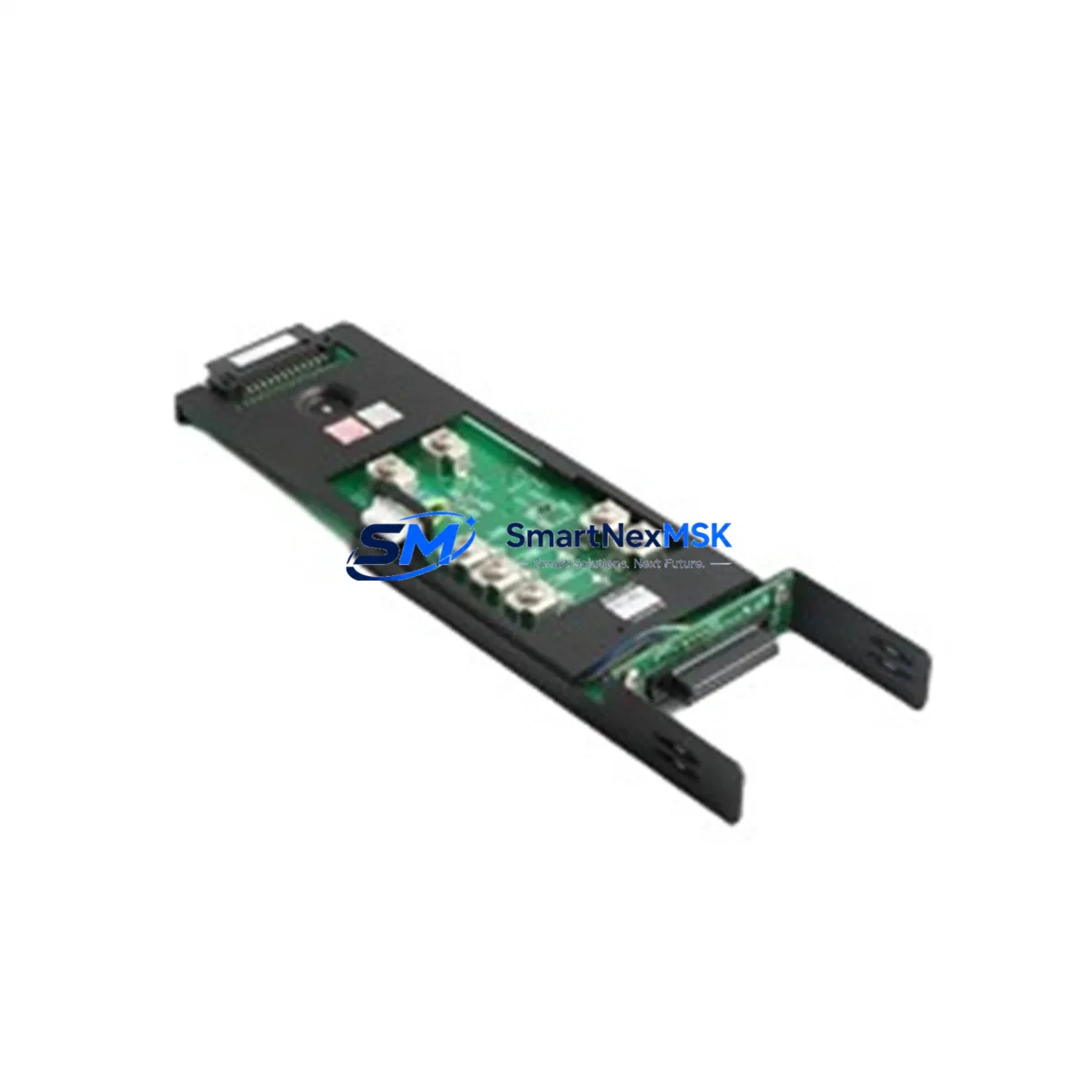
YOKOGAWA EXT*A Maintenance-Ready Spare for STARDOM Automation
The YOKOGAWA EXT*A is an original extension module designed for STARDOM FCN-RTU distributed control and remote terminal unit systems. In industrial automation environments where unplanned downtime translates directly into production loss, having a verified, maintenance-ready spare of the EXT*A on hand is a fundamental element of any responsible spare parts strategy. This module supports the modular I/O expansion architecture of the STARDOM platform, enabling field engineers to restore system capacity quickly and with confidence during both planned maintenance windows and emergency fault-recovery scenarios.
Whether you are managing a continuous process plant, a pipeline SCADA network, or a discrete manufacturing cell built around YOKOGAWA STARDOM controllers, the EXT*A plays a critical role in sustaining the I/O density and communication integrity that your control loops depend on. Sourced directly from authorized supply channels, each unit shipped by SMARTNEXMSK undergoes pre-shipment functional verification and is backed by a 12-month warranty covering manufacturing defects and operational failures under normal service conditions.
Spare Maintenance Table
| Parameter | Specification / Guidance |
|---|---|
| Part Number / SKU | EXT*A |
| Brand | YOKOGAWA |
| Series | STARDOM FCN / FCN-RTU |
| Module Type | Extension / Expansion Module |
| Product Type | Extension Module |
| Origin | Japan |
| Weight | 220 g (approx.) |
| Compatibility | STARDOM FCN-RTU controller backplanes; verify slot count and firmware revision before installation |
| Installation Environment | Industrial control cabinet; operating temperature typically 0–55 °C; humidity 5–95% RH non-condensing |
| Mounting | DIN-rail or panel-mount backplane slot per STARDOM system mechanical specification |
| Maintenance Recommendation | Inspect connector pins and backplane contacts during annual shutdown; replace if oxidation or mechanical wear is detected |
| Pre-Shipment Test | Functional verification performed prior to dispatch |
| Warranty | 12 Months — covers manufacturing defects and operational failure under normal service conditions |
Maintenance Planning for Continuous Operation
Effective maintenance planning for a STARDOM FCN-RTU system goes well beyond stocking a single module. When a maintenance or procurement engineer evaluates the need for an EXT*A replacement, the surrounding system architecture should be reviewed simultaneously to prevent secondary failures from extending downtime.
Begin with the FCN-RTU CPU module itself — firmware compatibility between the CPU and any extension module must be confirmed before installation. Alongside the CPU, the STARDOM power supply module (typically a 24 VDC redundant supply unit) should be inspected for output voltage stability and capacitor aging, as a marginal power supply is a common root cause of intermittent module faults that are incorrectly attributed to the extension module.
On the I/O side, review the digital input (DI) and digital output (DO) modules installed in adjacent slots. Connector wear, terminal block looseness, and field wiring insulation degradation are frequently discovered during an extension module swap. Similarly, analog input (AI) modules used for 4–20 mA process signals should be checked for drift and zero-offset errors that may have accumulated since the last calibration cycle.
Communication integrity is equally important. The STARDOM Ethernet communication module and any serial communication interface cards (RS-232/RS-485) installed in the same chassis should be verified for link status and error counters. A failing communication module can mask extension module faults or generate spurious alarms that complicate fault isolation.
For systems using signal isolators between field instruments and the FCN-RTU I/O, inspect isolator output levels and check for thermal discoloration on the isolator housing — a sign of sustained overload. Terminal blocks and marshalling panels connected to the EXT*A I/O channels should be torque-checked and visually inspected for corrosion, particularly in humid or coastal environments.
Finally, if the control cabinet includes a YOKOGAWA HMI panel or operator station communicating with the STARDOM controller, verify that the HMI firmware and tag database remain synchronized after the module replacement. Stocking a spare compact flash card or SD memory card with a current controller configuration backup is strongly recommended as part of any FCN-RTU maintenance kit.
Site Replacement Workflow
Replacing the EXT*A in a live STARDOM FCN-RTU system requires a structured approach to minimize downtime and avoid configuration loss. Before beginning, confirm that a current controller configuration backup exists on an external storage medium and that the replacement module’s firmware version is compatible with the installed CPU firmware. If the system supports hot-swap on the installed backplane revision, verify this in the STARDOM hardware manual before attempting live replacement; otherwise, schedule the swap during a planned shutdown window.
Power down the affected module slot following the YOKOGAWA lockout/tagout procedure. Remove the faulty EXT*A by releasing the module latch and sliding it clear of the backplane connector. Inspect the backplane connector pins for damage or contamination before inserting the replacement unit. After seating the new module, restore power and observe the module status LEDs — a solid green RUN indicator confirms successful initialization. Validate I/O channel assignments and signal levels against the pre-maintenance baseline before returning the system to automatic control.
For legacy STARDOM installations where the EXT*A has been discontinued or is approaching end-of-life, SMARTNEXMSK maintains long-term supply capability to support system life extension beyond the original manufacturer’s support window. This allows maintenance teams to defer costly full-system migrations while keeping aging control infrastructure reliable and compliant.
Spare Parts Support FAQ
Q1: How do I confirm that the EXT*A I am ordering is compatible with my specific STARDOM FCN-RTU revision?
Provide your CPU module part number and current firmware version when placing your order. Our technical team will cross-reference the YOKOGAWA STARDOM compatibility matrix and confirm hardware revision compatibility before shipment. If a firmware upgrade is required to support the replacement module, we will advise accordingly.
Q2: What does the 12-month warranty cover, and how is a warranty claim processed?
The 12-month warranty covers manufacturing defects and functional failures occurring under normal operating conditions as defined in the YOKOGAWA STARDOM hardware specification. To initiate a claim, contact [email protected] with your order number, a description of the failure symptom, and photographic evidence of the installation. Replacement or repair will be arranged within the warranty period at no additional cost.
Q3: How is the EXT*A tested before shipment?
Each unit undergoes a pre-shipment functional verification that checks module initialization, backplane communication handshake, and I/O channel continuity. Units that do not pass verification are quarantined and not dispatched. A test report is available upon request for critical infrastructure procurement.
Q4: Can SMARTNEXMSK support long-term or blanket purchase orders for ongoing STARDOM spare parts inventory?
Yes. We support scheduled delivery agreements and blanket purchase orders for customers managing multi-site STARDOM installations or operating under planned maintenance contracts. Contact our sales team at [email protected] or +86 18259474341 to discuss volume pricing, lead time commitments, and consignment stocking options.
© 2026 SMARTNEXMSK. All rights reserved.
Original Source: https://smartnexmsk.com
Contact: [email protected] | +86 18259474341



