
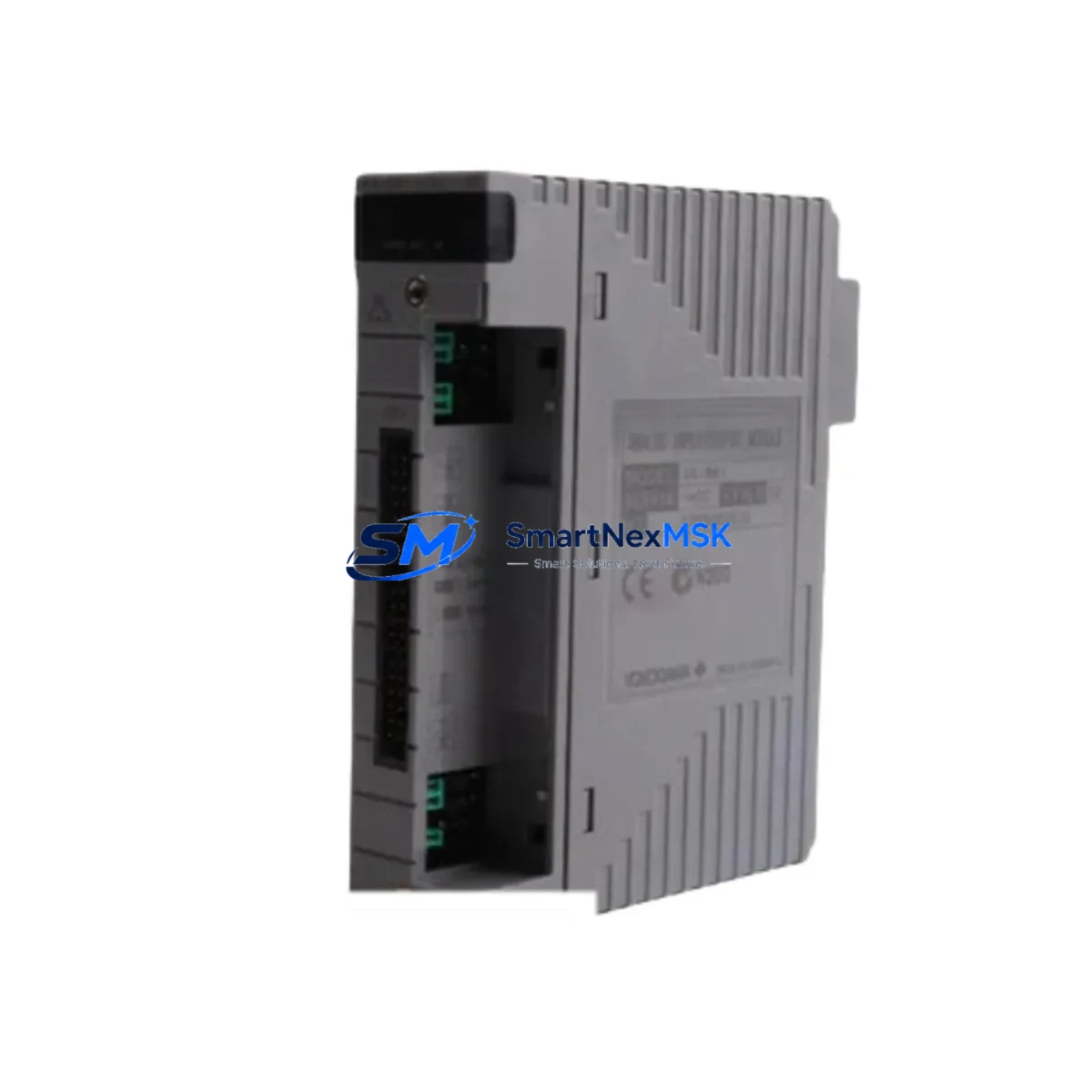
Yokogawa S9260DE-01 Retrofit-Ready Digital I/O for STARDOM FCN/FCJ Control Systems
The Yokogawa S9260DE-01 is a Digital I/O Module engineered for the STARDOM FCN/FCJ distributed control platform — one of Yokogawa’s most widely deployed process automation architectures across oil & gas, water treatment, chemical, and power generation facilities. As legacy FCN/FCJ installations age and original spare parts become increasingly scarce, the S9260DE-01 has become a critical retrofit component for engineers tasked with extending the operational life of existing control systems without committing to a full platform migration.
This module supports direct installation into the FCN/FCJ base unit backplane, maintaining full compatibility with the existing rack architecture and I/O addressing scheme. Engineers replacing a failed or end-of-life digital I/O card can install the S9260DE-01 without modifying the control program logic, provided the channel count, signal type, and module address assignment are verified prior to commissioning. The module’s terminal block layout follows the standard FCN/FCJ wiring convention, which significantly reduces field rewiring time during planned maintenance windows or emergency replacements.
Upgrade Compatibility Table
| Parameter | Details |
|---|---|
| Compatible Platform | Yokogawa STARDOM FCN / FCJ |
| Module Type | Digital I/O (Mixed or Discrete) |
| Backplane Interface | FCN/FCJ standard base unit slot |
| Installation Method | Direct slot insertion — no adapter required |
| Communication Compatibility | STARDOM internal bus; Ethernet-based supervisory link |
| Replacement Recommendation | Verify module address and I/O channel mapping before swap |
| Commissioning Notes | Confirm terminal block wiring, signal polarity, and logic forcing status |
| Warranty | 12 months from date of shipment |
Retrofit Planning for Existing Automation Systems
Successful retrofit of the S9260DE-01 into an operating FCN/FCJ system requires a structured pre-installation review. Begin by auditing the existing base unit configuration — the FCN base unit (such as the NFBU100 or NFBU200 series) determines the total slot count and power budget available for I/O expansion. If the system is running near its power supply capacity, verify that the FCN power supply module (e.g., NFPS100) can support the additional load introduced by the replacement card.
Next, review the I/O wiring documentation. The S9260DE-01 uses a standard removable terminal block, which allows the field wiring harness to be transferred directly from the old module to the new one — a significant advantage during time-critical replacements. Confirm that the terminal block connector is compatible with the installed wiring gauge and that all signal commons are correctly bonded.
For systems using Modbus TCP or OPC-UA communication links between the FCN controller and upstream SCADA or DCS hosts, no protocol reconfiguration is typically required when replacing a like-for-like I/O module. However, if the replacement is part of a broader migration — for example, transitioning from an older FCN-100 controller to an FCN-RTU — the communication module (such as the NFCP100 or NFCP101 Ethernet communication card) and its IP addressing must be reviewed to ensure the supervisory link remains intact.
In systems where the FCJ compact controller is used alongside an HMI panel (such as a Yokogawa-compatible touch panel or a third-party SCADA display), verify that the I/O tag addresses referenced in the HMI screen database match the new module’s channel assignments. Mismatched tag addresses are a common source of post-replacement alarms that can be avoided with a pre-swap tag audit. If the site uses a programming cable (such as the FCN USB programming cable or RS-232 configuration tool) for online monitoring, keep it connected during the first power-on cycle to observe module initialization and confirm healthy status LEDs.
For sites managing multiple FCN/FCJ racks across a distributed architecture, the S9260DE-01 can be staged and pre-tested on a bench rack before field installation, reducing on-site commissioning time. Pair the module with a spare FCN base unit and a test power supply to validate I/O channel behavior, signal thresholds, and diagnostic response before the planned maintenance window.
Downtime Control During System Migration
Minimizing unplanned downtime is the primary concern for any industrial retrofit. When replacing the S9260DE-01 in a live FCN/FCJ system, follow a structured hot-swap or cold-swap procedure based on the system’s redundancy configuration. For non-redundant single-controller installations, schedule the replacement during a planned shutdown window and use the FCN engineering tool to force all affected I/O channels to safe states before removing the module.
Back up the current controller program (application logic, I/O configuration, and communication parameters) to a secure engineering workstation before beginning any hardware change. The STARDOM FCN/FCJ platform stores program logic in non-volatile memory, but a verified backup ensures rapid recovery if an unexpected fault occurs during the swap. After installing the S9260DE-01, perform a full I/O checkout — energize each digital input channel individually and confirm the corresponding status bit in the controller’s I/O table. For digital output channels, use the engineering tool’s forced-output function to verify field device response before returning the system to automatic control.
For redundant FCN configurations, the replacement can often be performed online by switching control to the standby controller, replacing the module in the primary rack, and then performing a controlled switchback. This approach eliminates process interruption entirely and is the preferred method for continuous-process industries where even brief control gaps are unacceptable.
Retrofit Support FAQ
Q: Is the S9260DE-01 a direct drop-in replacement for older Yokogawa FCN digital I/O modules?
A: In most cases, yes. The S9260DE-01 is designed for the STARDOM FCN/FCJ backplane and maintains the same slot form factor and terminal block interface as earlier-generation FCN digital I/O cards. Verify the module address setting and channel count before installation to confirm full compatibility with your specific system revision.
Q: What wiring checks are required before installing the S9260DE-01?
A: Confirm signal type (sourcing vs. sinking for digital inputs), verify terminal block pin assignments against the existing field wiring schedule, and check that all commons and shields are correctly terminated. The removable terminal block design allows the existing wiring harness to be transferred without re-termination in most installations.
Q: Can the S9260DE-01 be used in an FCN system that communicates via Modbus TCP or OPC-UA?
A: Yes. The S9260DE-01 operates as a standard I/O module within the FCN/FCJ platform and does not affect the communication protocol configuration managed by the FCN Ethernet communication module. No changes to the Modbus register map or OPC-UA node structure are required for a like-for-like module replacement.
Q: What does the 12-month warranty cover?
A: All S9260DE-01 units shipped by SMARTNEXMSK are covered by a 12-month warranty from the date of shipment. The warranty covers manufacturing defects and functional failures under normal operating conditions. Each unit undergoes pre-shipment functional testing to verify I/O channel integrity, power consumption, and communication response before dispatch.
© 2026 SMARTNEXMSK. All rights reserved.
Original Source: https://smartnexmsk.com
Contact: [email protected] | +86 18259474341



