
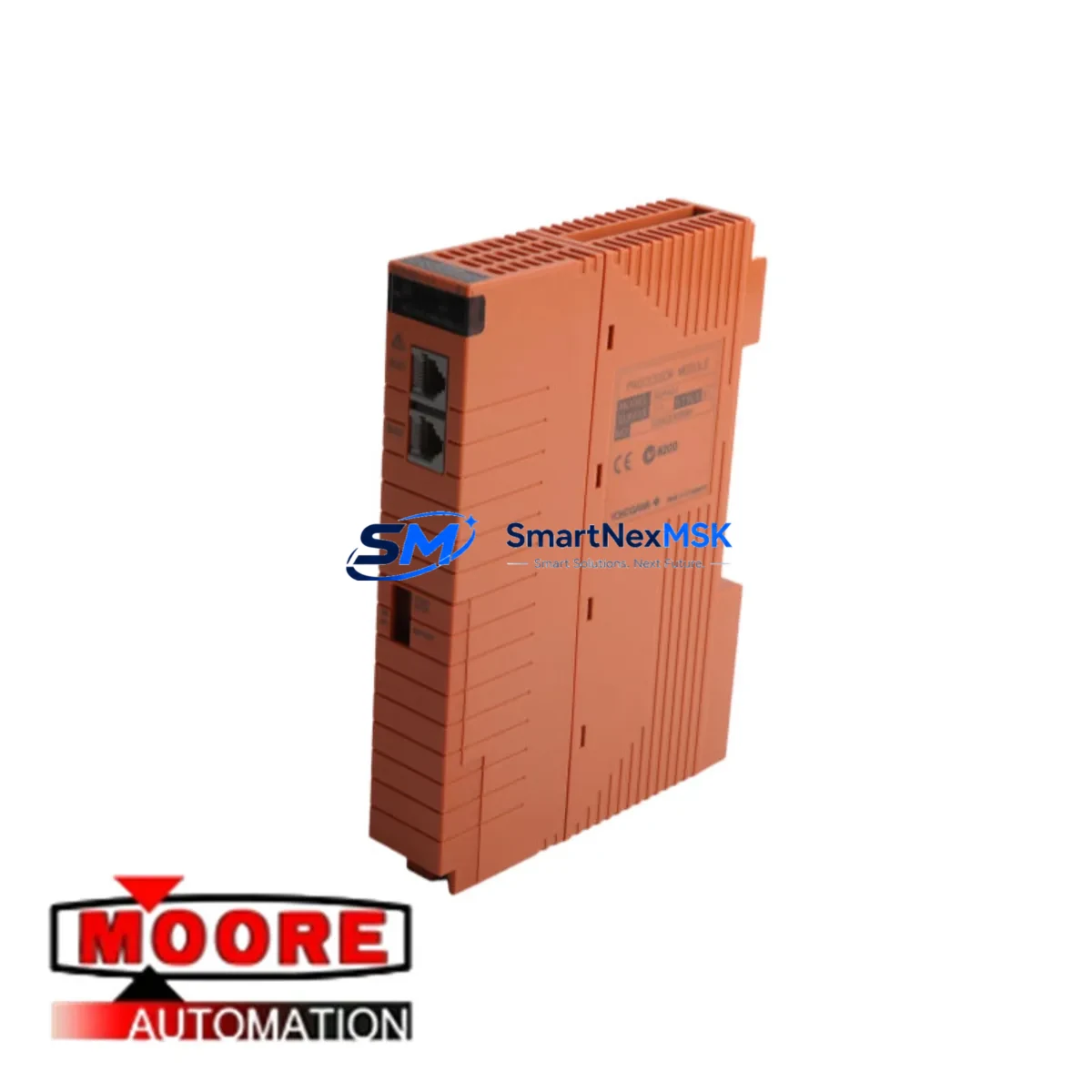
Yokogawa SCP401-11 S1 Maintenance-Ready Spare CS3000: Spare Replacement and Industrial Downtime Risk Control
The Yokogawa SCP401-11 S1 is an original system CPU/processor module designed for the CENTUM CS3000 Distributed Control System (DCS). In process industries — including oil & gas, petrochemical, power generation, and pharmaceutical manufacturing — the SCP401-11 S1 serves as the central processing unit of the field control station (FCS), executing control logic, managing I/O communication, and maintaining real-time process data integrity. When this module fails or degrades, the entire FCS segment it governs is at risk of unplanned shutdown. Maintaining a verified, tested spare on the shelf is the single most effective strategy for minimizing mean time to repair (MTTR) and protecting continuous production.
At SMARTNEXMSK, every SCP401-11 S1 unit is sourced as an original Yokogawa component, functionally tested prior to dispatch, and backed by a 12-month warranty. We support maintenance engineers and procurement teams who need a reliable, long-term supply partner for legacy CS3000 systems that remain in active service across global process plants.
Spare Maintenance Table
| Parameter | Specification / Detail |
|---|---|
| Part Number / SKU | SCP401-11 S1 |
| Manufacturer | Yokogawa Electric Corporation |
| Compatible System | CENTUM CS3000 DCS (Field Control Station) |
| Module Function | System CPU / FCS Processor Module |
| Mounting | CS3000 FCS Nest / Backplane (standard CS3000 rack) |
| Communication | V-net / Vnet/IP (CS3000 control bus) |
| Power Supply Compatibility | CS3000 FCS power supply modules (e.g., PW481, PW482 series) |
| Operating Temperature | 0°C to 55°C (standard industrial environment) |
| Origin | Japan (Original Yokogawa manufacture) |
| Condition | Original spare — functionally tested before shipment |
| Warranty | 12 Months from date of shipment |
| Lead Time | In-stock units ship within 3–5 business days; confirm availability with sales team |
| Maintenance Recommendation | Replace immediately upon processor fault alarm; do not operate FCS without redundant or verified spare |
| Compatibility Verification | Confirm firmware revision and FCS configuration before installation; consult CS3000 engineering documentation |
Maintenance Planning for Continuous Operation
Replacing the SCP401-11 S1 in a live CS3000 environment is rarely an isolated task. Experienced maintenance engineers know that a processor module fault is often a symptom of broader stress in the FCS cabinet — and a planned replacement window is the right time to inspect and, where necessary, pre-stage spares for adjacent components.
Begin with the power supply modules (such as the Yokogawa PW481 or PW482 series). These units feed the FCS nest directly, and a marginal power supply can cause intermittent processor resets that mimic CPU faults. Verify output voltage stability under load before reinstalling the SCP401-11 S1. Alongside the power supply, inspect the FCS backplane and nest assembly — connector oxidation or mechanical damage on the backplane can cause unreliable module seating and communication errors on the V-net bus.
The SCP401-11 S1 communicates with I/O modules across the FCS nest. During the replacement window, check the status of analog input modules (such as the AAI141 or AAI143 series) and analog output modules (AAO141 series) for any latent faults or calibration drift. Digital I/O modules — including ADV151 and ADV161 series — should also be inspected for contact wear and correct signal mapping. A processor swap is the ideal time to validate that all I/O channels are responding correctly before returning the FCS to service.
Communication integrity is equally critical. The Vnet/IP communication module (such as the CP451 or ESB bus coupler) links the FCS to the HIS (Human Interface Station) and the plant-wide control network. Verify that network cables, fiber connections, and communication module firmware are all current. If the plant uses HART signal isolators or signal conditioners between field instruments and the CS3000 I/O, these should be checked for loop integrity — a degraded isolator can introduce noise that the new processor module will flag as a field device fault.
For plants running redundant FCS configurations, confirm that the standby SCP401-11 S1 (or its equivalent in the redundant pair) is also in verified condition. A redundant processor that has never been tested under switchover conditions provides false confidence. Schedule a controlled switchover test as part of the maintenance plan. Additionally, review the condition of terminal blocks and field wiring terminations in the marshalling cabinet — loose or corroded terminals are a leading cause of spurious I/O faults that are incorrectly attributed to processor failure.
Finally, if the plant operates an Yokogawa HIS (Human Interface Station) running CENTUM CS3000 software, confirm that the engineering database and FCS download files are backed up and version-matched to the replacement module’s firmware. An HIS running outdated project files can cause configuration mismatch errors after a processor replacement, extending downtime unnecessarily.
Site Replacement Workflow
Step 1 — Pre-replacement verification: Confirm the SCP401-11 S1 part number and suffix (S1 revision) against the installed module label and the CS3000 engineering documentation. Verify that the replacement unit’s firmware version is compatible with the existing FCS project file. If the plant has moved to CENTUM VP, confirm whether the SCP401-11 S1 is still the correct processor or whether a VP-series equivalent is required.
Step 2 — Safe isolation: For non-redundant FCS configurations, coordinate with the control room to place affected control loops in manual mode before removing the processor module. For redundant configurations, initiate a controlled switchover to the standby processor and confirm stable operation before removing the primary SCP401-11 S1.
Step 3 — Module swap: Remove the faulty SCP401-11 S1 following Yokogawa’s ESD handling procedures. Insert the replacement module into the correct nest slot. The CS3000 FCS will automatically load the control application from the project database upon restart — confirm successful download and FCS online status from the HIS.
Step 4 — Post-replacement validation: Verify all I/O channels are reading correctly, all control loops are stable in automatic mode, and no fault alarms are active on the FCS. Perform a V-net communication check to confirm the FCS is visible to all connected HIS and BCV stations. Document the replacement in the plant maintenance management system (CMMS) with the new module’s serial number and installation date.
Step 5 — Spare stock replenishment: After consuming a shelf spare, initiate a replenishment order immediately. CS3000 processor modules have long lead times from the OEM for new production; maintaining at least one verified spare per FCS type is the industry-standard recommendation for legacy DCS systems.
Spare Parts Support FAQ
Q1: Is the SCP401-11 S1 still available as a new original spare, or only as refurbished stock?
SMARTNEXMSK supplies original Yokogawa SCP401-11 S1 units sourced through authorized industrial channels. Each unit undergoes functional testing before shipment. Stock availability varies — contact [email protected] or call +86 18259474341 to confirm current inventory and lead time before placing an order.
Q2: How do I verify compatibility between the SCP401-11 S1 and my existing CS3000 FCS configuration?
Compatibility depends on the FCS type (e.g., KFCS, SFCS, LFCS), the nest configuration, and the firmware revision of the installed CS3000 system. Provide your FCS model, existing processor part number, and CS3000 software version to our technical team and we will confirm compatibility before shipment. We recommend cross-referencing with Yokogawa’s CS3000 hardware manual (IM 33S01B30-01E) for detailed slot and revision requirements.
Q3: What does the 12-month warranty cover, and what is the process for a warranty claim?
The 12-month warranty covers manufacturing defects and functional failure under normal operating conditions from the date of shipment. It does not cover damage caused by incorrect installation, overvoltage, ESD mishandling, or use outside the specified environmental range. To initiate a warranty claim, contact [email protected] with your order reference, a description of the fault, and photographic evidence of the installation. We will arrange return logistics and replacement or repair within the warranty period.
Q4: What is the recommended spare parts inventory strategy for a plant running multiple CS3000 FCS units?
The standard recommendation for plants with 3 or more CS3000 FCS units is to maintain a minimum of one SCP401-11 S1 spare per FCS type in the plant’s critical spare inventory. For plants with redundant FCS configurations, the spare should be pre-tested and stored in ESD-safe packaging in a climate-controlled environment. Annual functional verification of shelf spares — including a bench power-on test — is recommended to confirm the spare remains serviceable. SMARTNEXMSK can support long-term supply agreements to ensure continuous spare availability for the life of your CS3000 system.
© 2026 SMARTNEXMSK. All rights reserved.
Original Source: https://smartnexmsk.com
Contact: [email protected] | +86 18259474341



