
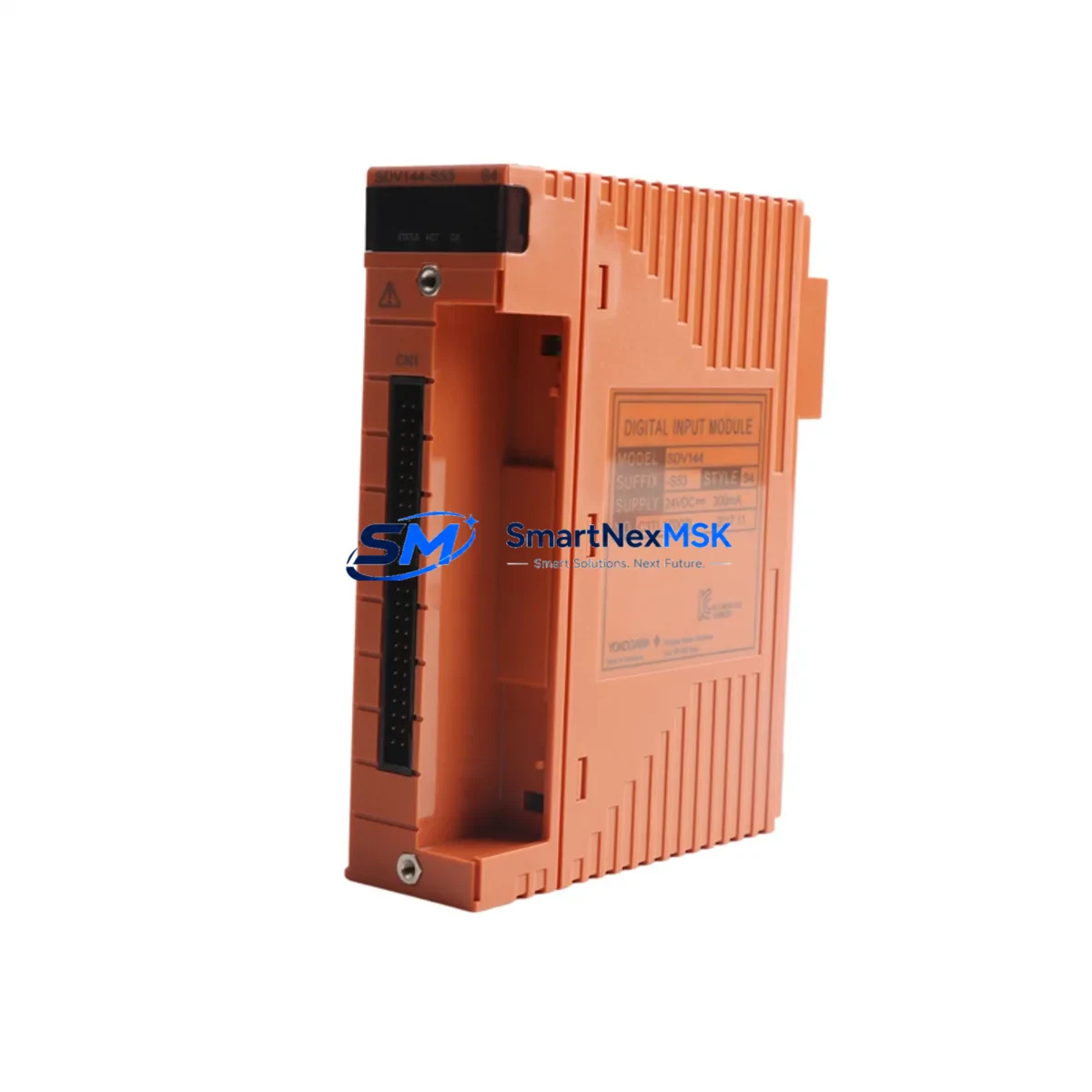
YOKOGAWA SDV144-S53 Retrofit-Ready DI Module for CENTUM VP CS 3000: Compatible Modernization & Smooth System Upgrade
The YOKOGAWA SDV144-S53 is a 32-channel Digital Input (DI) module engineered for the CENTUM VP and CS 3000 Distributed Control System platforms. As legacy automation infrastructure ages and original spare parts become increasingly scarce, the SDV144-S53 stands as a proven retrofit solution for facilities seeking to extend the operational life of their existing control architecture without committing to a full platform migration. Whether you are replacing a failed module on an active production line, upgrading a control cabinet during a planned shutdown, or building a strategic spare inventory for long-term system continuity, the SDV144-S53 delivers the compatibility, reliability, and technical precision that industrial environments demand.
Sourced directly from verified supply channels and subjected to pre-shipment functional testing, every SDV144-S53 unit shipped by SMARTNEXMSK is backed by a 12-month warranty covering manufacturing defects and functional failures under normal operating conditions. Our inventory is maintained in Xiamen, China, with rapid dispatch capability for urgent retrofit and emergency replacement orders.
Upgrade Compatibility Table
| Parameter | SDV144-S53 Specification | Retrofit Notes |
|---|---|---|
| Compatible Platforms | CENTUM VP, CS 3000 | Direct slot-for-slot replacement in existing field control stations |
| Channel Count | 32 Digital Input Channels | Matches original SDV144 channel mapping; no I/O address reassignment required in most configurations |
| Backplane Interface | CENTUM-standard node bus connector | Compatible with existing FCU (Field Control Unit) backplanes; verify slot position against station drawing |
| Input Signal Type | Dry contact / Voltage input (configurable) | Confirm field wiring terminal block assignments before hot-swap; use existing SDV144 terminal drawings |
| Power Consumption | Per YOKOGAWA SDV144 series specification | Verify power supply module (e.g., PW481, PW482) capacity before installation; total station load must remain within rated limits |
| Communication Protocol | CENTUM internal node bus (proprietary) | No protocol migration required; module communicates natively within CENTUM VP / CS 3000 architecture |
| Module Address | Configured via hardware DIP switch or software assignment | Match address to original module configuration; document existing address before removal |
| Installation Format | Card-type, front-insertion | Compatible with standard CENTUM field control station racks; no mechanical modification required |
| Replacement Recommendation | Direct drop-in for failed or end-of-life SDV144-S53 units | Suitable for both emergency replacement and planned preventive maintenance swap |
| Commissioning Focus | I/O signal verification, module diagnostics, HMI status confirmation | Run CENTUM VP Engineering Environment (CAMS for HIS) diagnostic scan post-installation |
| Warranty | 12 Months | Covers manufacturing defects and functional failure under normal operating conditions |
Retrofit Planning for Existing Automation Systems
Successful integration of the SDV144-S53 into an existing CENTUM VP or CS 3000 system requires methodical pre-installation planning. Before removing the failed or obsolete module, engineers should document the current module address assignment, terminal block wiring layout, and I/O tag mapping as configured in the CENTUM VP Engineering Environment. This documentation forms the baseline for post-installation verification and significantly reduces the risk of commissioning errors.
The SDV144-S53 is typically installed within a Field Control Unit (FCU) rack alongside complementary modules. In a standard CENTUM VP field station, the FCU may also house analog input modules such as the AAI141 or AAI143, analog output modules like the AAO141, and digital output modules such as the SDV541 or SDV144-S58. These modules share the same backplane bus and power distribution infrastructure. Before proceeding with the SDV144-S53 swap, confirm that the station’s power supply module — commonly a PW481 or PW482 — has sufficient remaining capacity to support the replacement module under full channel load.
Terminal block wiring is a critical checkpoint. The SDV144-S53 uses a standard CENTUM terminal block connector, and field wiring from sensors, limit switches, and discrete signal sources must be verified against the original I/O wiring diagram. In older CS 3000 installations, terminal assignments may differ slightly from CENTUM VP conventions; always cross-reference the station-specific wiring documentation rather than relying on generic module datasheets.
For facilities running CENTUM VP with Vnet/IP communication infrastructure, the SDV144-S53 integrates seamlessly without requiring any changes to the Vnet/IP network configuration or the HIS (Human Interface Station) engineering database. However, if the retrofit is part of a broader migration from CS 3000 to CENTUM VP, additional steps are required: the FCU firmware may need to be updated, and the CAMS for HIS engineering tool must be used to re-import or re-validate the I/O tag database. In such scenarios, it is advisable to also review the status of communication modules such as the ESB Bus coupler or the Vnet/IP interface card installed in the same station.
For sites that include YOKOGAWA STARDOM or ProSafe-RS safety instrumented systems in the same control room, the SDV144-S53 retrofit scope is limited to the CENTUM process control domain and does not affect the safety system architecture. However, cross-system I/O signals that interface between the CENTUM FCU and the ProSafe-RS safety controller should be re-verified after the module swap to confirm that hardwired interlock signals remain intact.
If the retrofit involves expanding I/O capacity rather than a direct replacement, engineers should evaluate whether the existing FCU rack has available slots. In cases where the rack is fully populated, an additional I/O expansion unit or a supplementary FCU node may be required. SMARTNEXMSK can assist in sourcing compatible expansion hardware, including additional SDV144-series modules, AAI-series analog input cards, and FCU node bus extension components, to support a complete I/O expansion project.
Downtime Control During System Migration
Minimizing unplanned downtime is the primary operational concern during any DCS module replacement. For the SDV144-S53, the recommended approach is to perform the swap during a scheduled maintenance window with the affected field control station placed in manual override mode. Before initiating the physical swap, operators should transfer control of all critical loops associated with the SDV144-S53 I/O channels to manual station control at the HIS console, ensuring that process variables remain within safe operating ranges throughout the replacement procedure.
The CENTUM VP system supports hot-standby configurations for certain controller types, but DI modules such as the SDV144-S53 are typically non-redundant in standard configurations. This means the affected digital input signals will be temporarily unavailable during the physical module swap. To protect original program logic, engineers should export and archive the current FCU application program using the CENTUM VP Engineering Environment before beginning work. This backup ensures that in the event of an unexpected configuration loss, the original control logic — including function block assignments, I/O tag bindings, and alarm setpoints — can be restored without manual re-entry.
Post-installation, the commissioning sequence should follow a structured verification protocol: first confirm that the SDV144-S53 module is recognized by the FCU and appears online in the CENTUM VP system status display; then perform a channel-by-channel I/O signal check by activating each field device and verifying the corresponding tag status change at the HIS; finally, confirm that all HMI faceplates and alarm displays associated with the replaced module are functioning correctly before returning the station to automatic control mode.
For emergency replacements where a scheduled window is not available, SMARTNEXMSK maintains ready-to-ship inventory of the SDV144-S53 to support same-day or next-day dispatch. Pre-shipment functional testing is performed on every unit to reduce the risk of DOA (dead-on-arrival) failures and to minimize the total time from order placement to system restoration.
Retrofit Support FAQ
Q1: Is the SDV144-S53 a direct replacement for the original YOKOGAWA SDV144-S53, or are there hardware revision differences I need to be aware of?
The SDV144-S53 units supplied by SMARTNEXMSK are sourced from verified channels and are functionally equivalent to the original YOKOGAWA specification. Hardware revision differences, if any, are within YOKOGAWA’s approved compatibility range and do not affect drop-in installation. We recommend confirming the firmware version of your FCU against YOKOGAWA’s compatibility matrix if your system is running an older CS 3000 release.
Q2: What wiring checks should I perform before installing the SDV144-S53?
Before installation, verify the terminal block wiring against your station’s I/O wiring diagram. Confirm that field signal types (dry contact vs. voltage input) match the module’s configured input mode. Check that the terminal block connector is clean and free of corrosion, and that all field cables are correctly labeled and secured. If the original module failed due to a field wiring fault (e.g., overvoltage or short circuit), inspect and resolve the field-side issue before installing the replacement to avoid damaging the new module.
Q3: How do I verify that the SDV144-S53 is communicating correctly with the CENTUM VP FCU after installation?
After physical installation, open the CENTUM VP Engineering Environment and navigate to the FCU hardware configuration view. The SDV144-S53 should appear online in its assigned slot with a green status indicator. Use the I/O diagnostic function to perform a live signal check on each channel. If the module does not appear online, verify the module address DIP switch setting, confirm the backplane connector is fully seated, and check the FCU event log for hardware fault messages.
Q4: What does the 12-month warranty cover, and what is the process for a warranty claim?
The 12-month warranty covers manufacturing defects and functional failures under normal operating conditions from the date of shipment. It does not cover damage resulting from incorrect installation, field wiring faults, overvoltage events, or unauthorized modification. To initiate a warranty claim, contact SMARTNEXMSK at [email protected] with your order reference, a description of the failure symptom, and photographic documentation of the module and installation environment. Our technical team will assess the claim and arrange for replacement or repair within the warranty terms.
© 2026 SMARTNEXMSK. All rights reserved.
Original Source: https://smartnexmsk.com
Contact: [email protected] | +86 18259474341



