
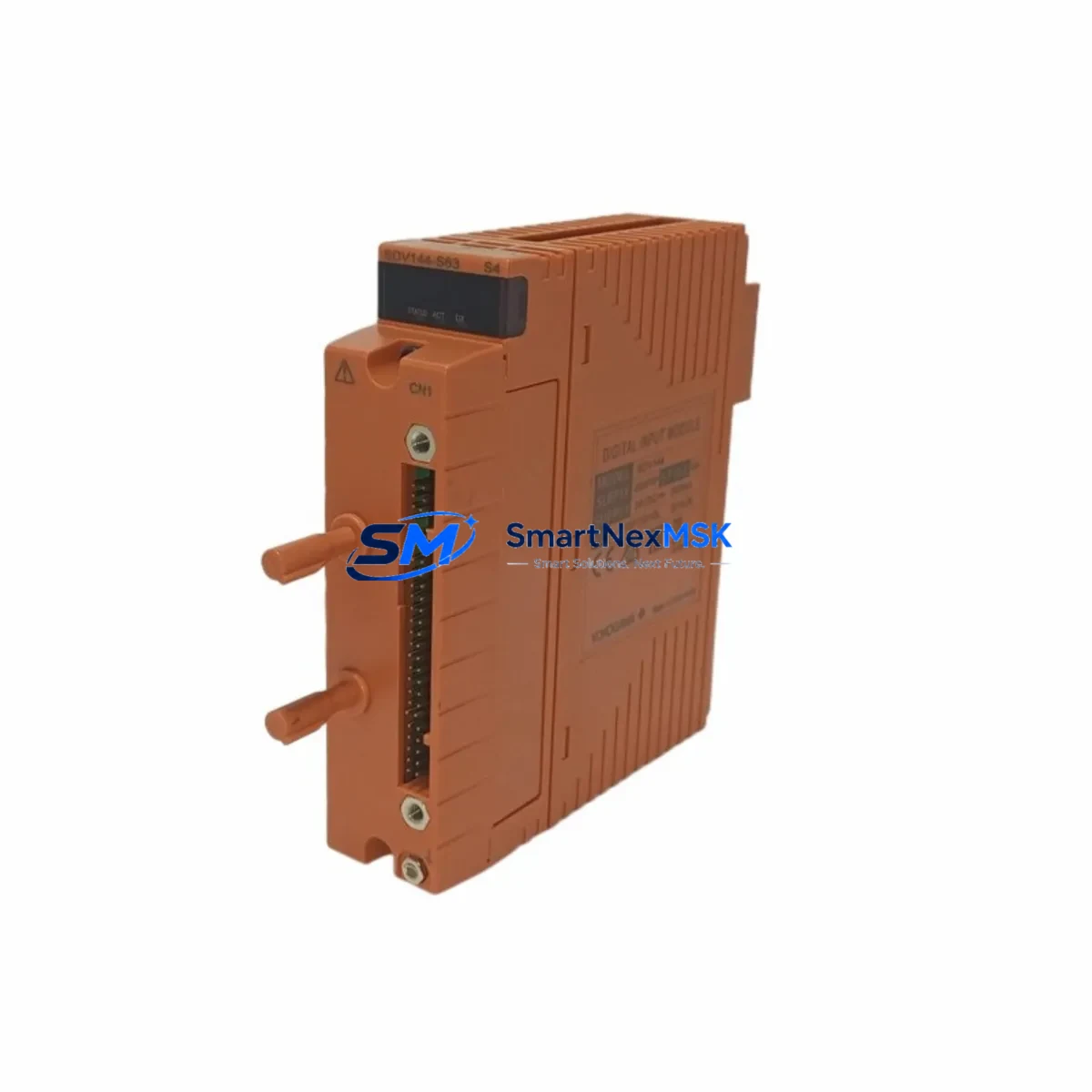
Yokogawa SDV144-S63 S4 Maintenance-Ready Spare for CENTUM VP Automation
The Yokogawa SDV144-S63 S4 is an original digital input (DI) module engineered for the CENTUM VP distributed control system platform — one of the most widely deployed DCS architectures in refining, petrochemical, power generation, and advanced manufacturing. In industrial environments where unplanned downtime translates directly into production loss and safety risk, maintaining a verified, pre-tested spare of the SDV144-S63 S4 is not optional — it is a fundamental element of any responsible maintenance strategy.
This module handles discrete field signal acquisition within the CENTUM VP I/O subsystem, interfacing with field devices such as limit switches, pressure switches, valve position feedback sensors, and motor run/stop status contacts. Its 16-channel optical-isolated input architecture ensures reliable signal integrity even in electrically noisy industrial cabinet environments. Each SDV144-S63 S4 unit supplied by SMARTNEXMSK is sourced from authorized supply channels, subjected to pre-shipment functional testing, and backed by a 12-month warranty — giving both maintenance engineers and procurement teams the confidence to stock this module as a lifecycle-managed critical spare.
Whether you are managing a planned turnaround, responding to an emergency fault, or building out a proactive spare parts inventory for aging CENTUM VP systems, the SDV144-S63 S4 is a high-priority line item. Our global logistics network supports expedited delivery for emergency maintenance scenarios, with standard lead times suitable for scheduled replenishment programs.
Spare Maintenance Table
| Parameter | Specification |
|---|---|
| Model / SKU | SDV144-S63 S4 |
| Brand | Yokogawa Electric Corporation |
| Module Type | Digital Input (DI) Module |
| Compatible System | CENTUM VP / CENTUM CS 3000 (with compatibility verification) |
| Series | SDV144 Series |
| Signal Type | Discrete / Digital Input |
| Input Channels | 16-channel (typical for SDV144 series) |
| Input Voltage Range | 24 VDC (field-side, dry contact or wet contact) |
| Isolation | Optical isolation between field and system bus |
| Mounting | I/O nest / backplane slot (CENTUM VP standard) |
| Operating Temperature | 0°C to 55°C (standard industrial cabinet environment) |
| Origin | Japan |
| Condition | Original; new or refurbished-to-spec; pre-shipment tested |
| Warranty | 12 Months from date of shipment |
| Delivery | Worldwide; expedited available for emergency maintenance |
| Maintenance Recommendation | Replace at first sign of input signal anomaly or during scheduled I/O nest overhaul |
Maintenance Planning for Continuous Operation
When a reliability or maintenance engineer identifies degraded performance or a confirmed fault in the SDV144-S63 S4, the replacement scope should extend beyond the module itself. The SDV144-S63 S4 operates within a broader I/O nest assembly, and a thorough inspection of adjacent components is essential to prevent repeat failures and ensure full system restoration.
Start with the I/O nest backplane — units such as the ANB10D or ANB14D nest assemblies — checking for corrosion, bent connector pins, or thermal stress marks. A compromised backplane can damage a newly installed DI module within hours of commissioning. Next, inspect the field terminal unit (FTU), typically an ADV151 or equivalent marshalling terminal, for loose wiring, oxidized terminals, or reversed field wiring polarity that may have contributed to the original module failure.
The CENTUM VP field control station (FCS) power supply modules — such as the APW100 or APW120 series — must be verified for output voltage stability. An unstable or marginal 24 VDC supply rail is one of the most common root causes of intermittent DI module faults and is frequently overlooked during fault isolation. If the cabinet houses multiple I/O nests, inspect the ESB bus interface modules (e.g., AIP829) and communication bus couplers for signal integrity issues that can mask or mimic DI module failures.
For facilities operating aging CENTUM VP or CENTUM CS 3000 systems, it is advisable to simultaneously audit analog input modules (such as the AAI141 or AAI143 series) and digital output modules (ADO55B or ADO141 series) within the same I/O nest. These modules share the same backplane power rail and system bus, meaning a degraded DI module may indicate broader I/O nest stress. Procurement engineers should consider maintaining at least one spare of each module type present in a critical FCS cabinet as part of a minimum viable spare parts list.
Additionally, review the optical fiber communication cables connecting the FCS to the HIS (Human Interface Station) and the Vnet/IP network switches for packet loss or latency anomalies. In some cases, what presents as a DI module fault is actually a communication-layer issue. Confirming network integrity before and after module replacement prevents misdiagnosis and avoids unnecessary additional downtime. Fuse holders and terminal block assemblies within the same marshalling cabinet should also be inspected as part of a complete cabinet health check.
Site Replacement Workflow
Replacing the SDV144-S63 S4 in a live CENTUM VP system requires a structured, documented approach to minimize downtime and avoid process disruption. The following workflow applies to both emergency fault recovery and planned maintenance windows.
1. Pre-Replacement Verification: Confirm the replacement module’s full SKU — SDV144-S63 S4 — including suffix codes. The S63 and S4 suffixes denote specific hardware revisions and option configurations. Substituting an incorrect suffix variant may cause compatibility issues with the FCS firmware version or I/O nest slot addressing. Cross-reference the installed module’s nameplate against the replacement unit before proceeding.
2. Process Isolation: Coordinate with the control room operator to place all affected I/O points in manual mode or bypass within the CENTUM VP HIS engineering console. Document all active alarms, interlock states, and field device statuses before beginning physical work.
3. Module Extraction: If hot-swap is not supported for this nest configuration, power down the affected I/O nest slot. Release the module locking lever and slide the SDV144-S63 S4 out of the backplane slot. Inspect the backplane connector for damage, contamination, or bent pins before inserting the replacement unit.
4. Installation and Commissioning: Insert the replacement SDV144-S63 S4, secure the locking lever, and restore power to the nest. The CENTUM VP FCS should automatically recognize the module and restore I/O point mapping without requiring manual reconfiguration. Verify all 16 input channels are reading correctly from the HIS engineering console before proceeding.
5. Post-Replacement Testing: Perform a full loop check on all field devices connected to the replaced module. Confirm signal states match physical field conditions. Remove all manual bypasses and return the process to automatic control only after complete verification. Log the replacement in your maintenance management system (CMMS) with the module serial number and test results for lifecycle tracking.
This workflow supports rapid recovery from unplanned outages and is equally applicable during planned turnaround maintenance windows. A pre-tested SDV144-S63 S4 spare on the shelf reduces mean time to repair (MTTR) from days to under two hours in most facility configurations — a measurable improvement in plant availability and maintenance KPIs.
Spare Parts Support FAQ
Q1: Is the SDV144-S63 S4 compatible with both CENTUM VP and CENTUM CS 3000 systems?
The SDV144-S63 S4 is primarily designed for CENTUM VP I/O nests. Compatibility with CENTUM CS 3000 depends on the specific nest type and FCS firmware version. We recommend providing your FCS model number and firmware revision when placing an order so our technical team can confirm cross-compatibility before shipment.
Q2: How is each unit tested before shipment?
Every SDV144-S63 S4 unit undergoes pre-shipment functional testing covering channel continuity, optical isolation integrity, and backplane connector condition. Units that do not meet Yokogawa’s original performance specifications are not shipped. A test report is available upon request for critical maintenance applications or incoming inspection requirements.
Q3: What does the 12-month warranty cover?
The 12-month warranty covers manufacturing defects, functional failures under normal operating conditions, and defects identified during incoming inspection at your facility. It does not cover damage caused by incorrect installation, overvoltage events, or physical mishandling. Warranty claims are processed with priority turnaround to minimize maintenance downtime impact.
Q4: Can you support long-term or blanket purchase orders for lifecycle management?
Yes. SMARTNEXMSK supports long-term supply agreements for critical spare parts including the SDV144-S63 S4. For facilities managing aging CENTUM VP systems beyond the Yokogawa standard product lifecycle, we offer reserved stock programs, scheduled delivery, and multi-year pricing agreements to support maintenance budget planning and spare parts lifecycle governance.
© 2026 SMARTNEXMSK. All rights reserved.
Original Source: https://smartnexmsk.com
Contact: [email protected] | +86 18259474341



