
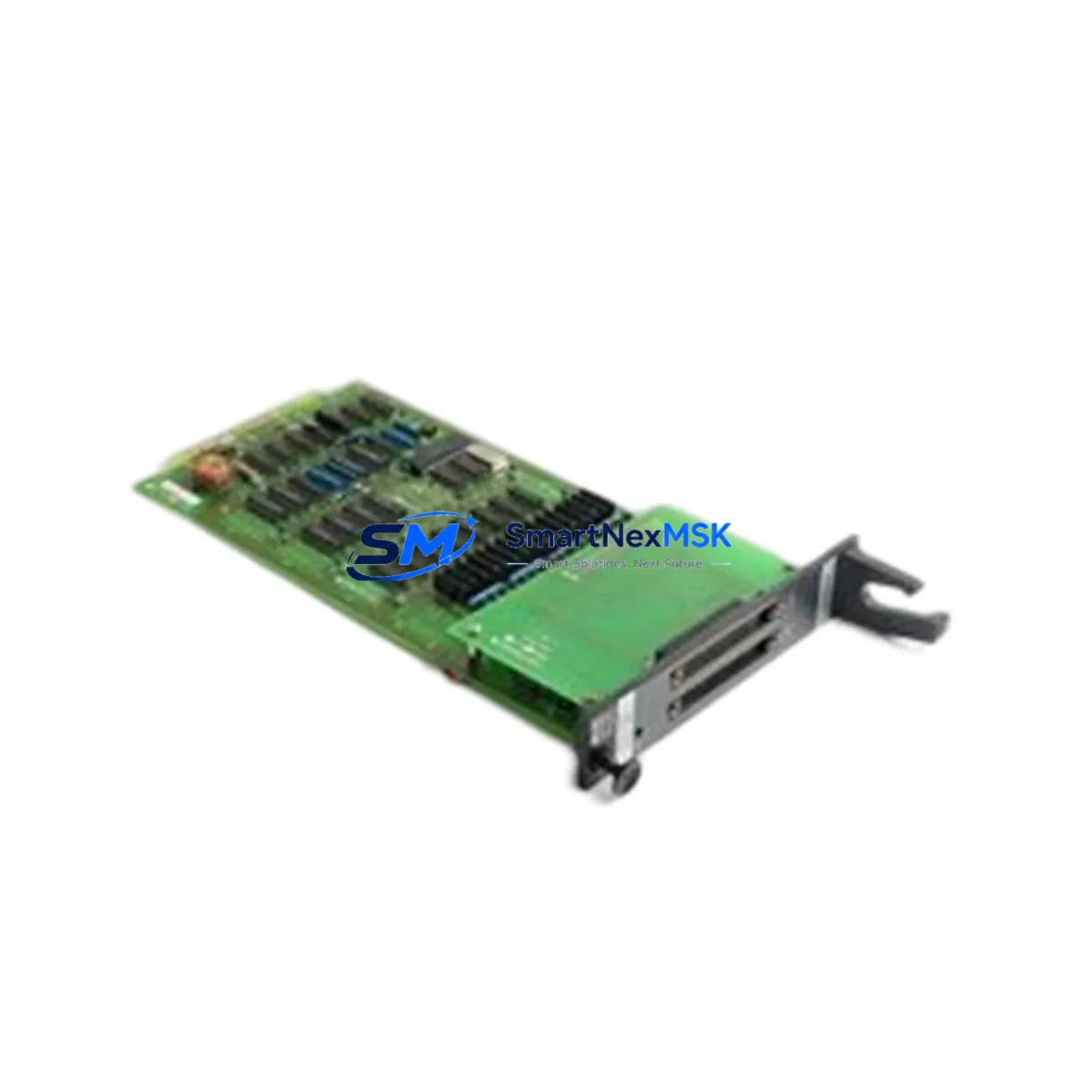
YOKOGAWA ST4*D AS S9191AQ-0 Retrofit-Ready DI Card: Compatible Modernization for CENTUM VP & CS 3000 Control Systems
The YOKOGAWA ST4*D AS S9191AQ-0 is a Multi Status Input Card designed for integration within YOKOGAWA’s CENTUM VP and CS 3000 Distributed Control System (DCS) platforms. As legacy automation infrastructure ages and original spare parts become increasingly scarce, this module serves as a critical retrofit and replacement component for facilities seeking to extend the operational life of their existing control architecture without committing to a full system overhaul.
Whether you are managing a refinery, chemical plant, power generation facility, or continuous process manufacturing line, the ST4*D AS S9191AQ-0 provides a reliable, drop-in compatible solution for maintaining digital input functionality within your CENTUM VP or CS 3000 field control station (FCS). Our inventory is sourced, inspected, and tested to ensure full functional compatibility before shipment, backed by a 12-month warranty.
Upgrade Compatibility Table
| Parameter | Details |
|---|---|
| Compatible Platform | YOKOGAWA CENTUM VP, CENTUM CS 3000 |
| Module Function | Multi Status Digital Input (DI) Card |
| Installation Type | Backplane slot-mount; compatible with standard CENTUM VP / CS 3000 I/O nest and node unit |
| Interface / Communication | Internal FCS bus; no external fieldbus configuration required for basic DI operation |
| Replacement Compatibility | Direct replacement for ST4*D series variants within the same I/O nest; verify terminal block wiring map before swap |
| Commissioning Notes | Module address assignment via FCS builder; confirm I/O tag mapping in CENTUM VP Engineering Environment or CS 3000 System View |
| Power Supply Requirement | Supplied via backplane from node unit power supply (e.g., PW481 or PW482 series); no separate field power required for DI card |
| Warranty | 12 months from date of shipment; covers manufacturing defects and functional failure under normal operating conditions |
Retrofit Planning for Existing Automation Systems
Retrofitting a CENTUM VP or CS 3000 system requires careful pre-planning to ensure continuity of process control and data integrity. When replacing the ST4*D AS S9191AQ-0, engineers should begin by auditing the existing I/O nest configuration. The node unit — typically an ANB10D or ANR10D remote node unit — houses the backplane into which the DI card is installed. Confirm that the nest slot assignment matches the original module address before removal.
Terminal block wiring is a critical step. The field wiring connected to the ST4*D card’s terminal block must be documented and verified against the original loop drawings. In many CS 3000 installations, the terminal block assembly (such as the TB820V or equivalent marshalling terminal unit) is shared across multiple I/O cards. Ensure that the replacement card’s terminal pinout is identical to the removed unit to avoid rewiring the field cables.
Power capacity within the node unit must also be assessed. The PW481 or PW482 power supply modules feeding the I/O nest should have sufficient headroom to support the replacement card. In aging systems, power supply modules may themselves be candidates for concurrent replacement — particularly if the existing units are showing signs of output voltage drift or thermal stress.
For systems running CENTUM VP, the FCS Builder within the YOKOGAWA Engineering Environment (ENG) is used to assign the module address and configure the DI channel parameters. For CS 3000 systems, the equivalent configuration is performed in System View and the FCS Manager. In both cases, the I/O tag database must be verified to ensure that the replacement card’s channel assignments match the existing control logic. If the original program was built using Function Block Diagrams (FBD) or Sequence Table (SFC) elements referencing specific I/O tags, no program modification should be required as long as the module address is preserved.
HMI screen validation is another important step. Operator stations running CENTUM VP HIS (Human Interface Station) or the legacy CS 3000 Operator Station (OPS) display process values sourced from the DI card. After card replacement and FCS download, verify that all associated HMI faceplates and trend displays are receiving valid data. Any alarm setpoints or status indicators tied to the replaced DI channels should be confirmed against the original configuration.
Communication link integrity should also be checked. In distributed architectures, the Vnet/IP or legacy V-net communication bus connecting the FCS to the engineering and operator stations must remain stable during the card swap. If the replacement is performed online (hot-swap capable configurations), coordinate with the control room to monitor for any transient alarms during the module insertion sequence. For offline replacements, a controlled FCS restart may be required, and the SB401 or SB811 communication bus interface cards should be verified as part of the post-replacement checklist.
Downtime Control During System Migration
Minimizing unplanned downtime is the primary concern during any DCS I/O card replacement. For the ST4*D AS S9191AQ-0, the recommended approach is to prepare a complete replacement kit in advance — including the verified replacement card, a pre-labeled terminal block wiring diagram, and a backup copy of the FCS database — before scheduling the maintenance window.
Where the process permits, isolate only the affected I/O channels rather than shutting down the entire FCS. In CENTUM VP systems with redundant FCS configurations, the standby controller can maintain process control while the primary FCS is taken offline for the card swap. This approach is particularly effective in continuous process environments where even brief interruptions carry significant production cost.
Before the maintenance window, export and archive the current FCS configuration using the YOKOGAWA CENTUM VP Backup Tool or the CS 3000 equivalent. This ensures that the original program logic, I/O tag assignments, and alarm configurations can be restored rapidly in the event of any unexpected issue during commissioning. After card installation, perform a channel-by-channel functional test by simulating input signals at the terminal block and verifying the corresponding status change in the HMI and historian. Document the test results as part of the site’s maintenance record.
Our team pre-tests each ST4*D AS S9191AQ-0 unit prior to shipment using YOKOGAWA-compatible test fixtures to confirm channel integrity, power consumption within specification, and backplane communication handshake. This reduces on-site commissioning time and lowers the risk of a failed replacement during a critical maintenance window.
Retrofit Support FAQ
Q1: Is the ST4*D AS S9191AQ-0 a direct drop-in replacement for other ST4*D series variants in the same I/O nest?
A: In most CENTUM VP and CS 3000 installations, ST4*D series cards sharing the same form factor and backplane connector can be swapped within the same nest slot. However, you must verify the module part number suffix (e.g., AS S9191AQ-0 vs. other suffix variants) against your system’s I/O assignment table, as different suffixes may indicate different channel counts or input voltage ranges. Always cross-reference with the original FCS Builder configuration before ordering.
Q2: What wiring checks are required before installing the replacement card?
A: Prior to installation, verify the field wiring termination at the terminal block against the original loop drawings. Confirm that the input signal type (dry contact, wet contact, or voltage-free status) matches the card’s input specification. Check that the terminal block screws are torqued to specification and that no field wiring has been disturbed during the removal of the original card. Label all wires before disconnection if the terminal block must be removed.
Q3: Does the replacement card require a new FCS download or program modification?
A: If the replacement card is installed in the same backplane slot with the same module address, no program modification is required. A partial FCS download targeting only the affected node may be sufficient to re-initialize the card. In CS 3000 systems, a full FCS restart may be required depending on the firmware version. Consult the YOKOGAWA FCS Engineering Manual for your specific platform version before performing the download.
Q4: What does the 12-month warranty cover, and what is the return process?
A: The 12-month warranty covers functional failure and manufacturing defects under normal operating conditions. It does not cover damage resulting from incorrect installation, overvoltage, or physical mishandling. If a warranty claim is required, contact our sales team with the original order number and a description of the failure. We will arrange for a replacement unit to be shipped promptly to minimize your system downtime. Return shipping instructions will be provided upon claim approval.
© 2026 SMARTNEXMSK. All rights reserved.
Original Source: https://smartnexmsk.com
Contact: [email protected] | +86 18259474341



